
You check your store and realize you’ve been selling a product that went out of stock three days ago. Orders are piling up, customers are emailing, and you’re scrambling to figure out which items actually need restocking. Sound familiar? Without the right WooCommerce inventory management plugins, store owners face stockouts, overselling, and manual errors that waste time and hurt sales.
WooCommerce’s built-in stock management works fine when you have a handful of products. But once your catalog grows past a few dozen items, keeping track of stock levels, supplier orders, and multi-warehouse inventory becomes a full-time job. Without the right WooCommerce inventory management plugins, overselling and stockouts eat into your revenue and your reputation.
In this guide, we’ll compare the 5 best WooCommerce inventory management plugins that help you take control of your stock. We’ll cover what each plugin does best, what it costs, and how to pair it with data export and import tools for a complete inventory workflow.
Why Your Store Needs A WooCommerce Inventory Management Plugin
WooCommerce handles basic stock tracking out of the box. You can set stock quantities, enable backorders, and get low stock notifications. For a store with 20 products, that’s enough.
The problems start when your store scales. According to IHL Group research, inventory distortion (overstocks and out-of-stocks combined) costs retailers worldwide nearly $1.8 trillion annually. Even small WooCommerce stores feel this pressure when they start managing variable products, multiple warehouses, or supplier catalogs with hundreds of SKUs.
A dedicated WooCommerce inventory management plugin fills the gaps that the default system leaves open:
- Centralized stock dashboards: See every product’s stock status, supplier, and sales velocity in one place instead of clicking through individual product pages.
- Multi-location tracking: Manage stock across multiple warehouses, retail locations, or fulfillment centers without manual spreadsheets.
- Bulk editing: Update prices, stock quantities, and product details for hundreds of items at once instead of one at a time.
- Purchase order management: Create and track supplier orders directly from your WordPress dashboard.
- Automated alerts: Get notified before stock runs out, not after customers start complaining.
One thing we commonly see: store owners try to manage growing inventory with spreadsheets exported from WooCommerce. This works until someone forgets to update the sheet, and suddenly your online stock counts don’t match reality. A proper inventory plugin keeps everything in sync inside WordPress.
Top 5 WooCommerce Inventory Management Plugins
1. ATUM Inventory Management for WooCommerce
ATUM Inventory Management for WooCommerce is the most widely used free inventory plugin in the WooCommerce ecosystem. Its Stock Central dashboard gives you a single screen view of every product’s stock level, supplier, purchase price, and sales performance.
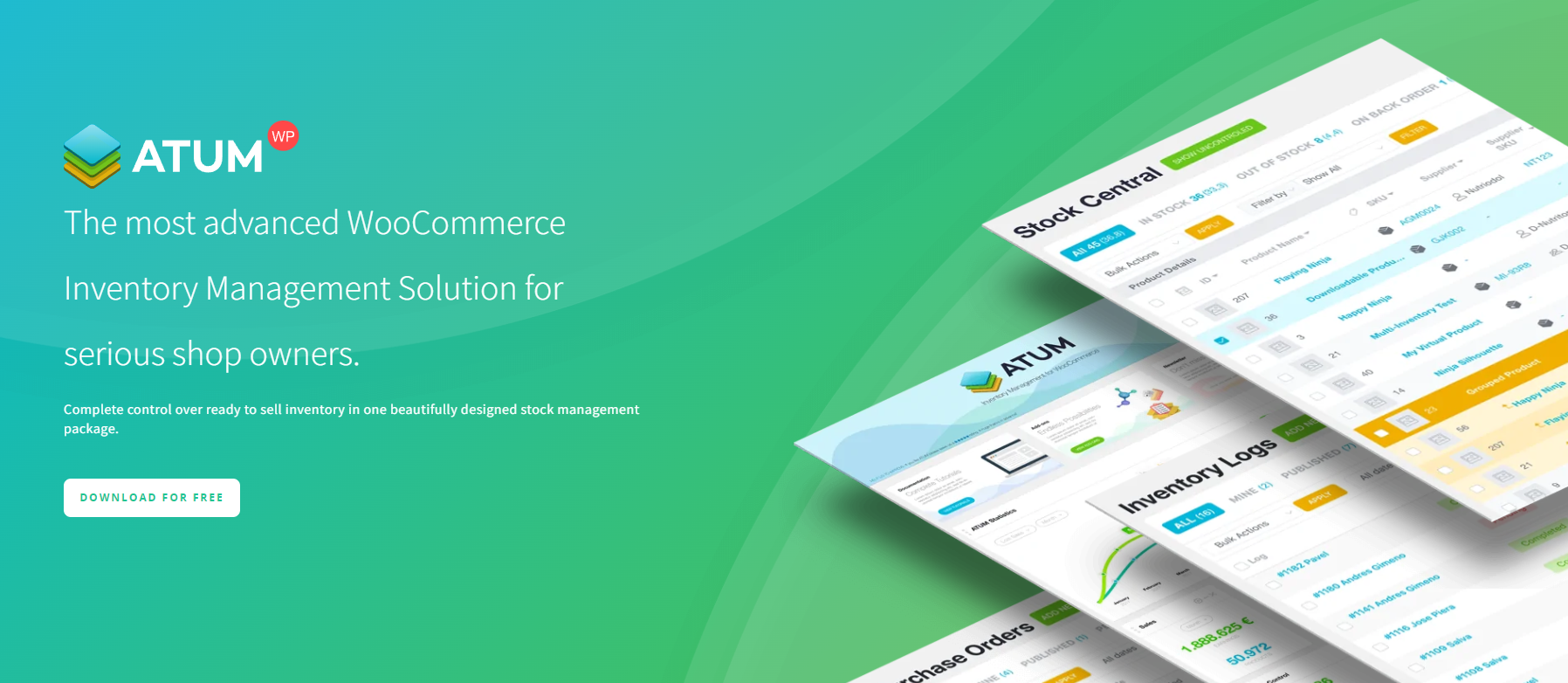
The free version covers the core workflow most small-to-mid-size stores need. You get product-level stock tracking, inventory logging, supplier management, and purchase order creation without paying anything. The premium add-ons (starting around €20 per quarter) unlock multi-location inventory, product levels, and manufacturing workflows for stores that need them.
Key features:
- Stock Central dashboard: A spreadsheet-like view of all products with inline editing for stock quantities, prices, and supplier details.
- Purchase orders: Create, send, and track supplier orders directly from WordPress.
- Inventory logs: Automatic history of every stock change, so you can trace discrepancies back to the source.
- Supplier management: Assign suppliers to products and track lead times.
- Multi-Inventory add-on: Track stock across multiple warehouses or locations (premium).
Best for: Stores that want comprehensive inventory management without a large upfront cost. The free core plugin is genuinely useful, not just a feature-gated trial.
Pricing: Free core plugin on WordPress.org. Premium add-ons from approximately €20 per quarter.
2. Smart Manager for WooCommerce
Smart Manager for WooCommerce takes a different approach to inventory management. Instead of building a dedicated inventory dashboard, it gives you a spreadsheet-style interface for bulk editing any WooCommerce data, including stock levels, prices, product details, orders, and coupons.
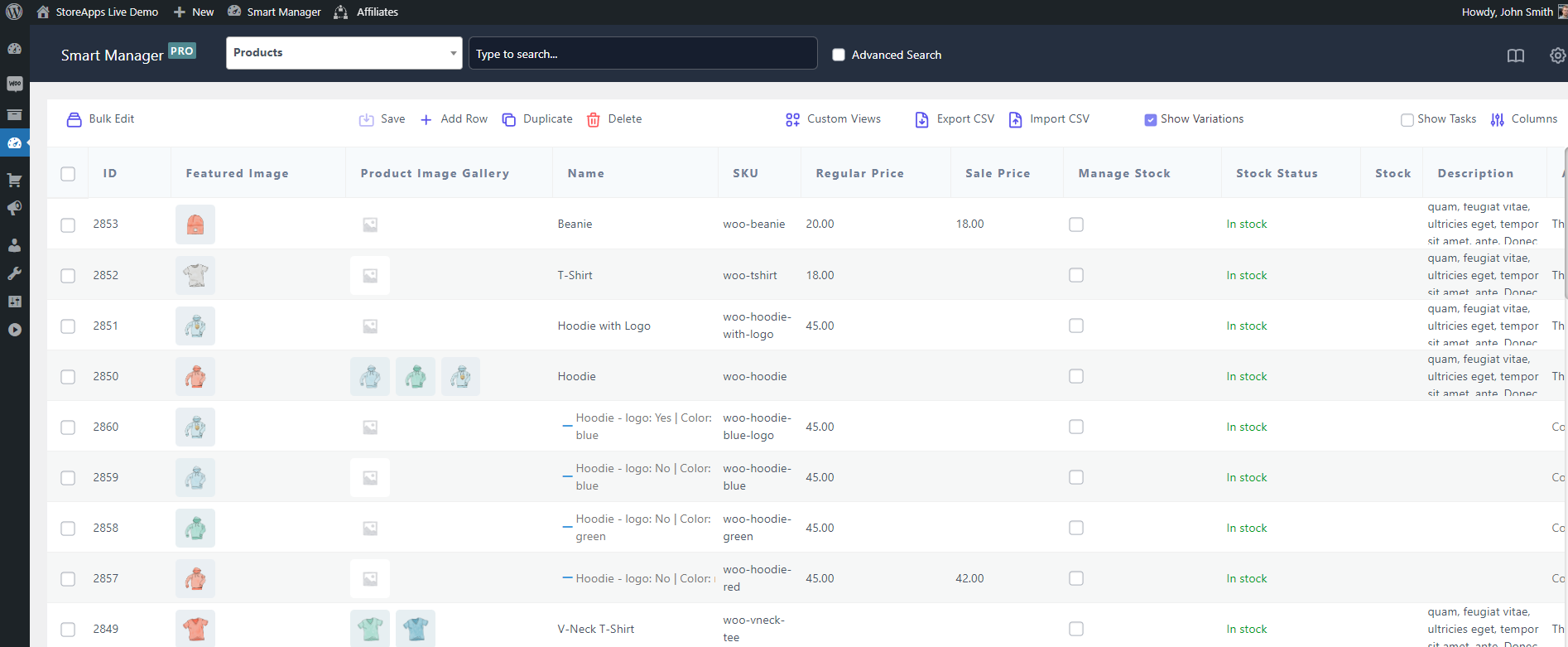
If your primary pain point is updating product data in bulk rather than tracking supplier orders, Smart Manager for WooCommerce is built for that specific workflow. You can filter products by category, stock status, or any custom field, then edit hundreds of rows inline without leaving the screen.
Key features:
- Spreadsheet-style bulk editing: Edit stock quantities, prices, SKUs, and other fields inline across hundreds of products at once.
- Advanced search and filtering: Filter products by stock status, category, price range, or custom fields to target exactly what needs updating.
- Batch updates: Apply changes like “increase all prices by 10%” or “set stock to 0 for discontinued items” across filtered results.
- Multi-data-type support: Manage not just products but also orders, coupons, and custom post types from the same interface.
A mistake we’ve seen repeatedly is store owners editing products one by one through the default WooCommerce product editor when they need to update stock for 200+ items. Smart Manager for WooCommerce turns that multi-hour task into a few minutes of inline edits.
Best for: Stores that need fast bulk editing of product data and stock levels. Less suited for full inventory lifecycle management (no purchase orders or supplier tracking).
Pricing: Free version available. Pro tier from $199 annually.
3. Stock Sync for WooCommerce
Stock Sync for WooCommerce solves a specific problem: keeping inventory synchronized across multiple data sources. If your stock levels live in a Google Sheet, a supplier’s CSV feed, or another WooCommerce store, Stock Sync for WooCommerce pulls those numbers into your store automatically.
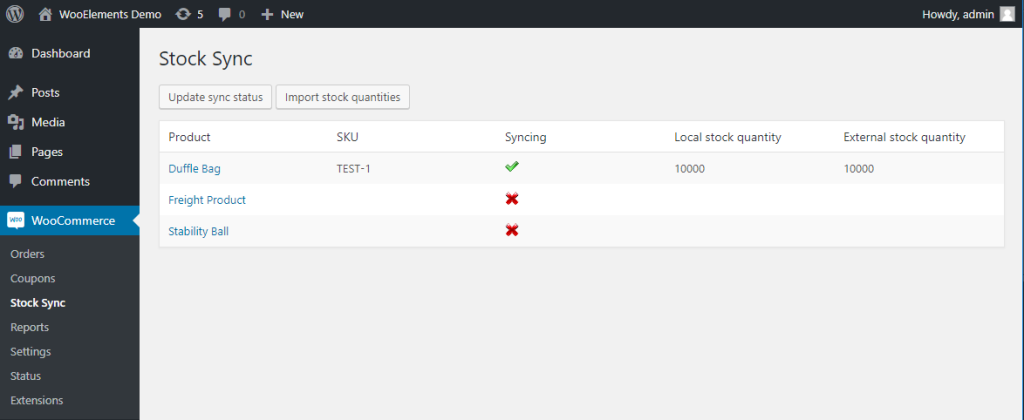
This is particularly valuable for dropshipping stores or businesses that rely on supplier inventory feeds. Instead of manually downloading a CSV and updating WooCommerce, Stock Sync for WooCommerce polls your data source on a schedule and updates stock quantities automatically.
Key features:
- Multi-source sync: Connect to Google Sheets, CSV files, XML feeds, or other WooCommerce stores as inventory sources.
- Scheduled updates: Set sync intervals so stock levels stay current without manual intervention.
- Batch processing: Handle large catalogs (10,000+ SKUs) without slowing down your site.
- Mapping rules: Match supplier SKUs to your WooCommerce products even when naming conventions differ.
Best for: Dropshipping stores, multi-store operations, and businesses that receive inventory data from external sources (suppliers, warehouses, or third-party systems).
Pricing: Starting at $6.99 per month.
4. WooCommerce Multi Locations Inventory Management
WooCommerce Multi Locations Inventory Management is built for stores that operate across multiple physical locations. Instead of showing one aggregate stock number, it tracks inventory per warehouse, retail store, or fulfillment center.
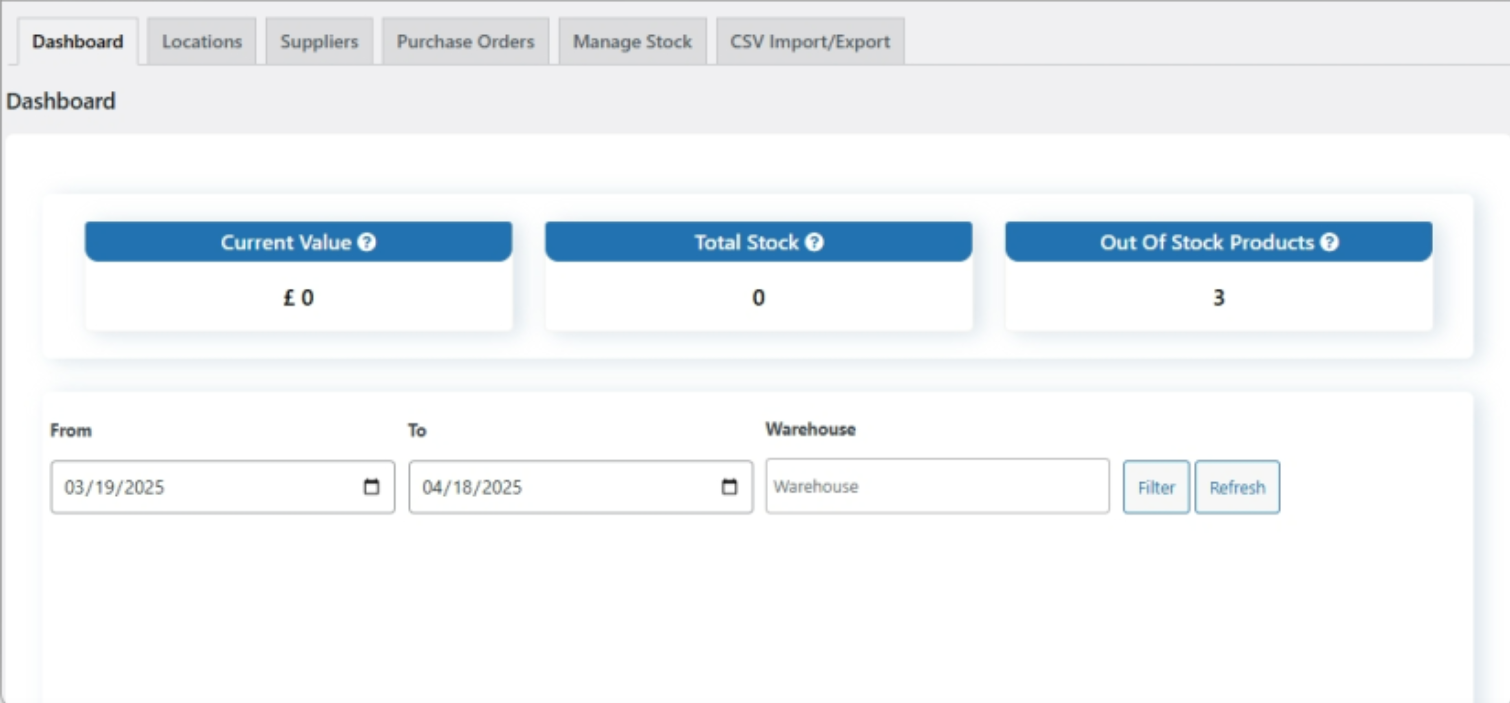
The plugin automatically routes orders to the nearest location with available stock, which reduces shipping costs and delivery times. It also supports location-specific pricing, so you can charge differently based on which warehouse fulfills the order.
Key features:
- Per-location stock tracking: See exactly how much inventory each warehouse or store holds.
- Automatic order routing: Orders are fulfilled from the nearest location with available stock.
- Location-specific pricing: Set different prices or shipping costs per location.
- Shipping zone integration: Works with WooCommerce shipping zones for accurate delivery estimates.
Store owners often ask us about multi-location inventory management, and the key consideration is whether you truly need per-location stock tracking or just a central view with location tags. If you ship from multiple warehouses, this plugin handles the routing logic that WooCommerce doesn’t provide natively.
Best for: Businesses with multiple warehouses, retail stores, or fulfillment centers that need per-location stock tracking and automatic order routing.
Pricing: Starting at $79 annually.
5. WooCommerce Out Of Stock! Manager
WooCommerce Out of Stock! Manager takes a different approach to inventory management by focusing on the customer-facing side of stock availability. Rather than managing back-end stock levels, it controls how your store communicates product availability to shoppers.
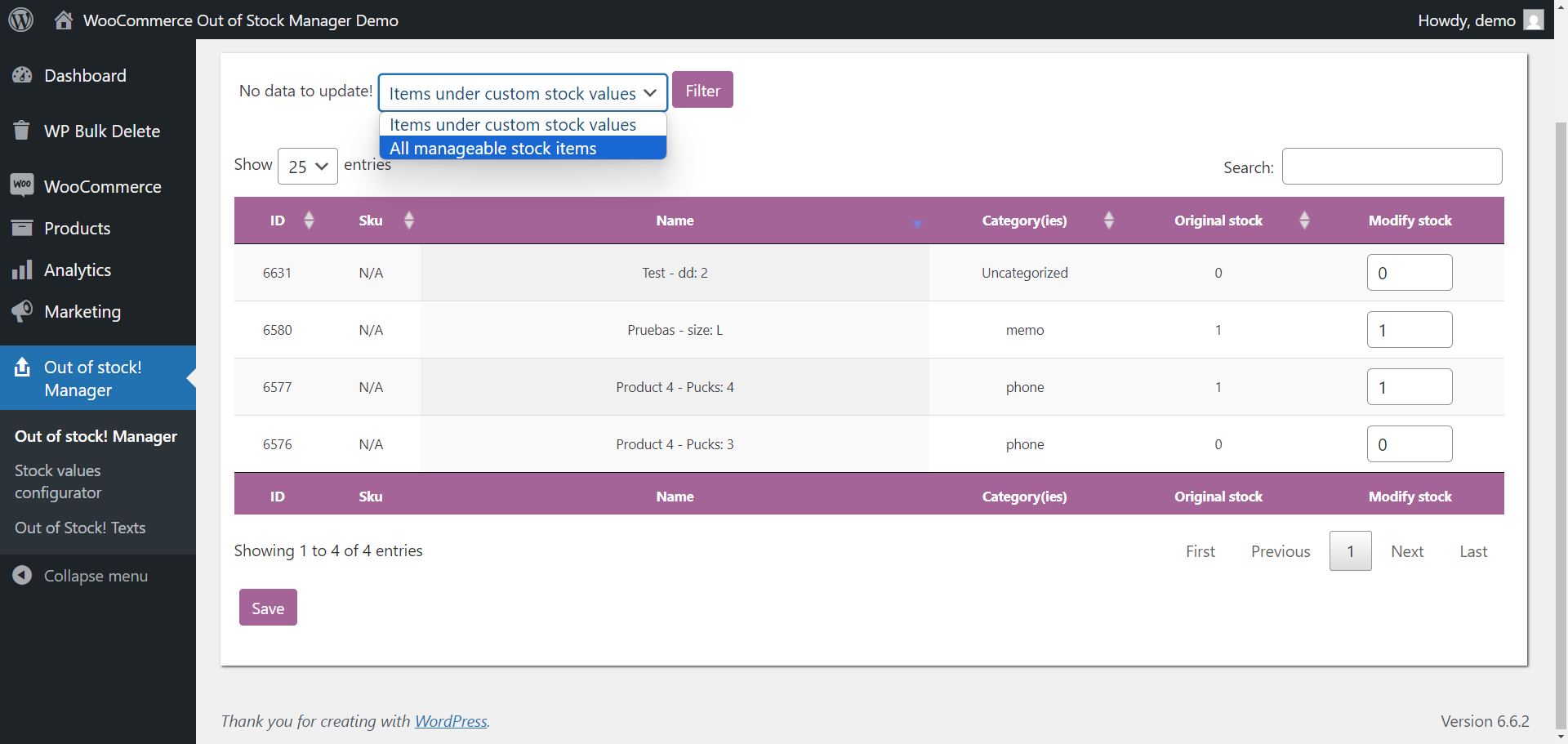
You can customize out-of-stock messages globally or per product, set visual stock threshold alerts (e.g., “Only 3 left!”), and control how out-of-stock products appear in your catalog. It works alongside the other plugins on this list rather than replacing them.
Key features:
- Custom out-of-stock messaging: Replace the default “Out of stock” text with helpful messages like expected restock dates or alternative product suggestions.
- Stock threshold alerts: Show urgency indicators like “Only 5 left in stock” to encourage purchases.
- Global and product-level controls: Set default messaging store-wide or override it for specific products.
- Catalog display options: Choose whether out-of-stock products are hidden, grayed out, or shown with custom badges.
Best for: Stores that want better customer communication about product availability. Pair it with ATUM Inventory Management for WooCommerce or another back-end plugin for a complete inventory solution.
Pricing: Free on WordPress.org. Premium version approximately $16.
How Export And Import Tools Complete Your Inventory Workflow
WooCommerce inventory management plugins handle stock tracking inside your store. But inventory management doesn’t stop at stock levels. You also need to move data in and out of WooCommerce: importing supplier catalogs, exporting inventory reports for your accountant, syncing product data with external systems, and backing up your catalog regularly.
This is where dedicated export and import tools fit into the picture. They handle the data movement that inventory plugins don’t cover.
Importing product and inventory data
Product Importer Deluxe lets you bulk import products, variations, categories, images, and custom fields from CSV or TSV files. When paired with an inventory management plugin, this covers two common scenarios:
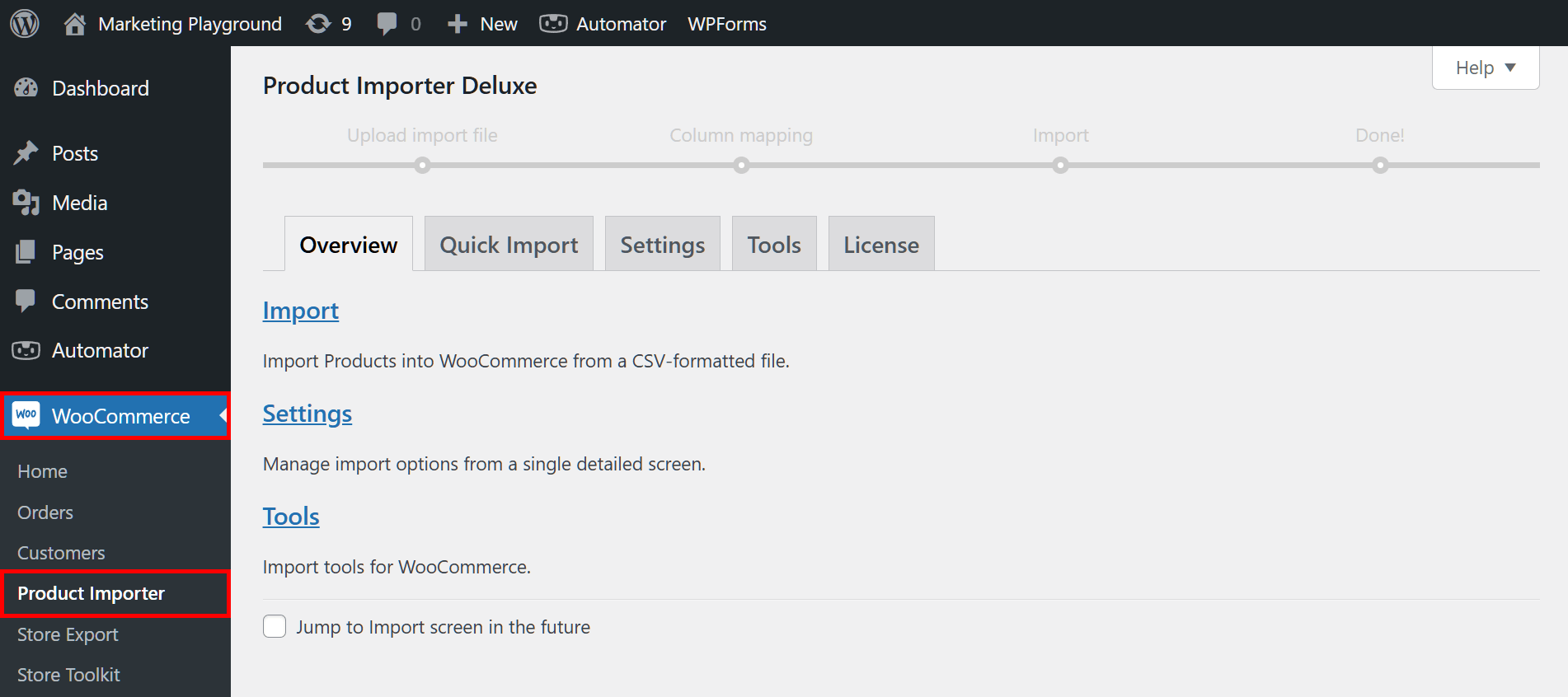
- Supplier catalog updates: When a supplier sends a new product list or updated pricing, you can import it directly into WooCommerce without manually creating each product. The plugin’s intelligent column detection maps supplier data to WooCommerce fields automatically.
- Bulk stock updates: If you track stock in an external spreadsheet or receive inventory counts from a warehouse, Product Importer Deluxe can update existing products by matching SKUs. This keeps your WooCommerce stock in sync with your physical inventory.
For a detailed walkthrough, see our getting started guide for Product Importer Deluxe.
Exporting inventory reports and order data
Store Exporter Deluxe exports WooCommerce data including products, orders, customers, subscriptions, and coupons in CSV, TSV, XLS, XLSX, and XML formats. For inventory management, the most common use cases are:
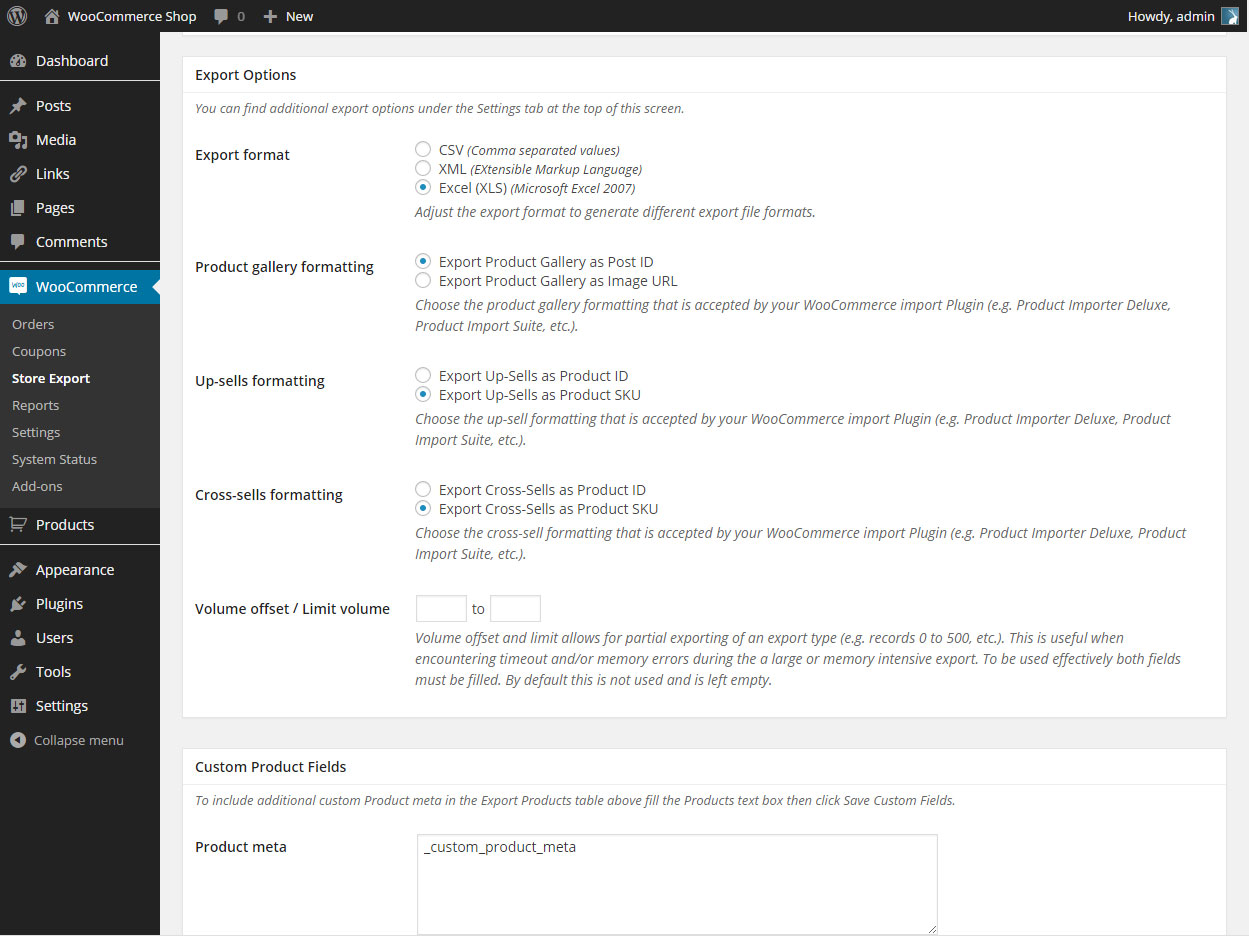
- Scheduled inventory reports: Set up automated exports that run daily or weekly, delivering current stock levels to your email, FTP server, or cloud endpoint. This gives your warehouse team or accountant up-to-date numbers without logging into WordPress.
- Order data for fulfillment: Export filtered order data (e.g., orders from the last 24 hours) in the format your fulfillment provider needs. Store Exporter Deluxe supports advanced filters by date, status, product, and more.
- Data backup: Regular automated exports serve as a backup of your product catalog and order history. If something goes wrong, you have a clean copy of your data in a portable format.
Together, these tools handle the data flow around your inventory. Your inventory management plugin tracks stock. Product Importer Deluxe brings data in. Store Exporter Deluxe sends data out. You can learn more about the export workflow in our Store Exporter Deluxe getting started guide.
How To Choose The Right WooCommerce Inventory Management Plugin
Each plugin on this list solves a different part of the inventory management problem. The right choice depends on your store’s specific situation:
- Small store, tight budget: Start with ATUM Inventory Management for WooCommerce (free) for stock tracking and purchase orders. Add Store Exporter Deluxe ($39.50/year) for automated inventory reports.
- Large catalog, frequent updates: Smart Manager for WooCommerce ($199/year) for bulk editing, plus Product Importer Deluxe for importing supplier catalogs.
- Multiple warehouses: WooCommerce Multi Locations Inventory Management ($79/year) for per-location tracking and automatic order routing.
- Dropshipping or external suppliers: Stock Sync for WooCommerce ($6.99/month) to keep stock synchronized with supplier feeds.
- Better customer experience: WooCommerce Out of Stock! Manager (free) for custom stock messaging. Pair it with any of the above for back-end management.
One thing we commonly see is stores trying to solve every inventory problem with a single plugin. In practice, the most effective setups combine a core inventory management plugin with dedicated export and import tools. The inventory plugin tracks your stock. Store Exporter Deluxe and Product Importer Deluxe handle the data movement around it.
Start Managing Your WooCommerce Inventory The Right Way
Picking the right WooCommerce inventory management plugin depends on your biggest pain point. If stock tracking is the issue, start with ATUM Inventory Management for WooCommerce. If bulk editing is eating your time, Smart Manager for WooCommerce is the better fit. Multi-location stores should look at WooCommerce Multi Locations Inventory Management first.
No matter which plugin you choose, pairing it with proper data tools makes the entire workflow smoother. Here’s what to do next:
- Understand why your store needs a dedicated inventory plugin
- Compare the 5 best WooCommerce inventory management plugins
- See how export and import tools complete your inventory workflow
- Pick the right plugin for your store’s situation
Ready to handle the data side of inventory management? Get Store Exporter Deluxe and Product Importer Deluxe to automate your inventory reports and streamline supplier catalog imports.
Frequently Asked Questions
Does WooCommerce have built-in inventory management?
Yes, WooCommerce includes basic stock management. You can set stock quantities per product, enable low stock notifications, and allow backorders. However, it lacks bulk editing, supplier management, purchase orders, multi-location tracking, and automated reporting. Most stores outgrow the built-in system once they reach 50+ products or start selling across multiple channels.
What is the best free WooCommerce inventory management plugin?
ATUM Inventory Management for WooCommerce is the most feature-complete free option. The free version includes Stock Central (a centralized dashboard), inventory logging, supplier management, and purchase order creation. Most competing plugins lock these features behind premium tiers. ATUM’s premium add-ons are available if you need multi-location support or manufacturing workflows.
Can I manage inventory across multiple warehouses in WooCommerce?
Yes, but not with the default WooCommerce system. You need a plugin like WooCommerce Multi Locations Inventory Management or ATUM’s Multi-Inventory add-on. These plugins track stock per location, route orders to the nearest warehouse with available stock, and support location-specific pricing.
How do I bulk update stock levels in WooCommerce?
There are two main approaches. Smart Manager for WooCommerce provides a spreadsheet-style interface for inline bulk editing directly inside WordPress. Alternatively, you can export your current inventory to a CSV, make updates in a spreadsheet, and reimport using Product Importer Deluxe, which matches products by SKU to update existing records without creating duplicates.
How do I export WooCommerce inventory data?
Store Exporter Deluxe exports product data, stock levels, orders, and customer records in CSV, TSV, XLS, XLSX, and XML formats. You can set up scheduled exports that automatically deliver inventory reports to your email, FTP server, or cloud endpoint on a daily or weekly basis.
Do I need both an inventory plugin and an export/import plugin?
They serve different purposes. Inventory management plugins track stock levels, manage suppliers, and handle purchase orders inside WooCommerce. Export and import tools move data in and out of WooCommerce, covering tasks like importing supplier catalogs, generating inventory reports, and backing up product data. For a complete inventory workflow, most stores benefit from both.