
Custom Login for WooCommerce replaces the plain WooCommerce login form with a branded login page at /login. Pick one of five templates, add your logo and colors, and use the side panel to show returning customers an offer. No code and no theme edits.
$49/ year · Single site license
✓ Instant Download✓ 14-day Guarantee✓ Expert Worldwide Support
🎨 Five ready-made templates
🖼 Your logo, colors and wording
📣 A promo panel beside the form
📱 Mobile-friendly layouts
We're excited to have you join the Visser Labs family! Complete your checkout now & save!
If you have any questions, please reach out to our support team!

14-day 100% money back guarantee. Expert email support included.
We’re excited to have you experience our tools. Over the next 14 days, if Visser Labs tools are not the best fit, simply reach out! We’ll happily refund 100% of your money. No questions asked.
Joshua Kohlbach
Josh Kohlbach – CEO of Visser Labs
What it does
Custom Login for WooCommerce gives your WooCommerce store a dedicated login page at /login. Activate the plugin and the page is created for you. Logged-out shoppers who open My Account are sent there, and they go back to My Account once they sign in.
The default WooCommerce login is a basic form inside the My Account page, styled by your theme. Changing it usually means editing template files or writing CSS. Custom Login for WooCommerce puts the layout, logo, colors, wording and a promotional panel on one settings screen under WooCommerce.
We built it for the Visser Labs store first. It runs our own customer login page today, and now it’s available as a standalone plugin.
See it in action
Five example stores we built with Custom Login for WooCommerce on our test site, one for each template.
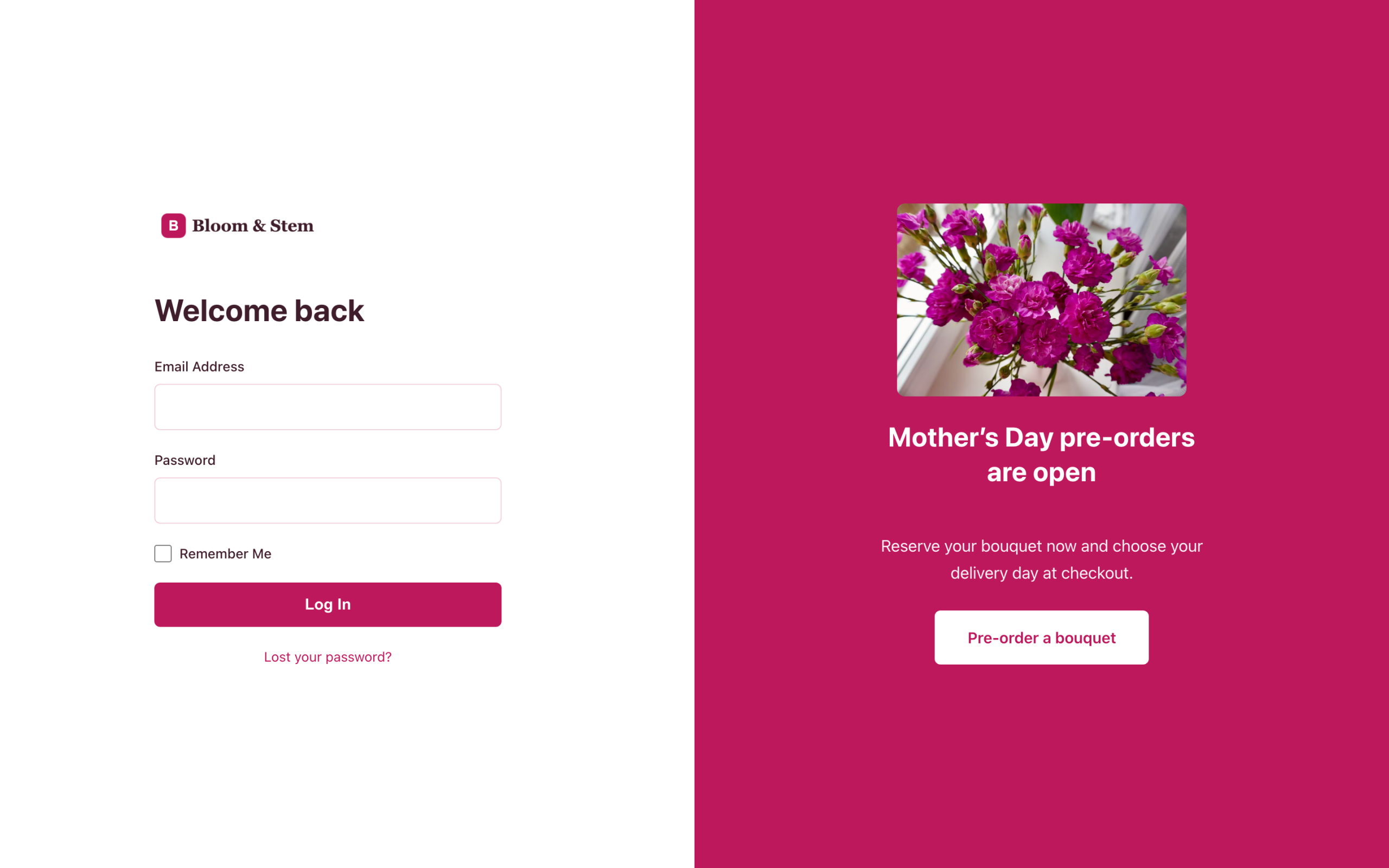
Classic Split. Bloom & Stem uses its brand colors and a seasonal pre-order offer.
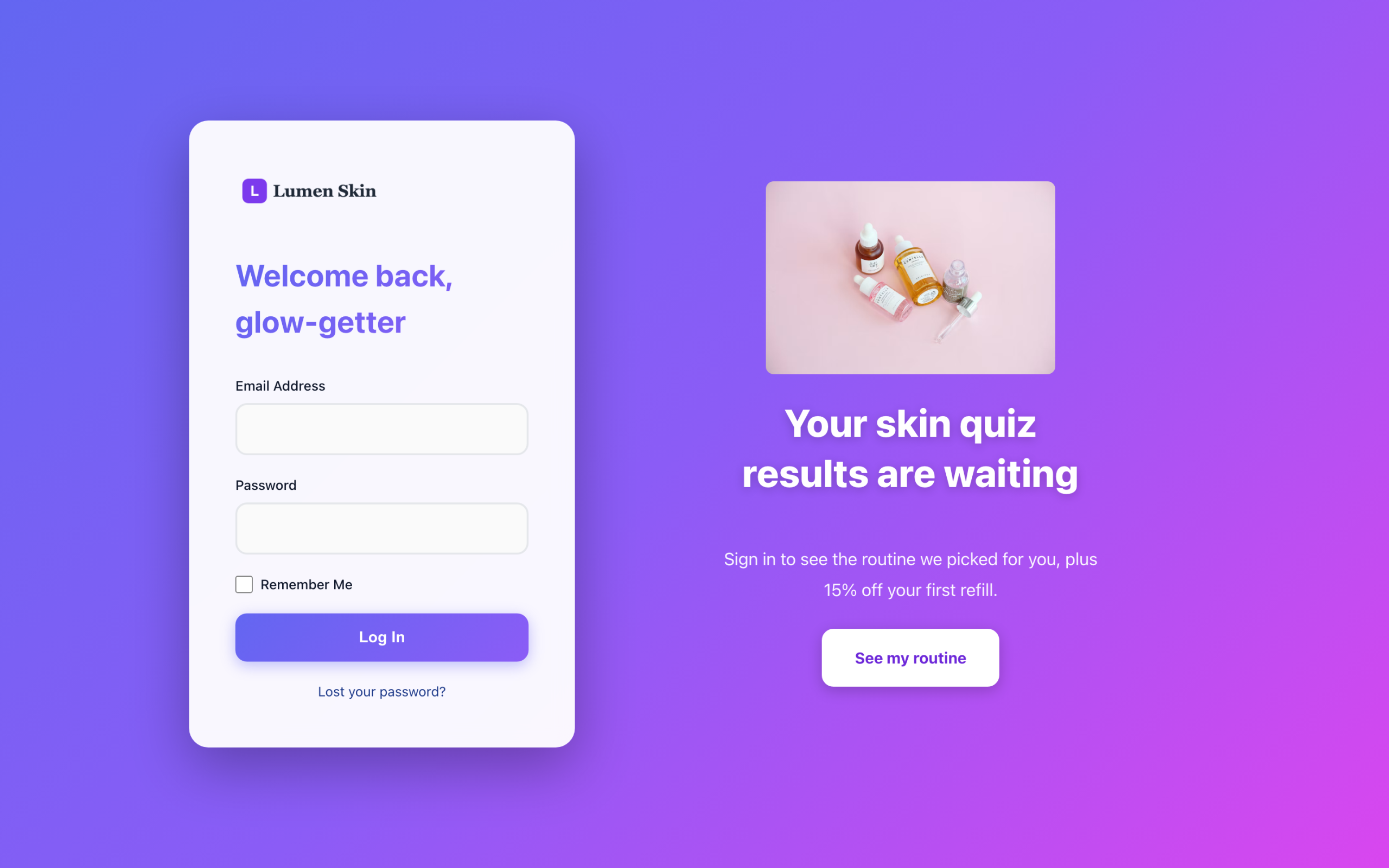
Gradient Modern. Lumen Skin greets returning customers with a personalized offer.
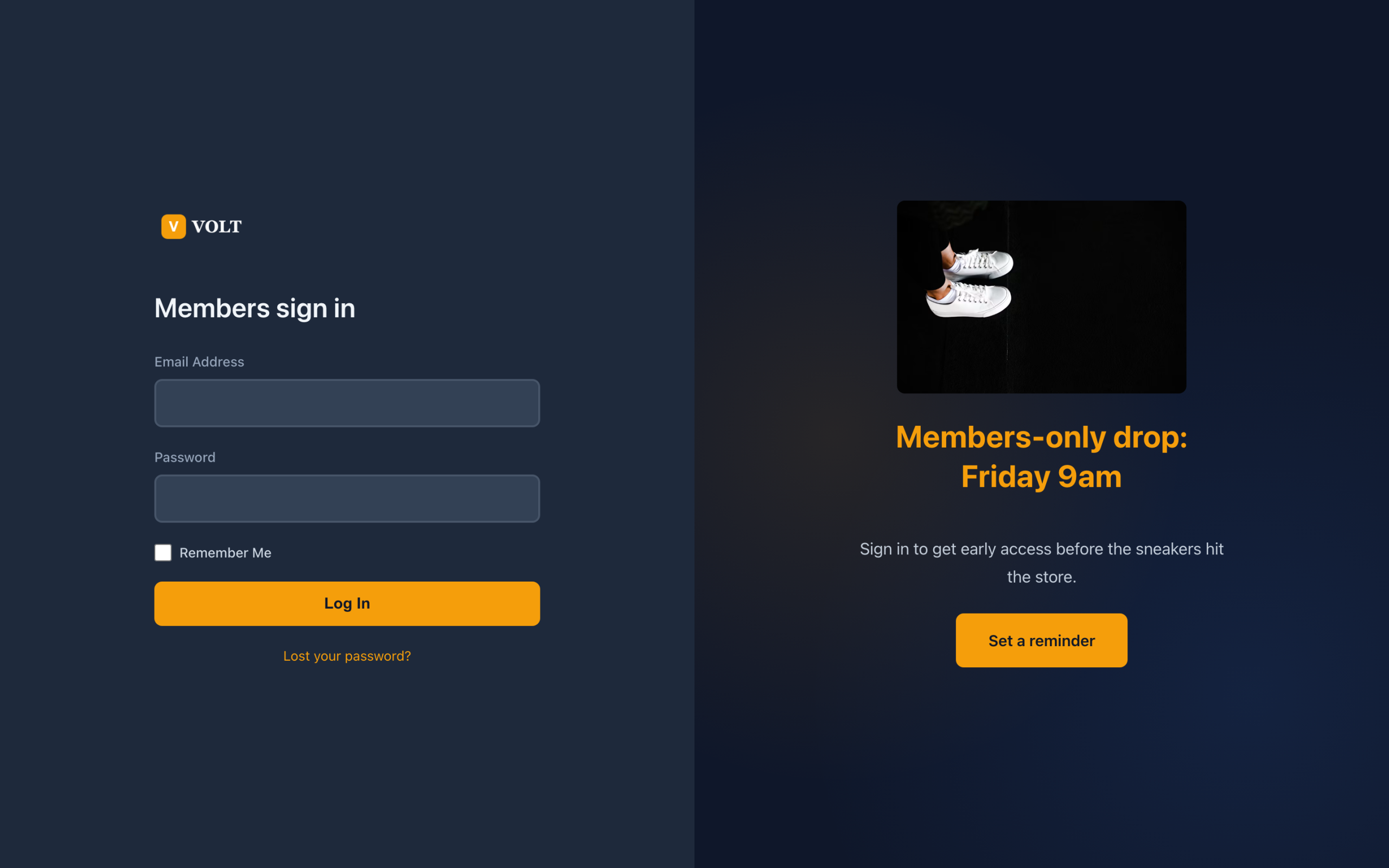
Dark Mode. VOLT promotes a members-only drop.
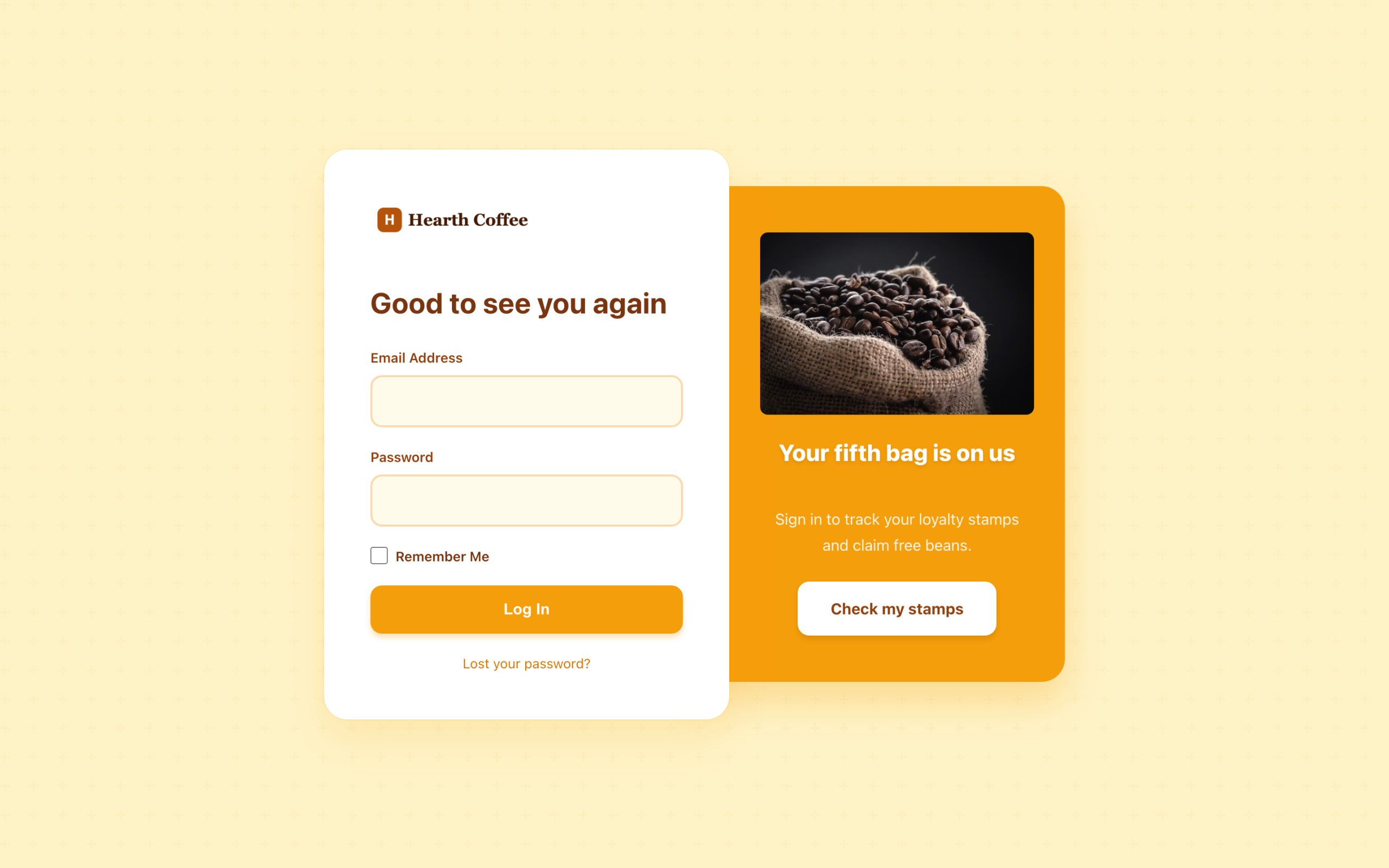
Warm Organic. Hearth Coffee reminds customers about their loyalty reward.
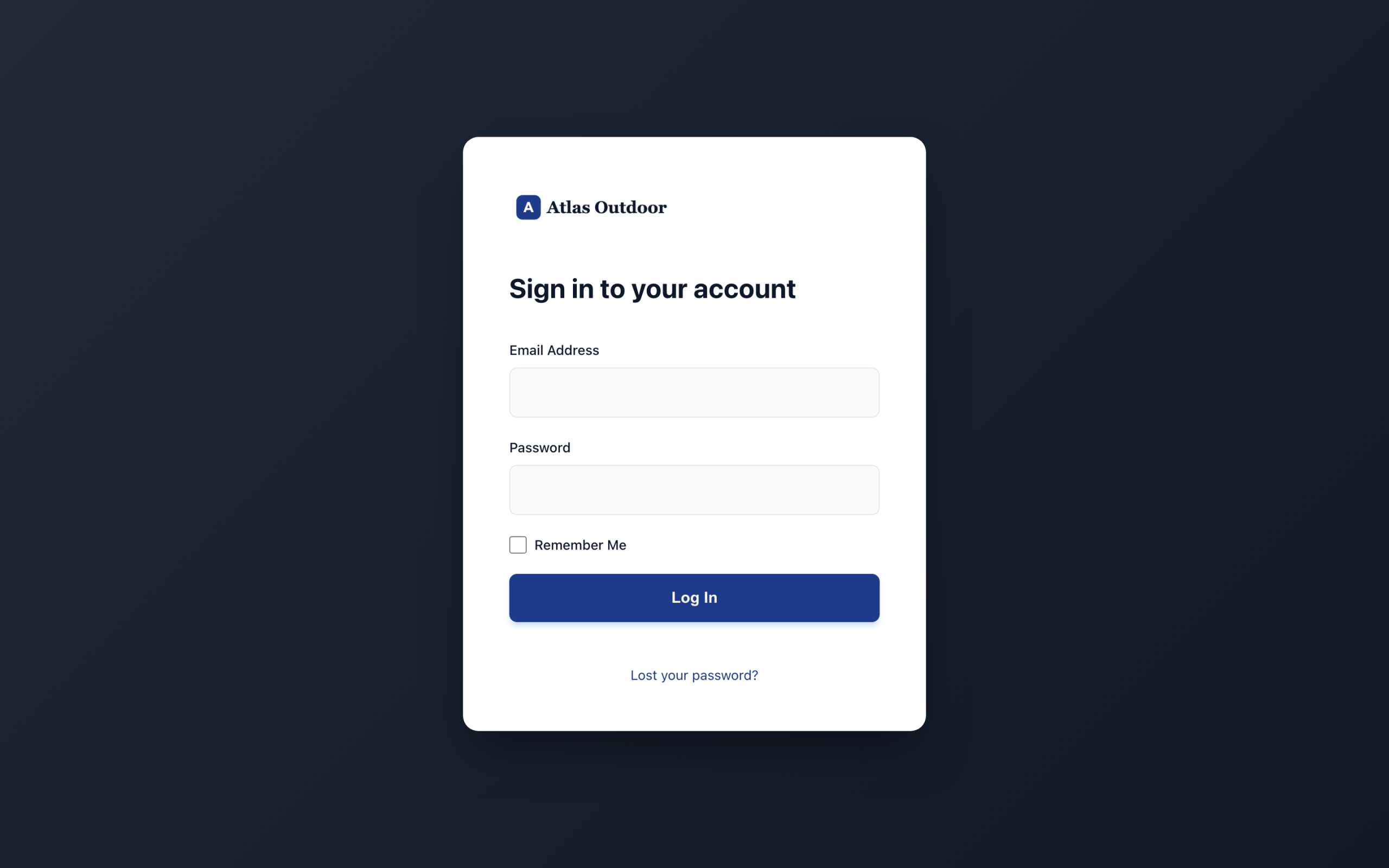
Centered Card. Atlas Outdoor keeps it to a clean login form, with no promo panel.
Common use cases
Five reasons store owners replace the default login form.
Add your logo, pick a template and set your colors so the page customers sign in on looks like the rest of your store.
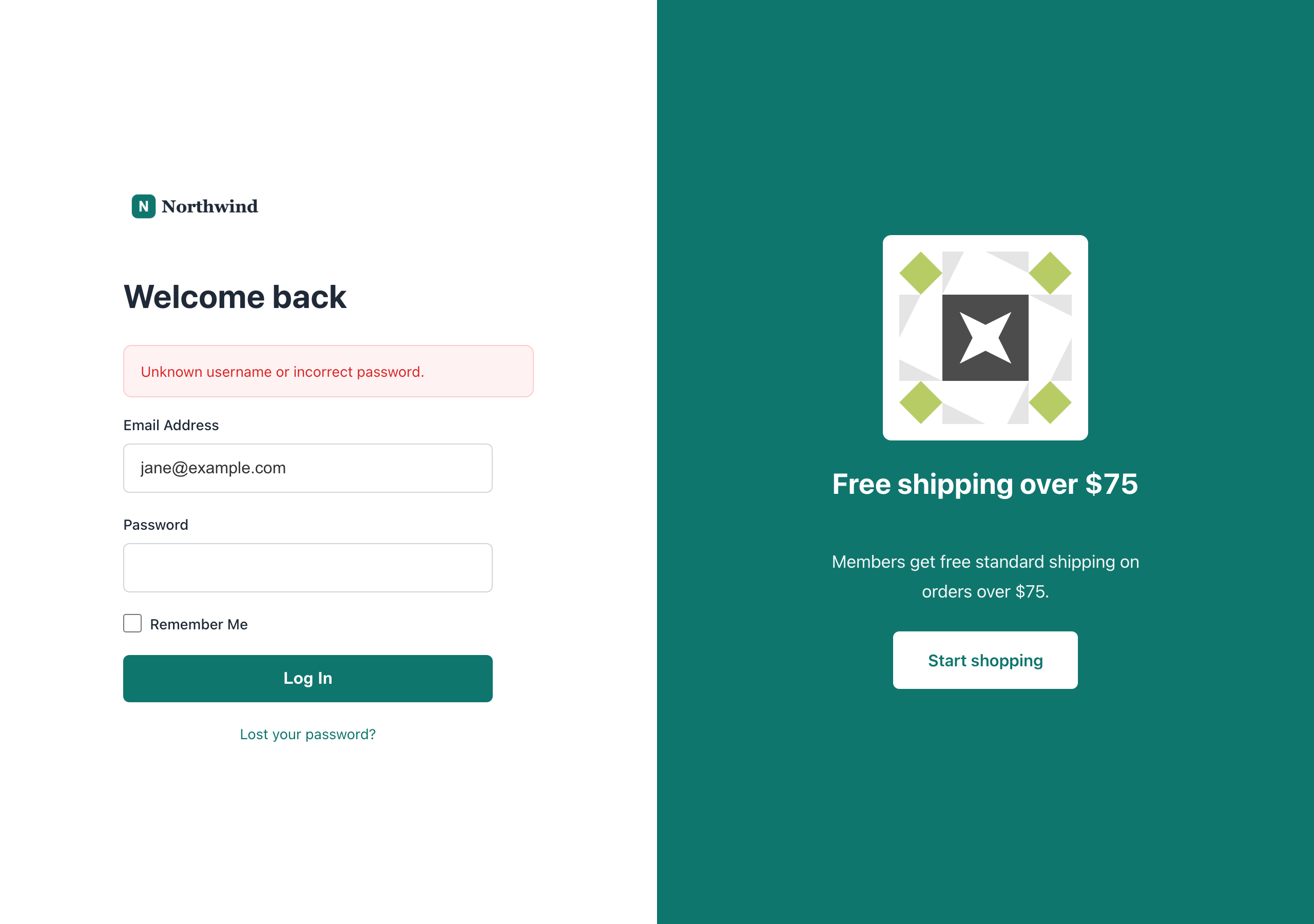
The promo panel sits beside the login form with a heading, a short message and a button. Use it for a sale, a new range or a loyalty offer.
Turn on rotating content and add several promos. Custom Login for WooCommerce shows a different one at random on each visit.
Rename the email and password labels, the Remember Me text, the login button and the lost password link to match how you talk to customers.
Give customers one simple URL to sign in at, and send them there automatically from My Account and after they log out.
Custom Login for WooCommerce is built for store owners who want a better customer login without touching code.
How it helps
One settings screen, four tabs, nothing to code.
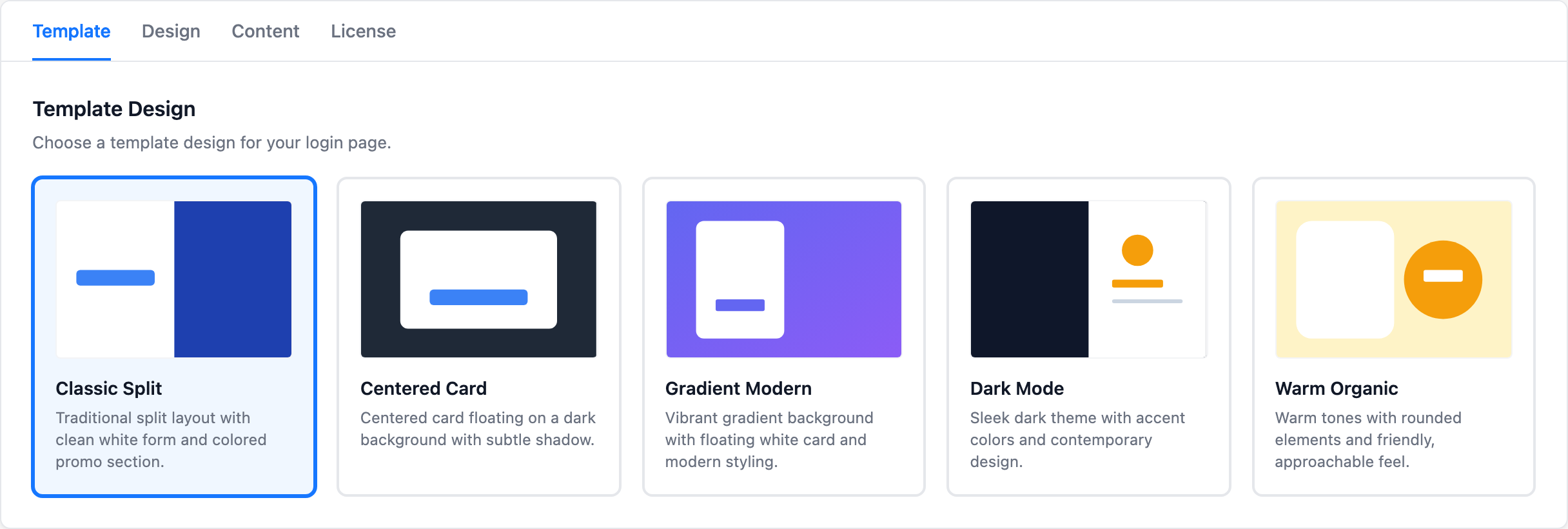
Choose Classic Split, Centered Card, Gradient Modern, Dark Mode or Warm Organic on the Template tab. Your logo, heading and labels carry across when you switch. Centered Card shows the login form on its own, without the promo panel.
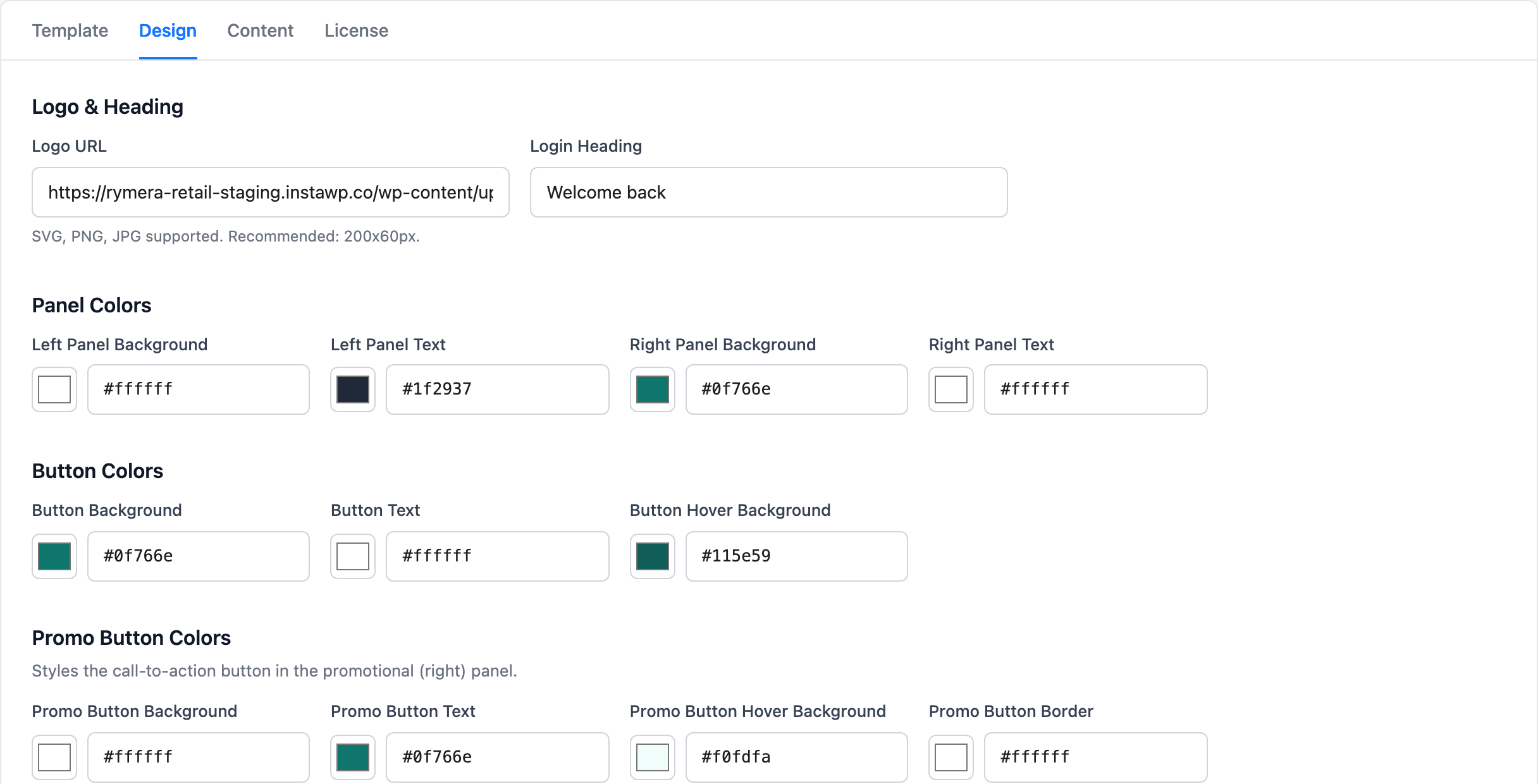
Add your logo and login heading, set colors for panels, buttons, links and input fields, and rename every form label. SVG, PNG and JPG logos are supported.
Show a heading, short message and call-to-action button beside the form. The button opens in a new tab, so the customer’s login page stays open.
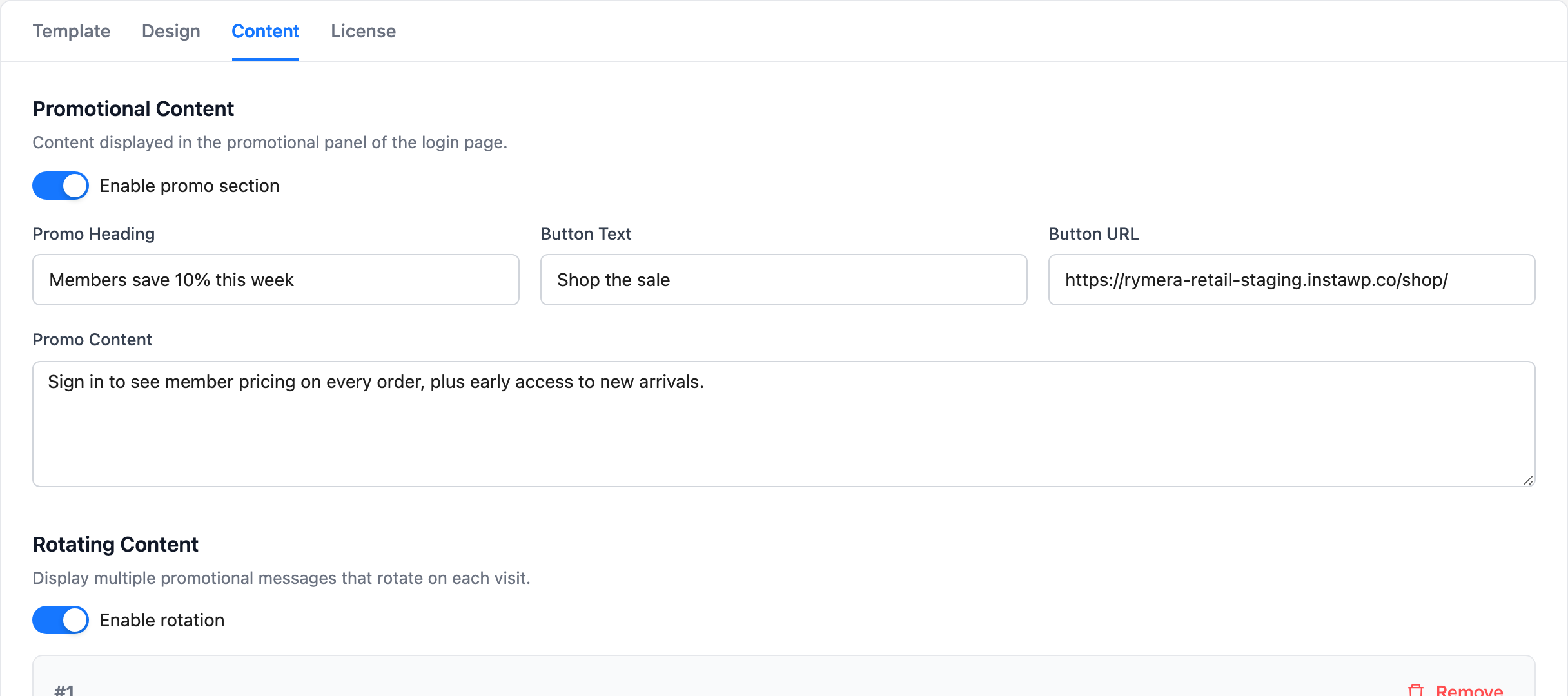
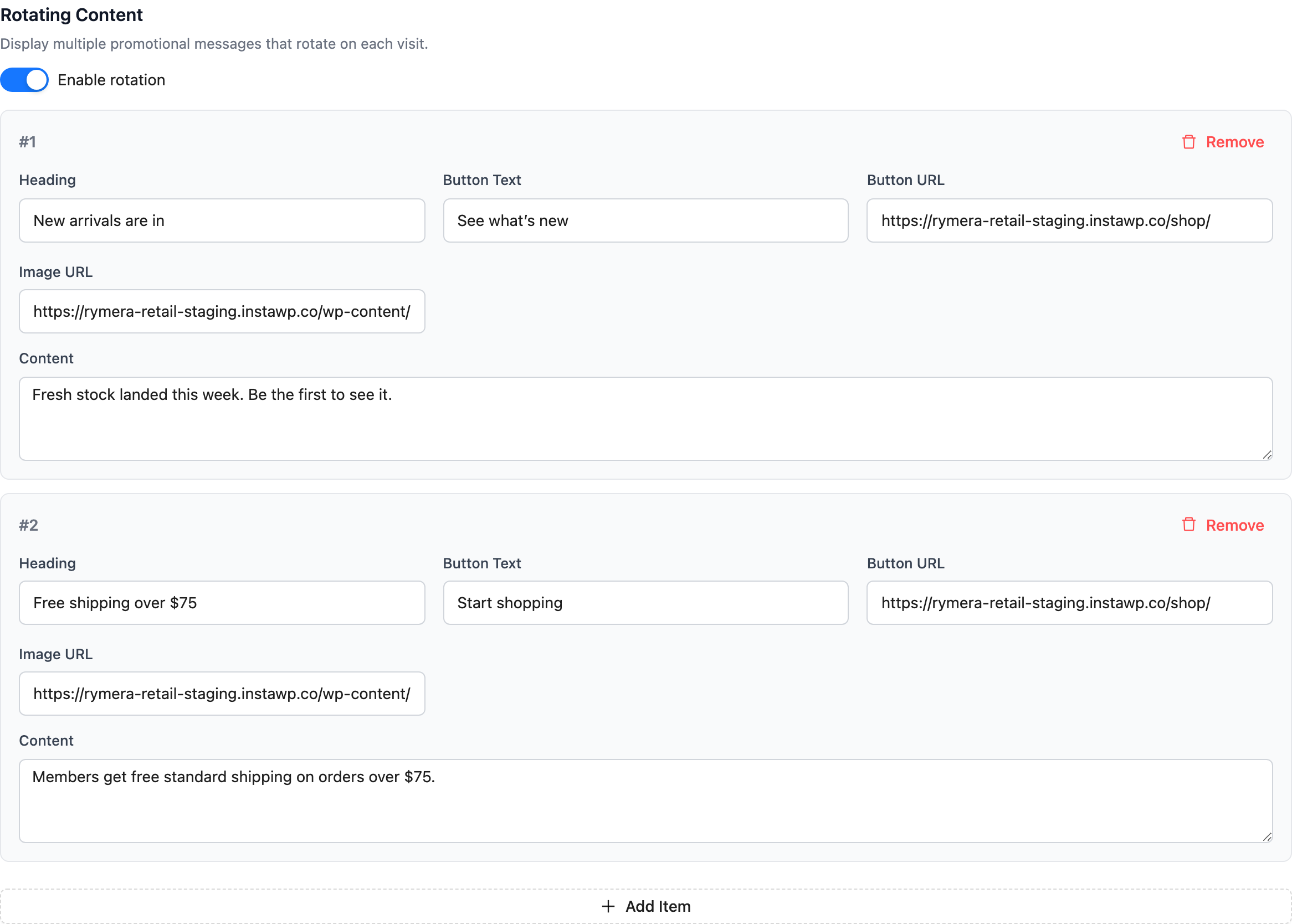
Add as many rotating items as you like, each with its own heading, text, button and image. One is picked at random every time the page loads.
Customer accounts, passwords and order history don’t change. Password resets use WooCommerce’s normal lost password page, failed logins show one neutral error message, and CAPTCHA plugins that hook into the WooCommerce login form can protect the new page too.
How it works
No setup wizard. Your /login page exists the moment you activate.
Upload the plugin to your WooCommerce store, activate it and paste your license key on the License tab. You’ll find Custom Login for WooCommerce under the WooCommerce menu.
Choose a template, add your logo and heading, set your colors and write your promo. Click Save Settings.
Logged-out shoppers who visit My Account land on /login. After signing in they’re taken back to My Account, and after logging out they return to /login.
Pricing
One plan. Everything included. No surprises.
Single Site License
$49
per year · 1 site
FAQ
Everything else worth knowing before you buy. Still stuck? We're happy to help.
You may also like

Export your WooCommerce orders, products, customers, and more to CSV, TSV, XLS, or XML. Trusted on 20,000+ stores since 2011.
$49/year