

If you’re looking for the best WooCommerce accounting plugins, you already know the problem: manually copying order totals into spreadsheets, double-checking GST calculations, and reconciling PayPal payouts eats up hours every week. According to SCORE research, small business owners spend up to 40% of their working hours on financial admin tasks like accounting and invoicing.
The right WooCommerce accounting plugins fix this entirely. They sync orders, customers, payments, and tax data straight to your books. As a result, you cut out copy-paste errors and free up time to grow your store. In this roundup, we compare the five best options for QuickBooks, Xero, MYOB, FreshBooks, and Wave.
Table Of Contents
- Why Do You Need a WooCommerce Accounting Plugin?
- How We Tested These Plugins
- The 5 Best WooCommerce Accounting Plugins
- Quick Comparison Table
- How Store Exporter Deluxe Complements Your Accounting Plugin
- How Do You Choose the Right Plugin for Your Store?
- Frequently Asked Questions
- Conclusion
Why Do You Need A WooCommerce Accounting Plugin?
WooCommerce accounting plugins remove manual data entry between your store and your bookkeeping software. They sync orders, customers, tax data, and payments in real time. So your books stay accurate, and you stop wasting hours on repetitive admin.
WooCommerce stores order data, tax totals, and payment info inside WordPress. However, that data is completely cut off from your accounting platform. Without a proper integration, you end up exporting CSV files, reformatting columns, and importing them by hand every week.
Here’s what a proper accounting integration gives you:
- Automated order sync: New orders flow into your accounting software as invoices or sales receipts in real time.
- Customer matching: Buyer details map to existing records, so you avoid duplicates.
- Tax and GST accuracy: Tax rates and line-item breakdowns sync correctly, which is critical for BAS reporting in Australia.
- Inventory alignment: Stock levels stay consistent between your store and your accounting platform.
- Payment reconciliation: Gateway fees from Stripe, PayPal, and others get captured and sorted correctly.
According to DocuClipper, 94% of accountants now use cloud accounting tools. That means your WooCommerce store needs to work with the same platform your bookkeeper uses. For context, QuickBooks Online alone serves more than 5 million users worldwide.
What We’ve Seen: Store owners often set up a sync plugin and assume everything flows correctly. Then, at BAS time, they find that refunds weren’t syncing, gateway fees were missing, or GST-inclusive pricing was being double-counted. The most reliable approach is to run your sync plugin alongside a dedicated export tool, so you always have an independent data trail to check against.
Even the best sync plugin has limits. For bulk historical exports, custom report formats, or detailed audit trails, you also need a dedicated export tool running alongside it. We cover that later in this guide.
How We Tested These Plugins
We installed each plugin on a staging WooCommerce 8.x store with multiple tax rates, including Australian GST at 10%. Both Stripe and PayPal were active throughout. We then processed test orders and scored each plugin on six things: setup ease, sync reliability, GST handling, pricing, support quality, and extension compatibility.
We also tested edge cases like refunds, partial payments, multi-currency orders, and shipping tax. No plugin is perfect, but these five were the most reliable for their accounting platforms.
The 5 Best WooCommerce Accounting Plugins
1. MyWorks Sync — Best for QuickBooks Online

MyWorks Sync is the most established WooCommerce-to-QuickBooks Online integration on the market. Over 10,000 active stores use it. It offers real-time two-way sync for orders, inventory, customers, and payments, making it the top pick for QuickBooks users.
Key features
- Real-time automatic sync as frequently as every 5 minutes
- Two-way product and inventory sync
- Sync orders as sales receipts, invoices, estimates, or sales orders
- Support for 25+ WooCommerce extensions including Subscriptions and Product Bundles
- Gateway fee tracking for Stripe, PayPal, and others
- Historical data push for existing orders
Setup and GST handling
You connect via OAuth, map your accounts and tax codes, and the plugin starts syncing right away. For Australian stores, MyWorks maps WooCommerce tax rates to QuickBooks codes reliably. This includes line-item GST breakdowns, which are essential for BAS reporting.
Pricing
MyWorks offers a forever-free Launch plan with core sync features. Paid plans start at US$19/month, and you get a 20% discount for annual billing.
Pros and Cons
Pros:
- Mature, well-tested plugin with a large user base
- Forever-free plan for smaller stores
- Excellent extension compatibility (25+)
Cons:
- Monthly subscription adds ongoing cost at higher tiers
- QuickBooks Online only (Desktop requires a separate product)
- Initial tax mapping needs some manual setup
Best For
WooCommerce stores already on QuickBooks Online who want reliable, real-time sync without developer resources.
2. Xeroom — Best for Xero
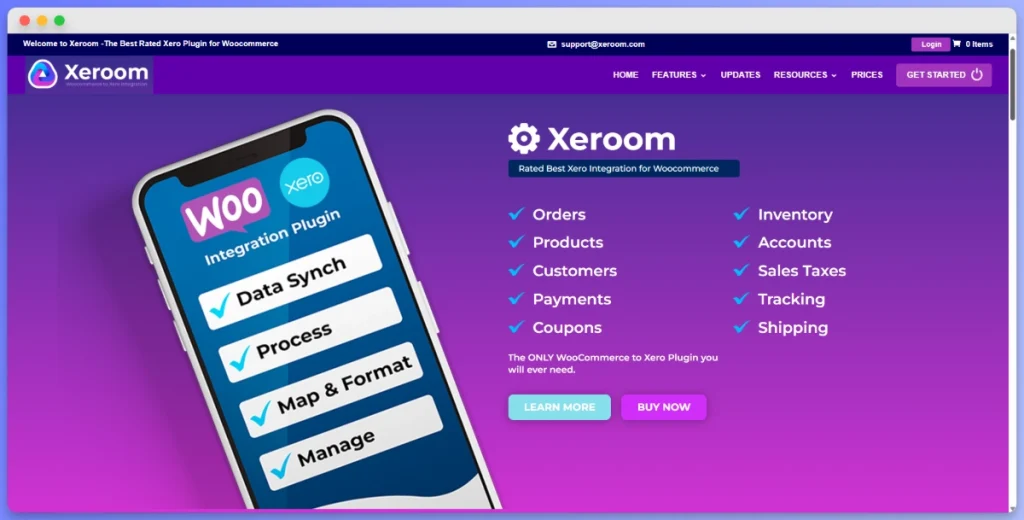
Xeroom is a purpose-built WooCommerce-to-Xero integration developed by chartered accountants, bookkeepers, and IT professionals. That background shows in how it works. Rather than just moving data, it focuses on accuracy and real accounting compliance.
Key features
- Automatic posting of invoices, payments, refunds, and credit notes to Xero
- One-click two-way product and inventory sync
- Multiple payment gateway mapping to separate Xero bank accounts
- Sales, customer, and cashflow analysis by product, category, and geography
- No transaction or data limits on any plan
Setup and GST Handling
Xeroom connects via OAuth 2.0. The interface is simple rather than flashy, but the documentation is thorough. It maps WooCommerce tax rates to Xero’s codes at the line-item level. It also handles both GST-inclusive and GST-exclusive pricing correctly, which is a big deal for Australian and New Zealand stores.
Pricing
The Starter plan costs US$97/year. Premium is US$197/year. There are no monthly fees and no transaction limits on either plan.
Pros and Cons
Pros:
- Built by accountants who understand real-world bookkeeping
- Annual pricing with no transaction limits (excellent value)
- Strong GST and multi-tax handling
Cons:
- Interface feels dated compared to newer plugins
- Premium tier required for advanced gateway mapping
Best For
Xero users, especially Australian and New Zealand stores, who need reliable sync with proper GST handling. The annual pricing also makes it a cost-effective choice for high-volume stores.
If you want to understand the different ways to move WooCommerce order data into Xero before committing to a sync plugin, learn how to set up your WooCommerce Xero integration step by step — it covers manual exports, scheduled exports, and real-time connectors so you can pick the right fit for your order volume.
3. MYOB Integration for WooCommerce (by OPMC) — Best for MYOB
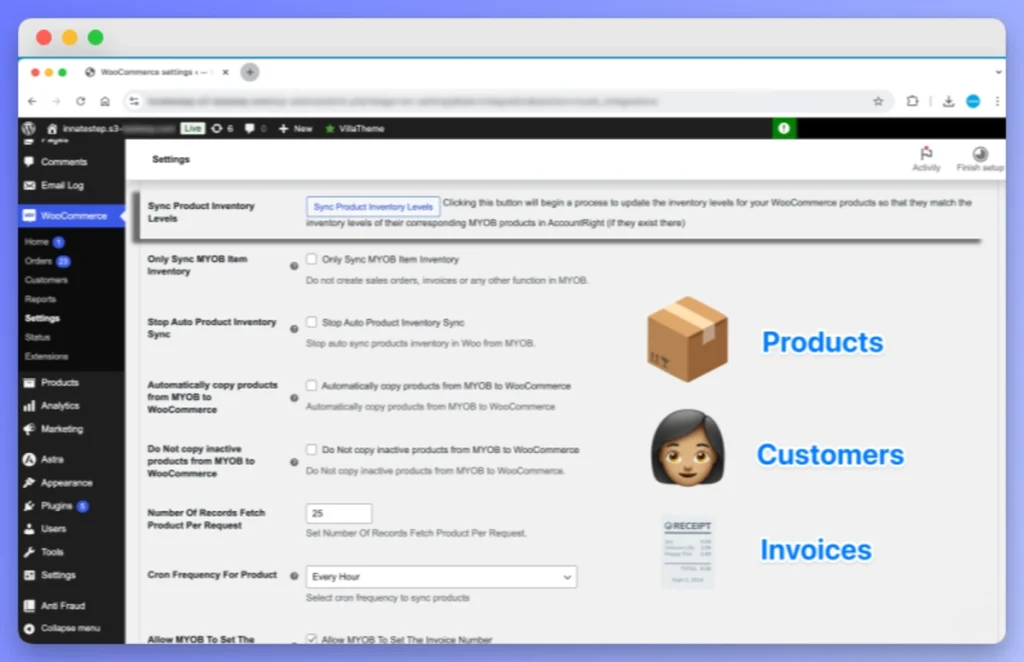
The OPMC MYOB Integration is the most complete plugin for connecting WooCommerce to MYOB. An Australian company built it, so it supports both MYOB AccountRight (the desktop/cloud hybrid) and MYOB Business (the cloud-only version). This matters because each version handles tax codes, inventory, and customer records differently.
Key Features
- Real-time sync of orders, customers, products, and inventory
- Automated invoice creation directly in MYOB
- Comprehensive GST handling built for Australian tax requirements
- Support for refunds and credit note processing
- Designed specifically for Australian and New Zealand businesses
Setup and GST Handling
Setup requires you to connect to your MYOB company file. For AccountRight users, your company file must be accessible via MYOB’s API. Allow extra time for the initial setup, especially when mapping tax codes. The plugin handles standard GST (10%), GST-free items, and input-taxed supplies.
There are also a few specific things to watch for:
- AccountRight vs Business: AccountRight supports more complex tax setups and detailed inventory tracking. MYOB Business is simpler and works well for straightforward retail.
- BAS reporting: Check your tax code mapping during setup. A wrong code means incorrect GST amounts in your BAS.
- Rounding: MYOB and WooCommerce sometimes handle GST rounding differently. Check your first few synced invoices carefully.
Pricing
Available from the WooCommerce Marketplace with one year of premium support included. Contact OPMC directly for current rates.
Pros and Cons
Pros:
- Australian company that knows MYOB and local tax requirements
- Supports both MYOB AccountRight and MYOB Business
- Comprehensive GST handling built for BAS compliance
Cons:
- Setup is more involved than cloud-native integrations
- AccountRight API connectivity can be unreliable with older versions
Best For
Australian and New Zealand WooCommerce stores on MYOB, particularly those on AccountRight who need robust GST handling and BAS-ready data.
4. WooCommerce FreshBooks Integration (by BeycanPress) — Best for FreshBooks

The BeycanPress FreshBooks Integration is a free, open-source plugin that connects WooCommerce to FreshBooks. It handles automated invoicing and customer sync. For freelancers and small business owners who already use FreshBooks, it’s a clean and simple fit.
Key Features
- Automatic invoice creation in FreshBooks when orders complete
- Customer sync between WooCommerce and FreshBooks
- Real-time payment sync
- Multi-currency support
- Tax, discount, and fee mapping
Setup and GST Handling
Installation is fast. You enter your FreshBooks API credentials, set your preferences, and invoices start flowing right away. For Australian stores, the plugin maps tax rates for standard GST. However, FreshBooks doesn’t generate BAS reports natively, so it’s not ideal for complex Australian tax compliance.
Pricing
The plugin is completely free and open-source. There’s no premium tier and no subscription fees at all.
Pros and Cons
Pros:
- Completely free and open-source
- Clean, simple setup process
- Multi-currency support included
Cons:
- Limited by FreshBooks’ own capabilities (no native BAS reporting)
- Community-maintained, so support depends on contributors
- Not suited for complex tax scenarios
Best For
Small WooCommerce stores committed to FreshBooks who want automated invoicing at no extra cost.
5. Zapier + Wave — Best for Free Accounting

Wave is a genuinely free accounting platform with no trial period and no limits on its core tools. There’s no dedicated WooCommerce-to-Wave plugin, so the best path is through Zapier automated workflows. For new store owners on a tight budget, this is the most affordable option available.
Key Features
- Automated invoice creation in Wave triggered by WooCommerce orders
- Customer sync from WooCommerce to Wave
- Customisable workflow triggers (new order, order completed, refund)
- Multi-step Zaps for more complex workflows
Setup and GST Handling
You need a Zapier account, the WooCommerce Zapier extension (US$79/year), and your Wave API credentials. Building the initial Zap takes time. Also, tax handling is the weakest part of this setup. You have to manually map WooCommerce’s GST fields to Wave’s tax settings, with no automatic matching. So if your tax setup is complex, this option may not be the best fit.
Pricing
Wave accounting is free. The Zapier free tier covers 100 tasks per month. The WooCommerce Zapier extension costs approximately US$79/year.
Pros and Cons
Pros:
- Wave accounting is genuinely free
- Flexible: Zapier connects WooCommerce to almost any tool
Cons:
- Requires Zapier as a go-between, which adds complexity
- GST and tax handling needs careful manual setup
- Free Zapier tier is limited to 100 tasks per month
- Not practical for high-volume stores
Best For
New WooCommerce stores on a tight budget who are willing to invest setup time. It works best for low-volume stores with simple tax needs.
Quick Comparison Table
| Feature | MyWorks (QuickBooks) | Xeroom (Xero) | OPMC (MYOB) | BeycanPress (FreshBooks) | Zapier + Wave |
|---|---|---|---|---|---|
| Sync type | Real-time (5 min) | Automatic | Real-time | On order completion | Trigger-based |
| Two-way sync | Yes | Yes | Yes | Limited | No |
| GST/BAS support | Good | Excellent | Excellent | Basic | Manual |
| Free plan | Yes (Launch) | No (free trial) | No | Yes (open-source) | Wave free; Zapier free tier |
| Starting price | Free / US$19/mo | US$97/year | Mid-range (annual) | Free | Free / US$79/yr |
| Refund handling | Yes | Yes (credit notes) | Yes (credit notes) | Limited | Manual |
How Store Exporter Deluxe Complements Your Accounting Plugin
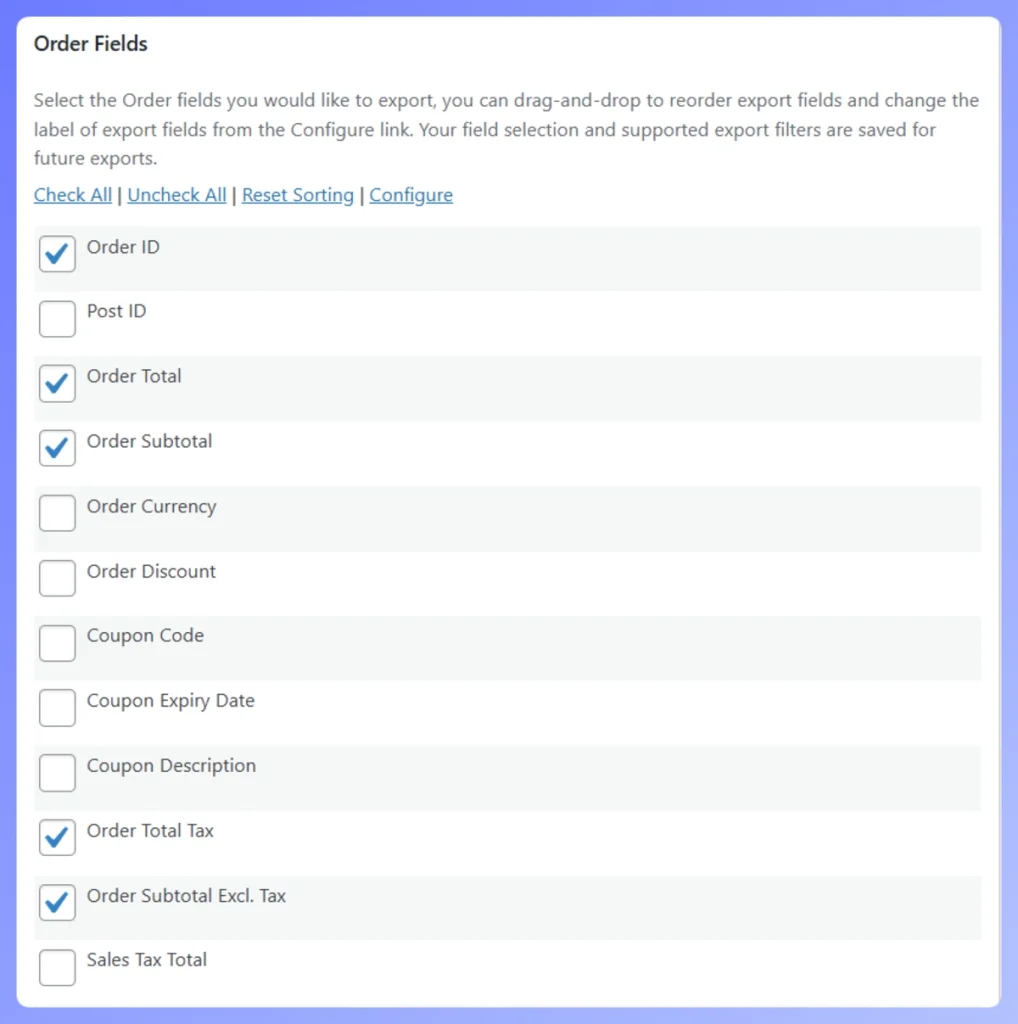
Store Exporter Deluxe provides the high-volume data access your accounting sync plugin likely misses. It specializes in the bulk export of Orders, Products, Customers, Coupons, Categories, and Reviews in formats like CSV, XML, and XLSX.
While sync tools handle daily ledger entries, this plugin gives you raw data access for custom reporting and store migrations.
Bulk historical exports
Most accounting plugins only sync new orders from the moment of installation. Store Exporter Deluxe allows you to reach back into your store’s history to export all past orders and customer data for your records.
Custom report formats
You can use the plugin to filter exports by date range, order status, or product category. This ensures you can provide your bookkeeper with exactly the dataset they need without manual reformatting.
BAS time safety net
At the end of each quarter, a clean export of all Orders, Products, Customers, Coupons, Categories, and Reviews gives you a complete record to compare against your accounting software. This allows you to check that your accounting plugin synced every transaction correctly. It is the difference between hoping your synced records are complete and having an independent data trail to verify your store’s performance.
How Do You Choose The Right Plugin For Your Store?
1. Match your accounting software first
Start with what your accountant already uses. Switching platforms just to get a better plugin rarely makes sense. So match your plugin to your platform: MyWorks for QuickBooks, Xeroom for Xero, OPMC for MYOB, BeycanPress for FreshBooks, or Zapier for Wave.
2. Australian and New Zealand stores
If GST compliance and BAS reporting matter to you, MYOB with OPMC or Xero with Xeroom should top your list. Both plugins were built with Australian tax requirements in mind. As a result, BAS reporting is much less of a headache.
3. Consider your order volume
Low-volume stores under 100 orders per month can manage with simpler options like Zapier plus Wave. However, high-volume stores need real-time sync with solid error handling. That means MyWorks, Xeroom, or OPMC. According to Parseur, manual data entry costs U.S. companies an average of $28,500 per employee each year. So automating your workflow pays for itself quickly as your order volume grows.
4. Budget options
If budget is your main concern, BeycanPress and Wave plus Zapier are your free options. For the best value at moderate volumes, however, Xeroom’s annual pricing is hard to beat.
Conclusion
Choosing the right WooCommerce accounting plugin comes down to matching your platform with a sync tool that fits your needs. For QuickBooks users, MyWorks Sync leads the pack. Xero users should look at Xeroom. Australian stores on MYOB are well served by OPMC. FreshBooks users get a solid free option with BeycanPress, and budget-conscious stores can start with Zapier plus Wave.
Whichever plugin you choose, consider pairing it with Store Exporter Deluxe for bulk exports, custom reports, and a reliable BAS-time safety net. Your accounting plugin handles the daily sync. Store Exporter Deluxe, however, handles everything else.
Ready to take control of your WooCommerce accounting workflow? Explore Store Exporter Deluxe and see how it works alongside your chosen accounting integration.
Frequently Asked Questions
Can you use multiple WooCommerce accounting plugins at once?
Running two sync plugins at the same time is technically possible, but it’s not a good idea. It creates duplicate entries in your accounting software, such as double-counted revenue, duplicate customer records, and conflicting inventory figures. Instead, pick one accounting sync plugin for your main platform. If you need data in other formats, use a dedicated export tool like Store Exporter Deluxe.
Do WooCommerce accounting plugins handle GST correctly for Australian stores?
They can, but they rarely get it right straight out of the box. You’ll need to manually map your WooCommerce tax rates to the right codes in your accounting software, for example GST, GST-Free, and Input Taxed in MYOB or Xero. Test with a few orders before you rely on the sync for live data. It’s also a good idea to keep a separate export as a cross-reference during BAS periods.
What happens if the sync breaks or misses an order?
Most accounting sync plugins include retry logic and error logs. If an order fails to sync due to an API timeout or mapping error, the plugin usually flags it for manual review. Therefore, keeping regular exports is a smart habit. They give you an independent record of all orders, so you can spot and fill any gaps in your synced data.
Is a premium accounting plugin worth the cost over free options?
For very small stores under 50 orders per month with simple tax needs, free options like MyWorks’ Launch plan or BeycanPress work well. However, as your order volume grows or your tax situation gets more complex, a premium plugin is usually worth it. The time you save on troubleshooting alone often covers the cost within the first month.