
The best WooCommerce product import plugins solve the three things the built-in CSV importer cannot do: pull data from a remote supplier URL, run on a schedule, and read anything other than a CSV file. WooCommerce core handles a straightforward one-time upload well enough. Once your catalog grows or your supplier sends a feed every morning, you need a dedicated tool. According to Storeleads, 4,110,725 live stores run on WooCommerce, and a large share of them manage catalogs that outgrow a manual upload.
The gap shows up fastest on recurring work. A one-time migration is a bad afternoon, but a daily supplier sync you have to run by hand is a permanent tax on your week.
In this guide, we’ll compare the best WooCommerce product import plugins on the things that actually decide the job: file formats, variable product handling, scheduling, remote imports, and what each one keeps behind a paid tier. Let’s break it down.
Table of Contents
What To Look For In A WooCommerce Import Plugin
The best WooCommerce product import plugins all do three things the native importer cannot: handle variable products correctly, import from a remote URL, and run on a schedule without you starting them. Those three capabilities are where WooCommerce core stops and where the paid tiers of every plugin below begin. Everything else, mapping interfaces included, is comfort rather than capability.
Here’s what to check before you commit to one:
- Variable product support: Do variations import with their attribute assignments intact, or do they flatten into simple products? Several plugins keep this behind a Pro tier.
- File formats: CSV is universal. XML, Excel, and Google Sheets matter if your supplier dictates the format.
- Scheduling and remote URL imports: The two features that turn a manual chore into an automated sync. Also the two most commonly reserved for paid plans.
- Merge and update by SKU: Without reliable SKU matching, a second import creates duplicates instead of updating prices.
- Free tier honesty: Check what the free version actually does before you plan around it.
The best WooCommerce product import plugins below are ordered by adoption, from the largest active install base to the smallest, using the counts published on WordPress.org. That ordering is deliberate. It avoids pretending there is one correct ranking when the right pick depends on your file format and your budget.
Quick Comparison: How Do The Best WooCommerce Product Import Plugins Stack Up?
All four of the best WooCommerce product import plugins read product data from a file, and all four handle variable products somewhere in their range. They separate on file format breadth, on whether scheduling and remote imports are included, and on how much the free version can do. Here’s how they compare on the capabilities that decide the job.
| Feature | WP All Import | WebToffee Import Export | WP Ultimate CSV Importer | Product CSV Import Suite |
| Active installs | 100,000+ | 80,000+ | 20,000+ | 10,000+ |
| WordPress.org rating | 4.7 | 4.6 | 4.4 | Sold as an extension |
| File formats | CSV, XML, Excel, Google Sheets | CSV free, XML and Excel premium | CSV, XML, Excel, Google Sheets, TSV, ZIP | CSV only |
| Variable products | Yes | Premium only | Pro only | Yes, via a separate variations CSV |
| Scheduled imports | Pro only | Premium only | Yes | No |
| Import from URL | Pro only | Premium only | Yes | No |
| Field mapping | Drag and drop | Step by step wizard | Dropdown based | Basic |
| WooCommerce support | Separate add-on | Built in | Built in | Built in, official |
| Best for | Visual mapping | Starting on a free tier | Multi-purpose imports | Official CSV simplicity |
Pricing changes often enough that any figure printed here would be wrong within a quarter, so check each vendor’s current plans directly before you buy.
1. WP All Import
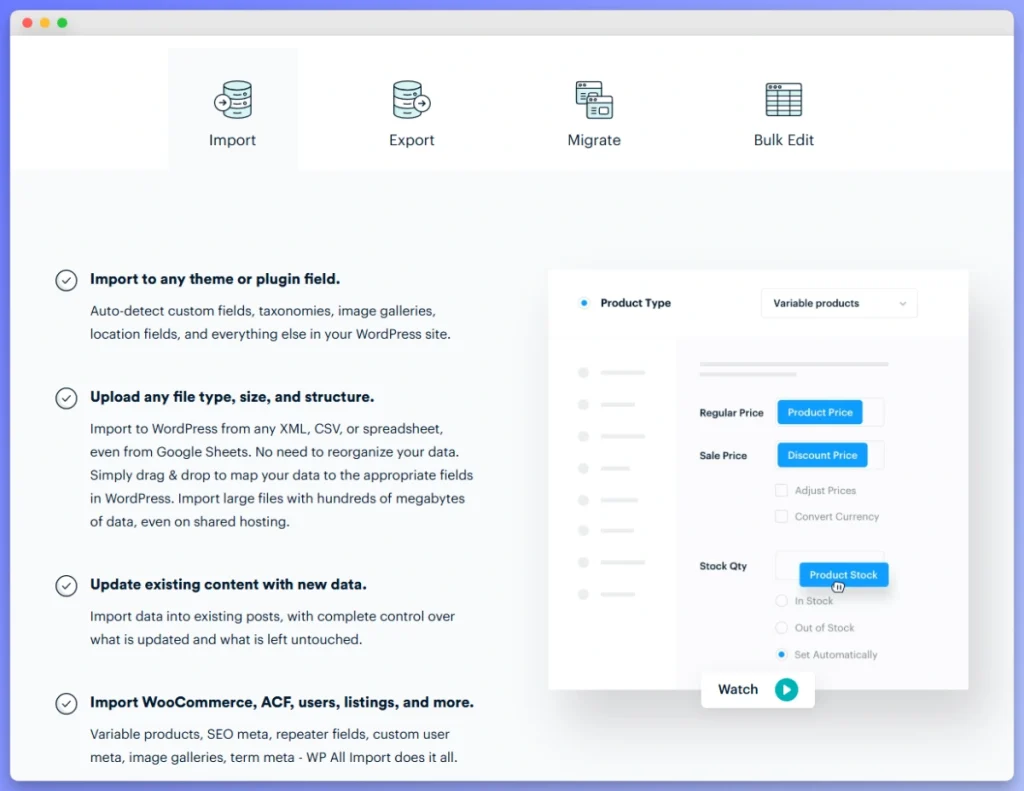
WP All Import is the most widely installed of the best WooCommerce product import plugins, with 100,000+ active installations and a 4.7 rating on WordPress.org. Its distinguishing feature is a drag-and-drop mapping builder: you preview your source file and drag columns onto WooCommerce fields instead of picking from dropdowns. It reads CSV, XML, Excel, and Google Sheets, which is the broadest format range here alongside WP Ultimate CSV Importer.
What does WP All Import handle well?
Complex and irregular source files are where the drag-and-drop builder earns its place. It also supports inline PHP functions during import, so you can transform a value as it lands, for example stripping a currency symbol or recalculating a margin.
The large install base has a practical benefit. Documentation and community answers exist for most edge cases you’ll hit.
What sits behind the paid tier?
Two things worth knowing before you plan around the free version. Scheduling and importing from a URL are both Pro features, and WooCommerce product support comes from a separate add-on rather than the core plugin.
That means a WooCommerce store automating a supplier feed needs the Pro plugin and the add-on together. Budget for both, not one.
If the add-on structure or the Pro requirement changes your calculation, you can compare the WP All Import alternatives for WooCommerce and see which tools bundle scheduling without a second purchase.

2. WebToffee Product Import Export
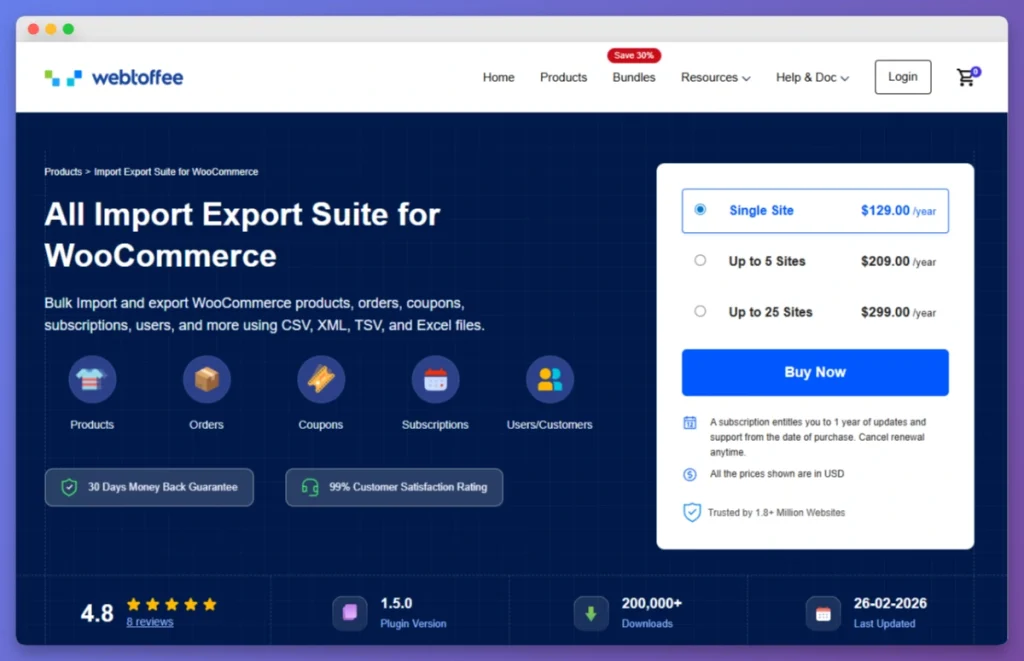
WebToffee Product Import Export has 80,000+ active installations and a 4.6 rating on WordPress.org, and it is the plugin here most often chosen for its free tier. Read the free tier carefully though: it is CSV only, and it does not import variable products. XML, Excel, variable products, and scheduling all sit in the premium version.
Is the WebToffee free version worth starting on?
For a catalog of simple products arriving as CSV, the free version does the job at no cost. Images, categories, and tags map without a paid upgrade.
The moment your catalog includes sizes or colors, the free tier stops being an option rather than becoming merely slower. Variable products are a premium capability here, so plan the upgrade in from the start if your products have variations.
What else should you know?
WebToffee’s scope reaches past products into orders, customers, and coupons, which suits stores wanting one tool for several data types. The step-by-step wizard is straightforward for a first import.
3. WP Ultimate CSV Importer
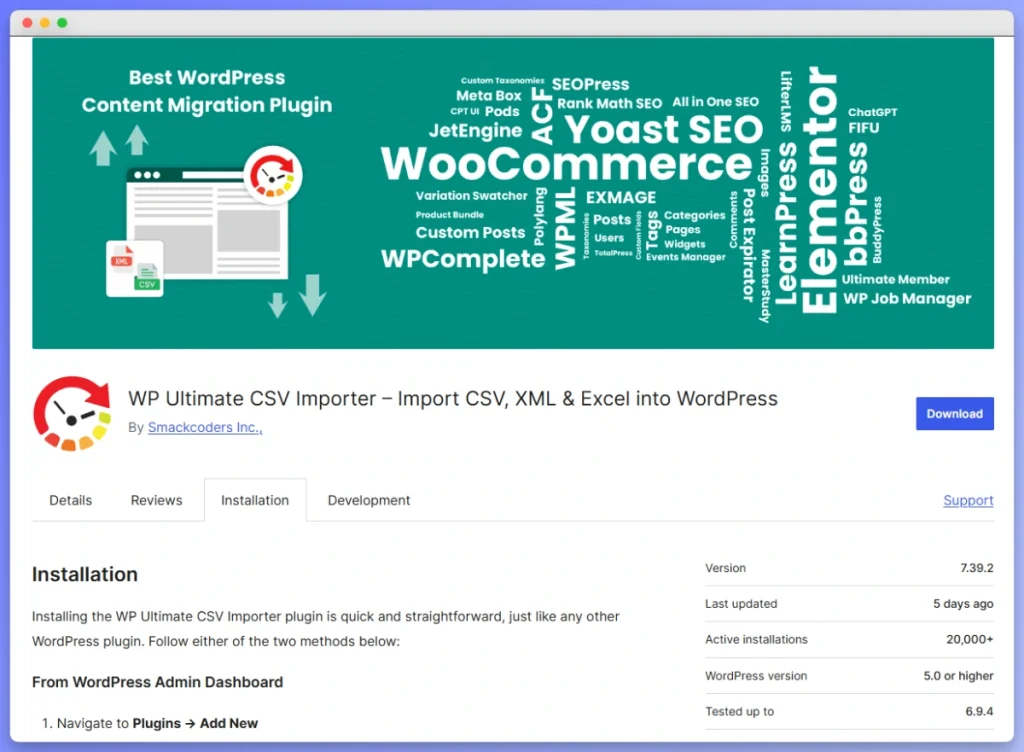
WP Ultimate CSV Importer by Smackcoders has 20,000+ active installations and a 4.4 rating on WordPress.org, and it is the only plugin here that includes scheduling and remote URL imports without gating them behind a higher tier. It also has the widest format list: CSV, XML, Excel, Google Sheets, TSV, and ZIP. The trade-off is scope, because this is a general WordPress importer that covers products alongside posts, pages, users, and custom post types.
Does WP Ultimate CSV Importer suit WooCommerce work?
It handles WooCommerce products, though the mapping is dropdown-based and takes more manual setup than a purpose-built WooCommerce tool. Smackcoders also lists AI-assisted product description generation during import in the Pro version.
Because the plugin spans every content type, fewer of its tutorials are WooCommerce-specific. Expect to spend longer on your first variable product import.
What sits behind the Pro tier?
Variable products and custom fields are Pro features. If your catalog is simple products only, the free version covers a genuine import; if it has variations, treat Pro as the real starting point.
4. Product CSV Import Suite
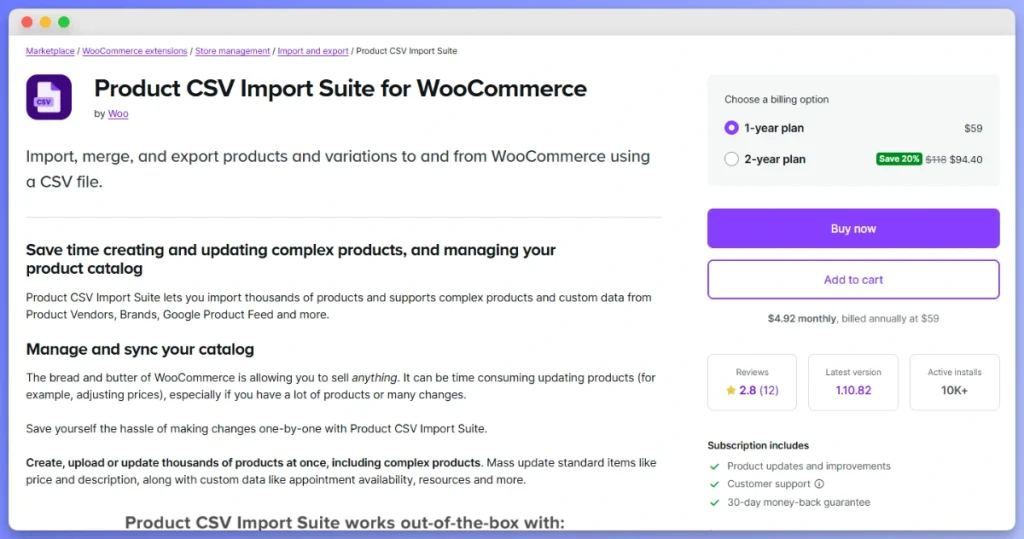
Product CSV Import Suite is the official premium import extension from the WooCommerce team, and its appeal is compatibility rather than capability. It extends the native importer with better variable product handling, which it manages through a separate variations CSV, plus custom field and taxonomy support. The feature set is the narrowest in this comparison: CSV only, no scheduling, and no remote URL imports.
When is the official extension the right call?
One-time migrations of simple to moderately complex catalogs, where the file is already a CSV and nothing needs to repeat. Compatibility comes from the same team that maintains WooCommerce, so upgrade surprises are less likely.
If you already run the native importer and just need cleaner variation handling, this is the smallest step up available. If you need a recurring supplier sync, it isn’t built for that job.
Which WooCommerce Import Plugin Should You Choose?
Choose between the best WooCommerce product import plugins on two things: what format your data arrives in, and whether the import repeats. If a supplier feed arrives on a schedule, you need scheduling and remote URL imports, which narrows the field immediately. If this is a single migration from a CSV you already have, the simplest tool wins and paying for automation is wasted money.
- Irregular or complex source files: WP All Import, for the drag-and-drop mapping and inline PHP transformations. Remember the WooCommerce add-on and the Pro tier for scheduling.
- Starting at no cost with simple products: WebToffee, provided your catalog has no variations yet.
- Scheduling without a tier upgrade: WP Ultimate CSV Importer, which includes scheduling and URL imports, and covers non-product content too.
- A one-time official CSV migration: Product CSV Import Suite, for compatibility and a short learning curve.
Whichever of the best WooCommerce product import plugins you land on, the failure modes are the same. According to DocuClipper, the accepted error rate for manual data entry sits around 1%, so for every 1,000 products keyed in by hand you can expect roughly 10 wrong prices, SKUs, or attributes. That is the risk an import plugin removes, and the reason a test batch of 5 to 10 products before the full run is worth the extra ten minutes.
Start From A Clean Export Before You Import
The best WooCommerce product import plugins all work from a file you supply, and the most reliable version of that file is an export of what your store already has. Export your current products, edit that file, then import it back. The column headers match your store exactly, the SKUs are already correct, and you have a snapshot to restore from if the import goes wrong.
This matters most on updates rather than first migrations. When you’re changing prices or stock across an existing catalog, a hand-built spreadsheet is where duplicate products and broken SKU matches come from.
Why the export step prevents the most expensive mistakes
Most import damage traces back to a column that didn’t match. Your store’s actual field names, attribute slugs, and SKU formatting are already correct in an export, so starting there removes the guesswork that causes an importer to write to the wrong field or create a second product instead of updating the first.
It also gives you a rollback. If an update writes bad prices across 800 products, the export you took beforehand is the only fast way back to the correct values.
How Store Exporter Deluxe fits the round trip
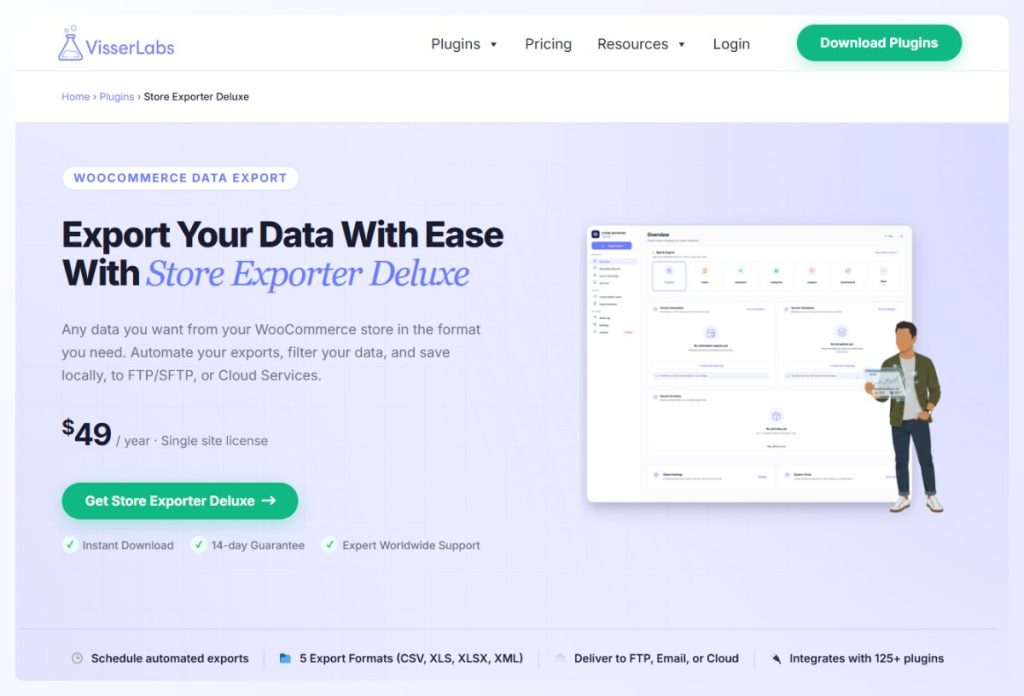
Store Exporter Deluxe exports your products, variations, and custom fields to CSV, Excel, and XML, which are the same formats the importers above read. That keeps the round trip intact: export what you have, edit the file, then import it back with the tool you picked.
Being able to choose which fields and which products to export is what makes the file workable. A targeted export of just the SKUs and prices you’re changing is far easier to edit safely than a full catalog dump.
Conclusion
The right import plugin comes down to two questions: what format your product data arrives in, and whether the import happens once or on repeat. Answer those two and the shortlist picks itself, because scheduling and remote URL support are the features that separate these tools.
Here’s a quick recap of what we covered:
- What to check before choosing an importer, and why scheduling and variable products decide most of it
- How WP All Import, WebToffee, WP Ultimate CSV Importer, and Product CSV Import Suite compare on formats, variations, and paid tiers
- Which plugin suits a one-time migration versus a recurring supplier sync
- Why a test batch of 5 to 10 products protects you before the full run
- How exporting your catalog first gives you an accurate template and a rollback
Whichever of the best WooCommerce product import plugins you choose, the import is only as good as the file you feed it. If you’re ready to build yours from your store’s real data instead of a spreadsheet assembled by hand, see what Store Exporter Deluxe can do.
Frequently Asked Questions
Are free WooCommerce product import plugins enough?
Free tiers are enough for one-time imports of simple products from a CSV file. WooCommerce’s built-in importer covers that case, as do the free tiers of WebToffee and WP Ultimate CSV Importer. They stop being enough once you need variable products, scheduled syncs, or imports from a remote URL, because the best WooCommerce product import plugins all keep those three capabilities in paid tiers.
Can you import variable products into WooCommerce?
Yes, you can import variable products into WooCommerce, though the method differs by plugin. WP All Import handles variations directly, Product CSV Import Suite uses a separate variations CSV, and both WebToffee and WP Ultimate CSV Importer keep variable product imports in their paid tiers. Check that variations arrive with their attribute assignments intact rather than flattened into simple products.
How do you import products from a CSV file into WooCommerce?
Import products from a CSV file into WooCommerce in three steps. Prepare the CSV with the required headers such as SKU, name, and price, upload the file through your chosen importer, then map each CSV column to its matching WooCommerce product field before running the import. Run a batch of 5 to 10 products first to confirm the mapping is right.
Why is my WooCommerce product import timing out or failing?
WooCommerce product imports usually time out because of server limits rather than the import file. PHP memory limits and maximum execution time are the common culprits, alongside malformed CSV rows, missing SKUs, and unreachable image URLs. WordPress’s common errors documentation covers raising both limits, and splitting a large file into smaller batches avoids the problem entirely.
Should you back up your store before a product import?
Yes, always export your products before running a product import. An import that matches on the wrong column can overwrite prices or create duplicates across your whole catalog, and an export taken beforehand is what lets you restore the correct values. It also doubles as a correctly structured template for the import itself.