
Finding the best WooCommerce export plugins often frustrates store owners because dozens of tools claim to be the top choice for your site. Many options only handle specific data or require expensive add-ons for basic product exports. I personally installed and tested the seven most popular plugins on a live site to find the ultimate truth for store owners.
For two weeks, I ran multiple exports using real customer records and complex subscription data. I carefully checked every output file for accuracy and timed how long it took to process 10,000 rows. This hands-on testing reveals which software remains stable under pressure and which tools might fail during a critical deadline.
According to Store Leads, there are over 6.5 million active WooCommerce stores worldwide. Data export isn’t a “nice to have” but serves as a core operational need for reconciling orders and migrating hosts. Whether you need automated accounting syncs or marketplace feeds, your choice of plugin impacts your daily efficiency and store performance.
In this guide, I’ll walk you through exactly what I found. You’ll get an honest comparison table up front so you can scan quickly, followed by detailed hands-on reviews of each plugin.
- Quick Comparison: The 7 Best WooCommerce Export Plugins at a Glance
- 1. Store Exporter Deluxe — Best Overall Value
- 2. WP All Export — Best Drag-And-Drop Interface
- 3. WebToffee WooCommerce Export — Best For Order-Focused Exports
- 4. WPFactory Export WooCommerce — Best for Product Data Exports
- 5. Advanced Order Export For WooCommerce (Free) — Best Free Option
- 6. WooCommerce Customer/Order/Coupon CSV Export (Official) — Best Official Extension
- 7. Product CSV Import Suite (Official) — Best For Product-Only Official Export
- How To Choose The Right WooCommerce Export Plugin
Quick Comparison: The 7 Best WooCommerce Export Plugins at a Glance
Before we get into the detailed reviews, here’s the master comparison table. This table helps you compare the best WooCommerce export plugins based on their pricing, supported formats, and active installation counts.
If you’re short on time, this will give you a quick read on how each plugin stacks up across the factors that matter most.
| Plugin | Best For | Export Types | Formats | Price | Active Installs | Rating |
|---|---|---|---|---|---|---|
| Store Exporter Deluxe | Overall value | Products, Orders, Customers, Coupons, Subscriptions, Categories, Tags, Brands, Bookings, Shipping + more | CSV, TSV, XML, Excel, RSS | $39.50/yr intro (then $79/yr) | 8,000+ (free version) | 4.2/5 |
| WP All Export | Drag-and-drop interface | Products, Orders, Customers, Coupons (with add-ons) | CSV, Excel, XML | $199/yr | 100,000+ (free version) | 4.7/5 |
| WebToffee WooCommerce Export | Order-focused exports | Orders, Products, Customers, Coupons, Subscriptions (separate plugins) | CSV, XML, Excel | $69-249/yr per plugin | 90,000+ (free order plugin) | 4.5/5 |
| WPFactory Export WooCommerce | Product data exports | Products, Orders, Customers | CSV, XML | $49.99/yr | 3,000+ | 4.3/5 |
| Advanced Order Export | Free option | Orders only | CSV, Excel, XML, PDF, HTML, JSON | Free | 100,000+ | 4.4/5 |
| WooCommerce Customer/Order/Coupon Export | Official extension | Orders, Customers, Coupons | CSV, XML | $79/yr | N/A (premium only) | 4.2/5 |
| Product CSV Import Suite | Product-only official export | Products | CSV | $79/yr | N/A (premium only) | 4.0/5 |
Quick picks:
- Overall value: Store Exporter Deluxe — covers the most export types for the lowest total cost.
- Interface: WP All Export — polished drag-and-drop, but comes at a price.
- Free option: Advanced Order Export — surprisingly capable if you only need orders.
Now let’s look at each plugin in detail.
1. Store Exporter Deluxe — Best Overall Value
Overview & key features
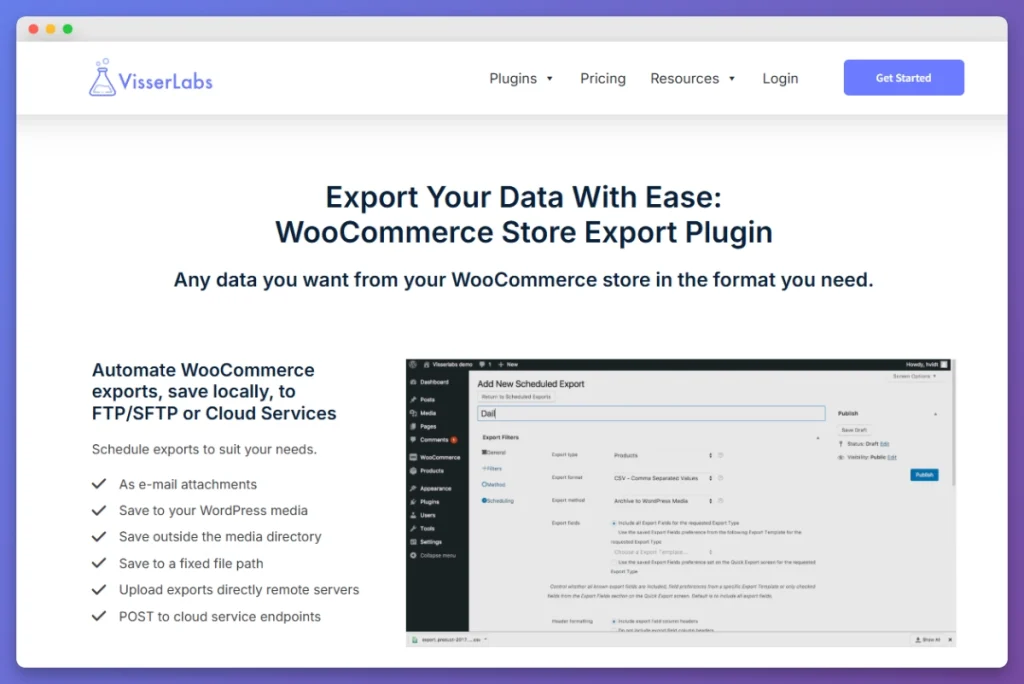
Store Exporter Deluxe is built by Visser Labs and has been around since 2012 — making it one of the longest-running WooCommerce export solutions on the market. What sets it apart from the competition is the sheer breadth of data types it can export from a single plugin.
When evaluating the best WooCommerce export plugins, the ability to handle over 18 different data types from one interface is a major advantage for store owners.
It integrates natively with over 125 WordPress and WooCommerce extensions, so if you’re running WooCommerce Subscriptions, WooCommerce Bookings, Advanced Custom Fields, or WPML, your data comes through cleanly.
Most store owners find that the best WooCommerce export plugins are those that offer a flat renewal rate without hidden add-on costs.
Key features include:
- 18+ export types from a single plugin
- Scheduled/automated exports via WordPress Cron or manual triggers
- Granular field selection — choose exactly which columns appear in your export
- Powerful filtering — by date range, order status, product category, custom fields, and more
- Multiple output formats — CSV, TSV, XML, Excel (XLSX), and RSS 2.0
- Direct export destinations — save to server, email, or upload via FTP/SFTP
- 125+ plugin integrations including Subscriptions, Bookings, ACF, WPML, and Brands
Hands-on testing notes
Observation 1: Export speed and reliability. I ran a full order export of 8,500 orders with line-item detail. Store Exporter Deluxe completed the export in under 40 seconds and produced a clean, well-structured CSV that opened correctly in both Excel and Google Sheets. Furthermore, there were no timeout issues, even without adjusting PHP memory limits. The progress bar gave clear feedback throughout.
Observation 2: Field selection depth. This is where Store Exporter Deluxe really pulled ahead of the pack. When exporting products, I had access to over 80 individual fields — including variation-specific data, custom meta fields from ACF, multilingual data from WPML, and even SEO fields from Yoast. No other plugin in this roundup gave me that level of field-by-field control from a single screen. I could build exactly the export template I needed and save it for reuse.
Pricing & value
Store Exporter Deluxe uses a straightforward annual subscription model:
- Introductory price: $39.50/year (single site)
- Renewal price: $79/year
- Unlimited sites: available at a higher tier
When you compare that to buying separate plugins for orders, products, and customers (which can easily run $150-250/year combined), Store Exporter Deluxe delivers exceptional value — especially as your export needs grow over time.
Check the full pricing page for current plans and multi-site options.
Pros & cons
Pros:
- Most export types of any single plugin (18+)
- Excellent price-to-coverage ratio
- Deep integration with 125+ extensions
- Saved export templates for repeat workflows
- Scheduled/automated exports included
- Responsive support team with long track record
Cons:
- Interface is functional but not as visually polished as WP All Export
- Learning curve if you want to use all the advanced filtering options
- Free version (Store Exporter) is limited to basic exports
Best for
Store owners who need to export multiple data types — or who aren’t sure yet which types they’ll need down the road. If you want one plugin that covers everything without nickel-and-diming you per data type, Store Exporter Deluxe is the clear winner.
What We’ve Seen: Most store owners underestimate how many export types they’ll eventually need — starting with a plugin that covers them all saves money in the long run.
2. WP All Export — Best Drag-And-Drop Interface
Overview & key features
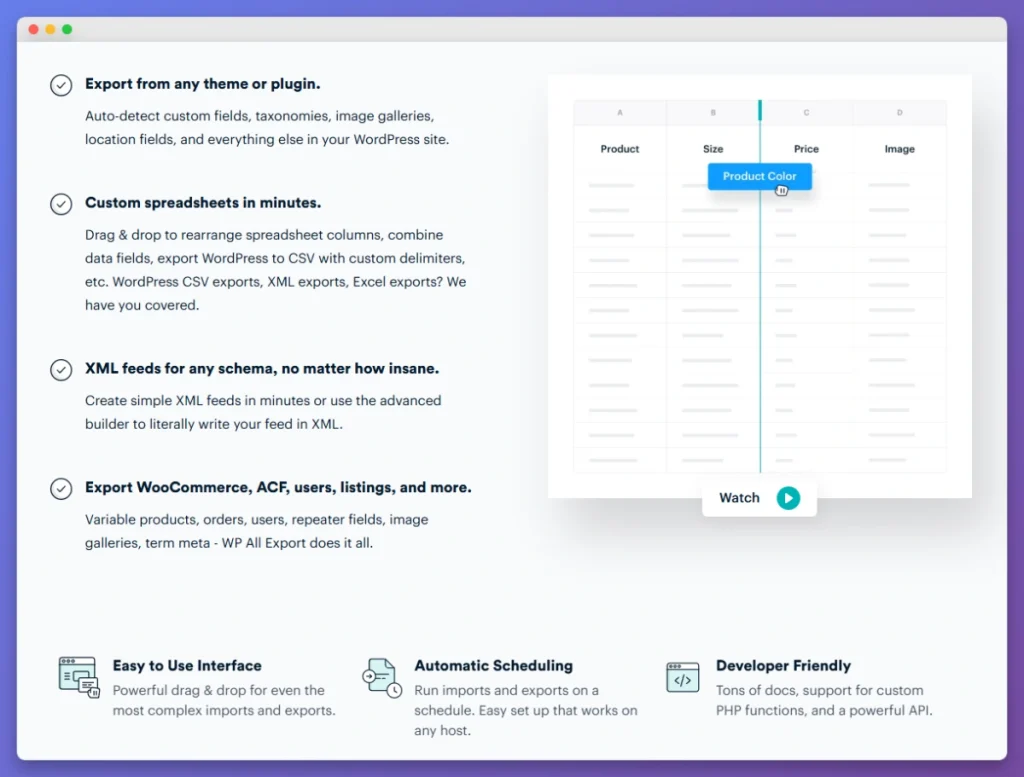
WP All Export is one of the most popular WordPress export plugins overall, with over 100,000 active installations of its free version on WordPress.org. It’s well-known for its visual drag-and-drop interface that lets you build export templates by dragging fields into columns — a genuinely intuitive experience, especially for first-time users.
The plugin exports WordPress posts, pages, and custom post types out of the box. For WooCommerce-specific exports (products, orders, customers), you’ll need the WooCommerce Export add-on, which is included in the Pro bundle.
Even though the price is higher, many developers consider this among the best WooCommerce export plugins for its advanced PHP snippet support.
Key features include:
- Visual drag-and-drop field mapping
- Custom PHP snippets for advanced field manipulation
- Scheduled exports via cron
- CSV, Excel, and XML output
- Works with custom post types and custom fields
Hands-on testing notes
The drag-and-drop builder makes it easy to visualize exactly what your export file will look like before you run it. Specifically, I found this especially helpful when building exports for team members who needed specific column orders for their spreadsheet workflows. The live preview panel shows you sample data in real time as you add fields.
Pricing & value
- WP All Export Pro + WooCommerce Bundle: $199/year
- Free version: Available on WordPress.org (limited to posts/pages, no WooCommerce types)
Pros & cons
Pros:
- Best-in-class drag-and-drop interface
- Live preview of export data
- Strong community and documentation
- Custom PHP functions for advanced users
Cons:
- WooCommerce exports require paid add-ons ($199/yr)
- Fewer WooCommerce-specific export types than Store Exporter Deluxe
- No native support for bookings, subscriptions, or brands exports
- Annual renewal cost is significantly higher
Best for
Stores that prioritize a polished UI/UX experience and primarily need product or order exports. If your team is less technical and values a visual builder, WP All Export delivers — just be prepared for the higher price tag.
💡 Bonus Comparison: Since Store Exporter Deluxe and WP All Export are the top two contenders on this list, choosing between them can be tough. Check out our deep-dive comparison of Store Exporter Deluxe vs WP All Export to see a feature-by-feature breakdown of which plugin is right for your specific needs.
3. WebToffee WooCommerce Export — Best For Order-Focused Exports
Overview & key features
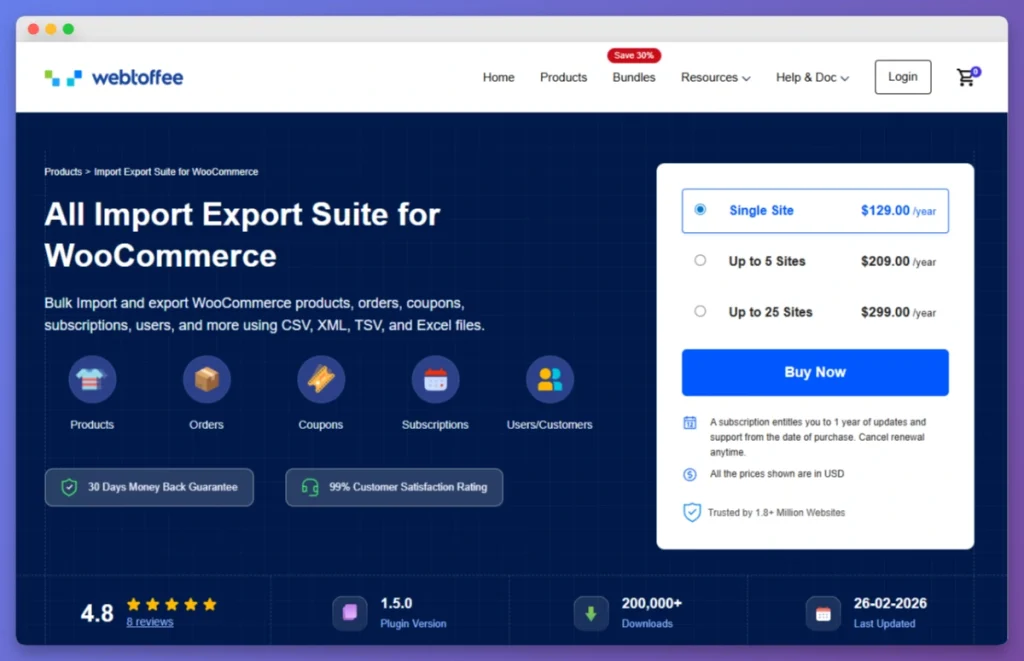
WebToffee takes a modular approach to WooCommerce exports. Rather than offering a single all-in-one plugin, they sell separate plugins for each data type: one for orders, another for products, another for users/customers, and so on. Their premium plugins collectively power over 1.5 million websites, and their free order export plugin alone has over 90,000 active installs on WordPress.org.
If your primary need is order exports, WebToffee’s order-focused plugin is solid. It supports CSV, XML, and Excel formats with good filtering options for date ranges, order statuses, and specific products.
WebToffee provides a specialized experience that differs from the more generalized best WooCommerce export plugins found on the market.
Key features include:
- Dedicated order export with advanced filtering
- Column mapping and reordering
- Scheduled/automated exports via cron
- CSV, XML, TSV, XLS, and XLSX support
- Separate plugins for products, customers, and coupons
Hands-on testing notes
When testing the order export plugin, I appreciated the specific filtering options. For example, I could filter by order status, date range, specific products purchased, coupon codes used, and even shipping method. The order export itself ran cleanly for a set of 5,000 orders and produced an accurate CSV with all line-item data intact.
Budget-conscious users should calculate the total cost of all modules when comparing the best WooCommerce export plugins for multi-site use.
Pricing & value
- Individual plugins: $69/year each (orders, products, users, etc.)
- Import Export Suite (all-in-one): $149-249/year
- Free versions: Available on WordPress.org (limited features)
Pros & cons
Pros:
- Strong order-specific filtering and column mapping
- Well-documented with good support
- Free versions available for basic needs
- Regular updates and active development
Cons:
- Separate plugins for each data type = higher total cost
- Must buy multiple plugins for comprehensive exports
- All-in-one suite is pricier than competitors
- Each plugin has its own interface and learning curve
Best for
Stores whose export needs are firmly centered on order data. If you only ever need to export orders (and nothing else), WebToffee’s standalone order plugin is well-built and affordable at $69/year. But if your needs are broader, the modular pricing works against you.
🔍 Deep Dive: Choosing between an all-in-one tool and a modular suite can be tricky. Read our full head-to-head comparison of Store Exporter Deluxe vs WebToffee to see which pricing model and feature set actually fits your store’s data volume.
4. WPFactory Export WooCommerce — Best for Product Data Exports
Overview & key features
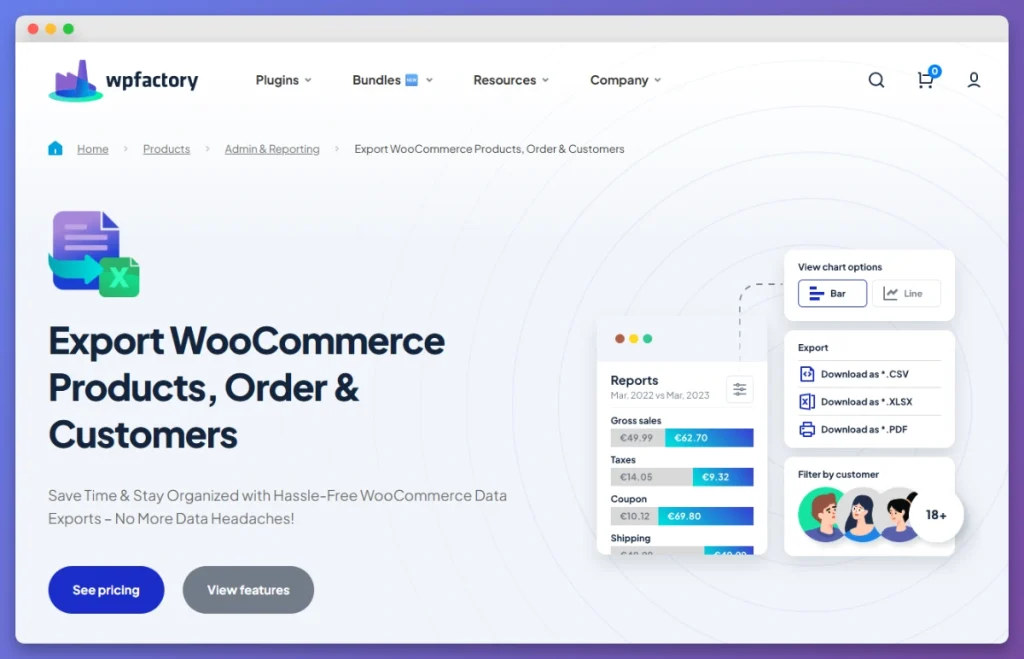
WPFactory offers a WooCommerce export plugin that supports products, orders, and customers. With around 3,000 active installations on WordPress.org, it’s a smaller player in the market, but it has carved out a niche with solid product export capabilities and over 100 exportable fields.
The plugin supports both CSV and XML formats and includes a decent set of filtering options. Where it stands out is in its product data handling. It does a good job with product variations, custom attributes, and category hierarchies.
WPFactory offers a focused alternative to the best WooCommerce export plugins that try to handle every possible WordPress post type.
Key features include:
- 100+ exportable fields across products, orders, and customers
- CSV and XML export formats
- Product variation support
- Custom field and attribute handling
- Basic scheduling via WordPress cron
Hands-on testing notes
Observation 1: Clean product variation handling. I tested WPFactory with a store running 200+ variable products, each with 3-8 variations. The plugin exported parent and variation data cleanly, maintaining the parent-child relationship in a way that made the CSV easy to work with in Excel. Because of this, the variation-specific fields (SKU, price, stock, weight) all came through accurately.
Observation 2: Limited scope beyond products. While the product export was solid, the order and customer export features felt less developed by comparison. I ran into some limitations with order line-item detail — specifically, custom meta fields attached to order items didn’t come through as expected. For a product-focused workflow, it works well. For comprehensive store exports, you’d likely outgrow it.
Pricing & value
- Premium: $49.99/year
- Free version: Available on WordPress.org (limited fields and features)
Pros & cons
Pros:
- Good product variation and attribute handling
- Competitive pricing at $49.99/year
- Clean, straightforward interface
- 100+ exportable fields
Cons:
- Smaller user base (3,000+ installs)
- Order and customer exports are less robust
- Fewer plugin integrations than Store Exporter Deluxe
- Limited scheduled export options
Best for
Stores that primarily need to export product data — especially if you have complex variable products with lots of attributes. At $49.99/year, it’s a fair value for product-focused exports, though stores with broader needs will want something more comprehensive.
5. Advanced Order Export For WooCommerce (Free) — Best Free Option
Overview & key features
If you need to export WooCommerce orders and your budget is exactly zero dollars, Advanced Order Export for WooCommerce is the plugin to start with. With over 100,000 active installations on WordPress.org, it’s one of the most widely used free WooCommerce export plugins available — and for good reason.
The free version supports an impressive range of output formats: CSV, Excel (XLS), TSV, PDF, HTML, XML, and JSON. That’s more format options than some paid plugins offer. It covers all standard order fields plus product details, coupon information, and custom fields.
It is rare to find free tools that compete with the best WooCommerce export plugins in terms of available output formats like PDF and JSON.
Key features include:
- Seven output formats (CSV, XLS, TSV, PDF, HTML, XML, JSON)
- Order status, date range, and product filtering
- Custom field export support
- Customizable column order and naming
- Completely free — no premium version required for core features
Hands-on testing notes
Observation 1: Format variety is genuinely impressive for a free plugin. I tested exports in CSV, Excel, XML, and PDF. All four formats produced clean output. The PDF export was particularly useful for generating order summaries that could be shared with non-technical team members. Most free plugins limit you to CSV only, so having seven format options is a real standout feature.
Observation 2: Orders only — and that’s the key limitation. The plugin does one thing and does it well, but it only does that one thing. There’s no product export, no customer export, no coupon export. If you eventually need to export products for a marketplace feed or customer data for a CRM migration, you’ll need a second (or third) plugin. That said, based on what we’ve observed in support requests and community forums, order data tends to be the most common first export use case for WooCommerce store owners — so this plugin covers where most people start.
Pricing & value
- Price: Free
- Pro version: Available from AlgolPlus for additional features (scheduled exports, FTP delivery)
Pros & cons
Pros:
- Completely free
- Seven output formats (more than some paid plugins)
- 100,000+ active installs = large support community
- Handles order exports reliably
- Good custom field support
Cons:
- Orders only — no products, customers, or other data types
- No scheduled/automated exports in free version
- No FTP/SFTP delivery in free version
- You’ll likely need additional plugins as your store grows
Best for
New store owners or those on a tight budget who only need order exports right now. It’s an excellent starting point — just know that as your export needs evolve, you’ll probably end up needing a more comprehensive solution.
6. WooCommerce Customer/Order/Coupon CSV Export (Official) — Best Official Extension
Overview & Key Features
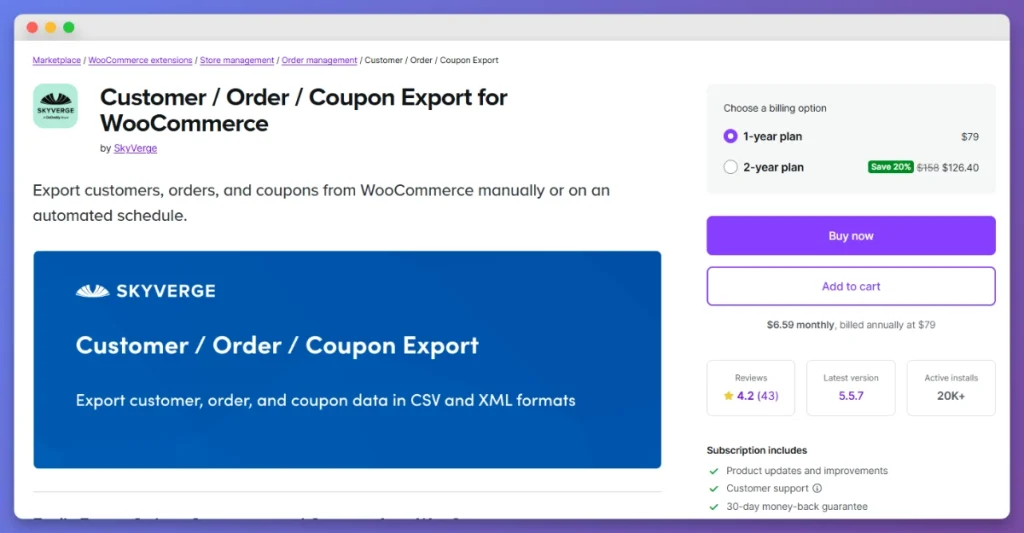
The Customer/Order/Coupon Export extension is the official WooCommerce export plugin, built by SkyVerge and sold through the WooCommerce.com marketplace. If you prefer sticking with “official” extensions for compatibility and support assurance, this is the go-to option for exporting orders, customers, and coupons.
Official status provides peace of mind, though it often lacks the versatility found in the best WooCommerce export plugins from independent developers.
The plugin supports both CSV and XML formats and includes automated export capabilities. You can set up scheduled exports that run automatically and deliver files via email, FTP, or HTTP POST — making it a solid choice for recurring workflows like weekly order syncs with accounting software.
Key features include:
- Official WooCommerce marketplace extension
- Orders, customers, and coupon exports
- CSV and XML formats
- Scheduled/automated exports
- FTP, email, and HTTP POST delivery
- Custom export format builder
- Built by SkyVerge (established WooCommerce developer)
Hands-on testing notes
Observation 1: Seamless WooCommerce admin integration. The plugin integrates cleanly into the WooCommerce admin panel — it feels like a native part of WooCommerce rather than a third-party add-on. The settings pages follow WooCommerce’s own UI patterns, so there’s virtually no learning curve if you’re already comfortable in WooCommerce admin. Automated exports were easy to configure and ran reliably during my two-week test.
Observation 2: No product exports — and that’s a big gap. The most significant limitation is that this official extension does not export products. At all. If you need product exports, you’ll need to purchase the separate Product CSV Import Suite ($79/year). So to get both order and product exports from official extensions, you’re looking at $79 + $79 = $158/year — more than double the cost of Store Exporter Deluxe, which covers both plus a dozen other data types.
Pricing & value
- Price: $79/year (single site)
- Sold through: WooCommerce.com marketplace
Pros & cons
Pros:
- Official WooCommerce extension — guaranteed compatibility
- Clean admin integration following WooCommerce UI patterns
- Reliable automated/scheduled exports
- Multiple delivery methods (FTP, email, HTTP POST)
- Good custom format builder
Cons:
- No product exports (requires separate $79/yr plugin)
- $79/year for orders + customers + coupons only
- Combined with product plugin = $158/yr for fewer data types than SED
- No subscription, booking, or other advanced export types
Best for
Store owners who strongly prefer using only official WooCommerce marketplace extensions and whose export needs are limited to orders, customers, and coupons. If that describes you and you don’t need product exports, this is a reliable choice — just know you’re paying a premium for the “official” stamp.
7. Product CSV Import Suite (Official) — Best For Product-Only Official Export
Overview & Key Features
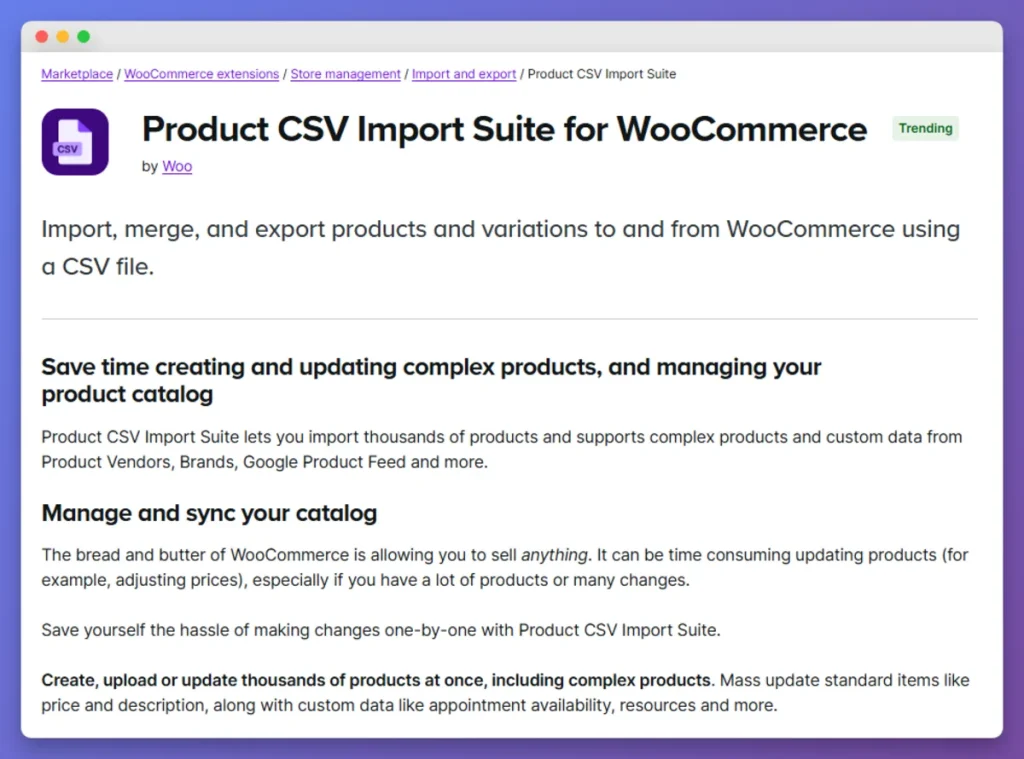
The Product CSV Import Suite is the official WooCommerce extension for importing and exporting product data. Like the Customer/Order/Coupon Export above, it’s sold on the WooCommerce.com marketplace and built to integrate seamlessly with WooCommerce core.
Note that WooCommerce does include a basic built-in product CSV exporter (under Products > Export), but the official Product CSV Import Suite offers more advanced features: better handling of variable products, custom attributes, and product images, plus the ability to manage large catalogs more efficiently.
Key features include:
- Official WooCommerce marketplace extension
- Advanced product CSV export with all product types
- Variable product and attribute handling
- Product image URL inclusion
- Custom field support
- Bulk product management capabilities
Hands-on testing notes
Handles variable products well, but format options are limited. I exported a catalog of 1,200 products including 300+ variable products. The plugin handled variations, attributes, and image URLs correctly. However, the output is CSV only — no Excel, XML, or other formats. If your workflow requires XML product feeds (for Google Shopping, for example), you’ll need a different tool.
The only advantage of the official route is the WooCommerce.com marketplace guarantee of compatibility and support directly from the WooCommerce ecosystem.
Pricing & value
- Price: $79/year (single site)
- Sold through: WooCommerce.com marketplace
- Combined with Order/Coupon Export: $158/year total
Pros & cons
Pros:
- Official WooCommerce extension
- Good variable product and attribute handling
- Seamless admin integration
- Reliable for large catalogs
Cons:
- CSV only — no Excel, XML, or other formats
- Products only — no orders, customers, or other types
- $79/year for a single data type
- Combined cost with order plugin ($158/yr) exceeds more comprehensive alternatives
- The built-in WooCommerce exporter may be sufficient for basic needs
Best for
Store owners who need advanced product exports specifically from an official WooCommerce extension and whose needs don’t extend beyond product data. For most stores, though, the combination of both official plugins ($158/year) is hard to justify against more comprehensive options.
How To Choose The Right WooCommerce Export Plugin
To help you decide, use this framework to see which of the best WooCommerce export plugins aligns with your specific store goals.
- “I just need to export orders for free.” → Advanced Order Export for WooCommerce
- “I need the best drag-and-drop interface and budget isn’t a concern.” → WP All Export
- “I need comprehensive exports at the best price.” → Store Exporter Deluxe
- “I only export orders and want the best order-specific tool.” → WebToffee Order Export
- “I must use only official WooCommerce extensions.” → Official Order/Coupon Export + Product CSV Import Suite
- “I mainly export product data.” → WPFactory or Store Exporter Deluxe
Frequently Asked Questions
Does WooCommerce have a built-in export feature?
Yes, WooCommerce has a built-in export feature for products and orders, but it is limited to basic CSV files with minimal filtering. For advanced filtering, automated scheduling, and multiple formats, you will need to use one of the best WooCommerce export plugins.
Check out our guide on how to export WooCommerce products for a walkthrough of both the built-in tool and plugin-based methods.
Can I export WooCommerce data for free?
Absolutely. The Advanced Order Export for WooCommerce plugin is completely free and handles order exports well. The free version of Store Exporter also provides basic export functionality for products, orders, and other data types. For a full rundown of free options, see our free WooCommerce plugins page.
What’s the best export format for WooCommerce data?
CSV is the best export format for WooCommerce data because it is universally compatible with Excel, Google Sheets, and accounting software. However, the best WooCommerce export plugins also support XML for marketplace feeds and Excel (XLSX) for team reporting.
How do I export WooCommerce orders for my accountant?
To export WooCommerce orders for an accountant, use one of the best WooCommerce export plugins to filter your orders by the required date range. Export the file as a CSV or Excel document, ensuring you include tax, shipping, and line-item details. For a step-by-step guide, read our WooCommerce export orders ultimate guide.
Conclusion & Final Recommendation
After testing all seven plugins hands-on, the landscape is clear: each plugin has a genuine strength, and the right choice depends on your specific needs.
Our testing proves that the best WooCommerce export plugins must balance technical power with a fair pricing structure.
If you need a free starting point for order exports, Advanced Order Export for WooCommerce is hard to beat. If you want the best visual interface and budget isn’t a constraint, WP All Export delivers a polished experience. And if you need official WooCommerce extensions, the SkyVerge-built options integrate seamlessly — though the combined cost adds up fast.
But for the best overall value — the plugin that covers the most data types, integrates with the most third-party extensions, and does it all at the most competitive price — Store Exporter Deluxe is our top recommendation. At $39.50/year to start, it costs less than a single official WooCommerce extension while giving you access to 18+ export types, 125+ plugin integrations, scheduled exports, and multiple output formats.
Whether you’re exporting 50 orders or 50,000, Store Exporter Deluxe scales with your store.