
Valentine’s marketing ideas work better when you base them on actual store data instead of guessing what might sell. Most WooCommerce stores run generic discounts and hope something sticks. But the stores that actually see results? They check last year’s numbers before planning anything.
This guide walks through five Valentine’s marketing ideas built around Store Exporter Deluxe and Product Importer Deluxe. Both tools let you update products in bulk and pull data from your store without touching code or editing products individually.
Let’s get started!
Valentine’s Marketing Ideas For Your Store (2026)
Here are five Valentine’s marketing ideas that use your store’s actual data instead of generic promos that might not work.
1. Use last year’s sales data to identify your bestsellers
Export last year’s February orders to see which products actually sold as gifts. Store Exporter Deluxe lets you filter orders by date range, so you can pull just the Valentine’s period (Feb 1-14, 2025). Sort by units sold to find your winners.
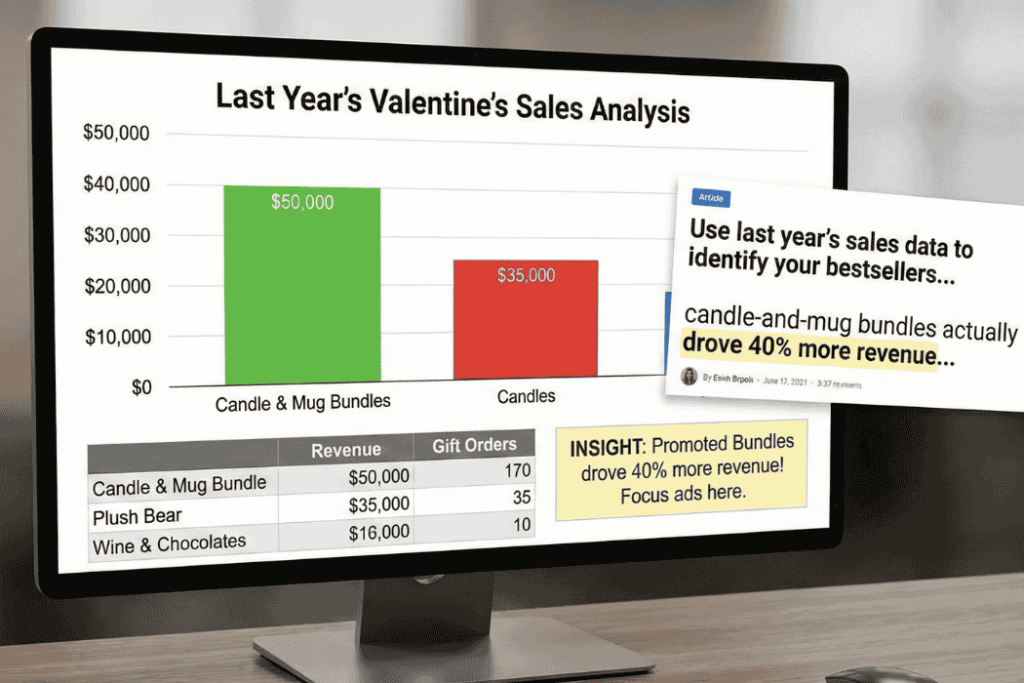
Most stores skip this step and promote the wrong products. A home goods store might assume candles sell best, but the data shows candle-and-mug bundles actually drove 40% more revenue. That one insight changes your entire campaign.
Use the exported file to build your “Bestsellers” collection. Focus ads on proven products. Stock up before you run out. The numbers tell you what people want, you just have to export WooCommerce data and look.
Quick tip: Compare price ranges too. If $30-$50 items sold best last year, build your bundles around that range this year.
2. Bulk-update product pages with Valentine’s messaging
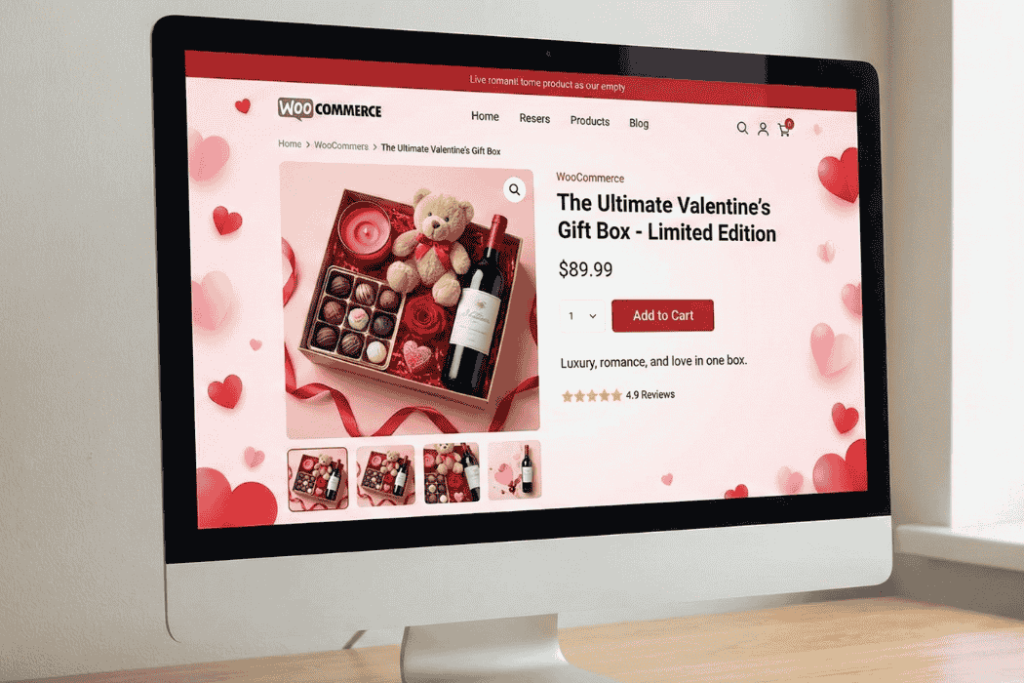
Your current product descriptions probably don’t say “perfect gift” or “Valentine’s-ready.” That’s a problem when people are shopping for gifts. You can fix this by editing your product descriptions and tags in a spreadsheet, then importing everything back in minutes.
What to add:
- Short descriptions: “Ships gift-wrapped” or “Great for him/her/friends”
- Product tags for filtering (“Valentine’s 2026,” “Self-Love”)
- Titles with gift keywords (“Date Night Candle Set”)
Here’s how it works: export products using Store Exporter Deluxe. Open the CSV in Excel or Google Sheets. Add Valentine’s language to descriptions. Add tags like “Valentine’s Gift 2026” or “Galentine’s Pick.” Save the file. Import it back with Product Importer Deluxe.
This takes about 20 minutes to update 50 products. Doing it manually, one product at a time in WordPress, takes hours.
Keep a backup export before you make changes. That way you can roll back if something breaks.
Bonus tip: Short on time? You can use StoreAgent’s bulk content generation to rewrite product descriptions for multiple items at once. Select your products, choose the Valentine’s tone you want, and let it generate gift-focused copy in minutes.
3. Set up gift-specific product categories
People shopping for gifts want to browse by budget or recipient type. Create categories like “Gifts Under $30,” “Self-Love Picks,” or “Galentine’s Favorites” to help them find what they need faster.
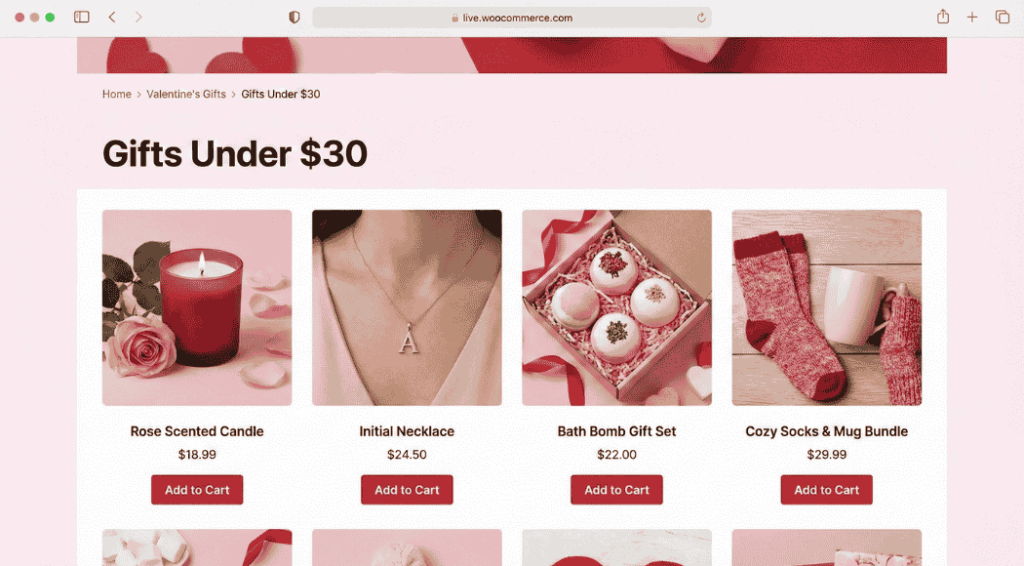
Most stores already have categories, but they’re organized by product type (Candles, Jewelry, Bath Products). That’s fine for regular shopping but not helpful during Valentine’s when someone just wants “a gift for my girlfriend under $50.”
Start by checking your current category structure. You can export WooCommerce categories to see what you already have. Then add 3-4 new Valentine’s categories based on how people actually shop during gift season.
Categories that work:
- Gifts Under $30 (for budget shoppers)
- Galentine’s Day Gifts (for friends, not partners)
- Self-Love Picks (for people buying for themselves)
- Last-Minute Gifts (items that ship fast or digital products)
Feature these categories on your homepage during February. Remove them after Valentine’s Day so your site doesn’t look outdated.”
4. Add Valentine’s gift options at checkout
Small touches like gift wrapping or custom messages make your store feel more gift-friendly. These options don’t require complicated plugins. You can add them as product variations or checkout fields.
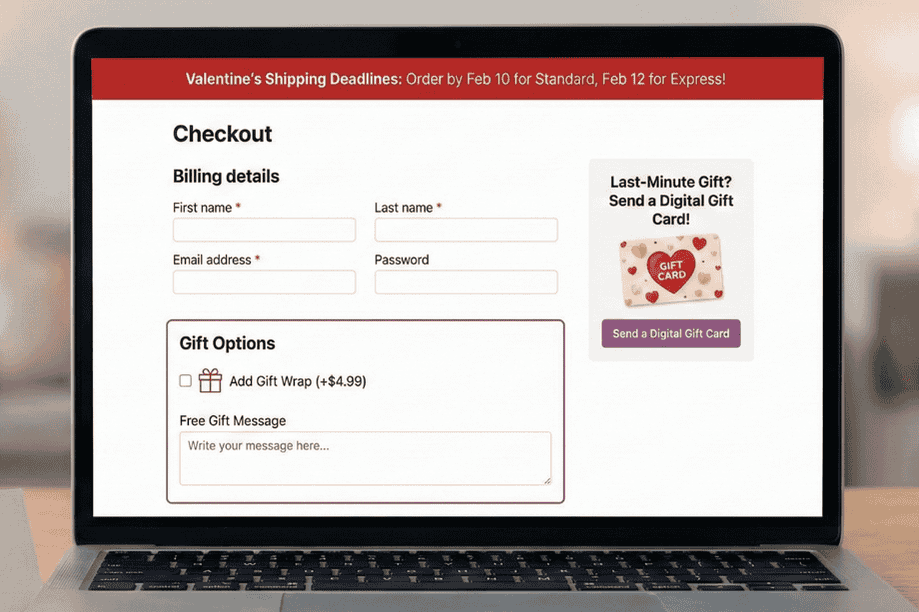
Consider adding a $3-5 gift wrap option. Set up a custom field for gift messages at checkout. Most importantly, add clear shipping deadline notices so people know when they need to order by for Feb 14 delivery.
For shipping deadlines, add a banner to your homepage and product pages. Something simple like “Order by Feb 10 for standard shipping” or “Order by Feb 12 for express delivery.” Update it as dates get closer.
If you sell digital products or gift cards, promote those heavily on Feb 13-14. They’re perfect for last-minute shoppers who missed the shipping cutoff.
These small changes make a bigger difference than you’d think. Gift buyers want reassurance that their purchase will arrive on time and look presentable. Give them that confidence and they’ll buy.
5. Market to multiple audiences, not just couples
Valentine’s Day isn’t just for romantic couples anymore. People buy gifts for friends (Galentine’s Day on Feb 13), family members, and themselves. If your marketing only talks to people buying for partners, you’re missing sales.
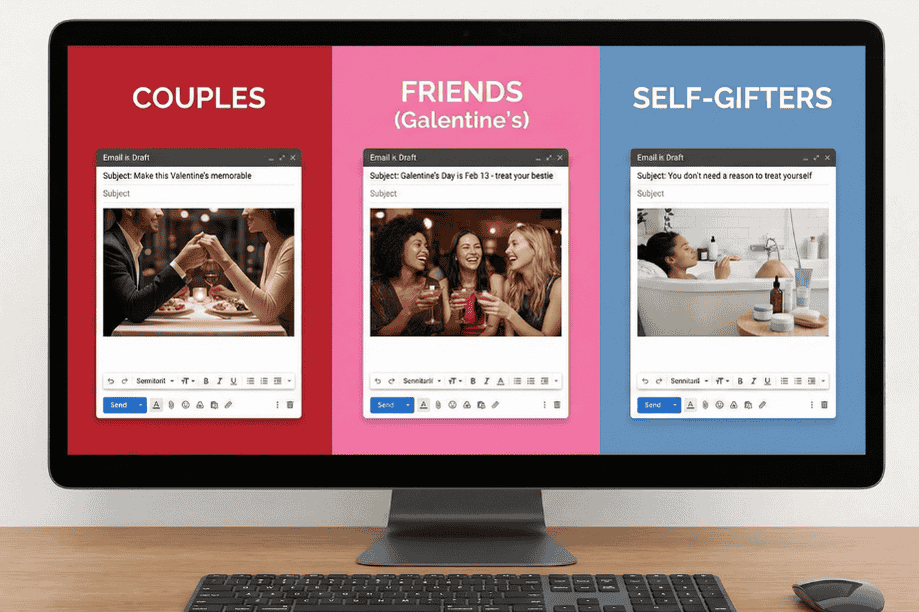
Create separate campaigns for different buyer types. One email for romantic gifts. Another for Galentine’s gifts. Another for self-care purchases. Use different language for each group.
- Couples: “Make this Valentine’s memorable”
- Friends: “Galentine’s Day is Feb 13 – treat your bestie”
- Self-gifters: “You don’t need a reason to treat yourself”
Run these as separate email campaigns if you have segmented lists. Or create different landing pages and social posts for each audience. A skincare brand might promote the same product three different ways depending on who’s buying it.
This approach works because it matches how people actually shop during Valentine’s week. Not everyone is buying for a romantic partner. When you acknowledge that in your marketing, more people see themselves in your message and actually buy.
How To Use Store Exporter and Product Importer for Valentine’s campaigns
The workflow is straightforward. Store Exporter pulls data out of your store as a CSV file. You edit it in Excel or Google Sheets. Product Importer puts the updated data back in.
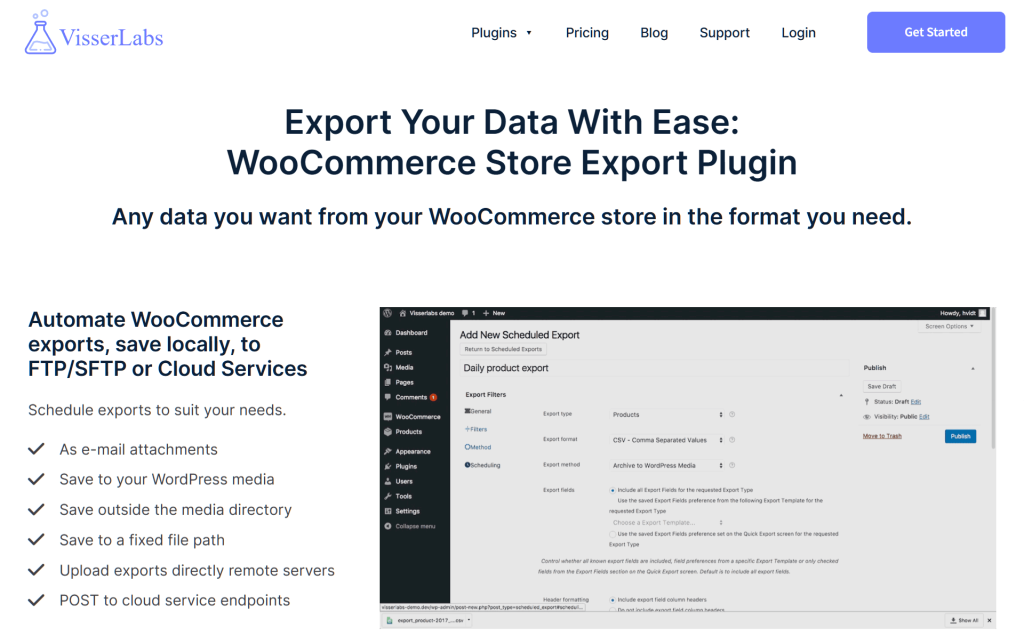
Export your products, orders, or customer data. Open the file and make your changes. Add Valentine’s tags, update descriptions, or create new rows for bundle products. Save it and import it back through Product Importer.
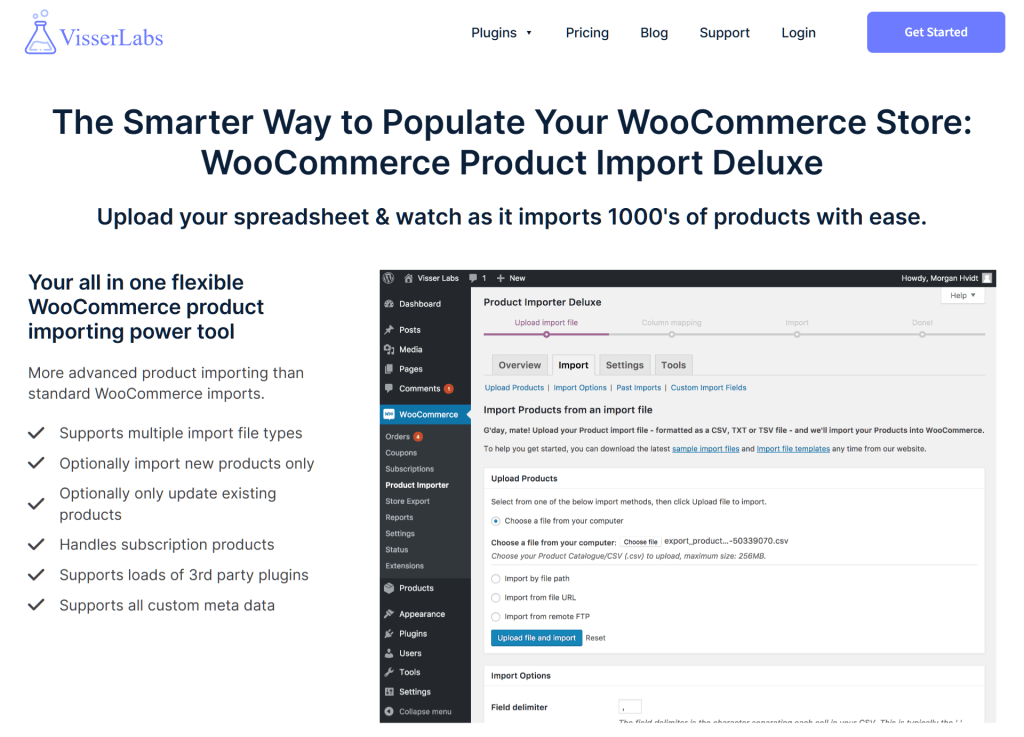
The whole process takes 10-30 minutes depending on how many products you’re updating. Compare that to editing 50-100 products individually in WordPress, which would take hours.
For scheduled exports during your campaign, Store Exporter lets you automate daily or weekly exports. Useful for tracking sales and inventory without manually pulling reports.
Final thoughts
The best Valentine’s marketing ideas start with data. When you know what sold before, update products in bulk, create smart bundles, segment your emails, and track results daily, your campaign runs smoother and makes more money.
Quick recap: 5 Valentine’s Marketing Ideas
- Export last year’s data to find bestsellers
- Bulk-update product pages with Valentine’s copy
- Set up gift-specific product categories
- Add Valentine’s gift options at checkout
- Market to multiple audiences, not just couples
Want to run these Valentine’s marketing ideas without the manual work? Check out Visser Labs pricing and get the tools that fit your store.