Learning how to prevent fake orders in WooCommerce comes down to one thing: matching the right tool to your actual problem. Use reCAPTCHA or OOPSpam for bots, a scoring engine like FraudLabs Pro or YITH for unknown fraud at scale, and a block list like Checkout Guard for the specific people you already know are abusing your store.
If you’ve run a WooCommerce store for any length of time, you know “fake orders” isn’t one problem. It’s four or five different problems wearing the same costume. One store gets hammered by bots filling carts at 3am, another keeps getting hit by the same ex-customer placing rage orders, and a third is quietly losing money to card testers. The fix that saves one store does nothing for the next.
In this guide, we’ll walk through five tools, map each one to the use case it’s genuinely good at, and stay honest about where each one falls short. So before you install anything, figure out which kind of fake order you’re actually dealing with. Let’s break it down.
Table of Contents
What Counts As A Fake Order In WooCommerce
A fake order is any order placed without genuine intent to buy and pay legitimately. That bucket holds wildly different behaviors, and the distinction matters because each one has a different fix. Bots and automated scripts make up a big share: according to the 2025 Imperva Bad Bot Report, automated traffic crossed 51% of all web traffic for the first time in a decade in 2024, with bad bots alone accounting for 37% of it. A lot of “orders” never came from a human at all.
Then there’s payment fraud, where someone uses stolen card details. The FTC reported that consumers lost $12.5 billion to fraud in 2024, a sharp jump on the year before. The scale keeps climbing: global e-commerce fraud losses are forecast to more than double from over $40 billion in 2024 to more than $100 billion by 2029, according to a Research and Markets outlook. Stores absorb a chunk of that through chargebacks and lost stock.
And then there’s the human you already know: a repeat returner who never pays, an ex-staffer placing junk orders, a specific person you’ve identified by name and email. That category is where most small and mid-size store owners actually lose sleep, and it’s the one most fraud tools handle worst.
Why one tool can’t cover all of it
Bots need a challenge. Unknown fraud needs scoring. A known offender needs a hard block. Those are three different mechanisms, so the smart move is to match the mechanism to the threat rather than hope one plugin does everything.
The 5 Fake Order Prevention Tools At A Glance
Here’s how the five tools compare at a glance, matched to the threat each one was built for. The deep dives on each follow below.
| Tool | Best for | How it works | Where it stops |
|---|---|---|---|
| reCAPTCHA | Automated bots | Free challenge on checkout and login | Won’t stop a human placing orders by hand |
| OOPSpam | Spam-style orders at volume | ML spam and fraud filtering via external API | Probabilistic; free tier is 40 checks a month |
| FraudLabs Pro | Unknown fraud at scale | Risk scoring via external API | False-positive cost; external dependency to tune |
| YITH WooCommerce Anti-Fraud | Scoring you control on-site | Configurable point-based rules you set | Thresholds need tuning; can flag real shoppers |
| Checkout Guard | Known, named repeat offenders | Deterministic name and email block list | Only blocks people you’ve already identified |
reCAPTCHA: Stopping Bots And Automated Scripts
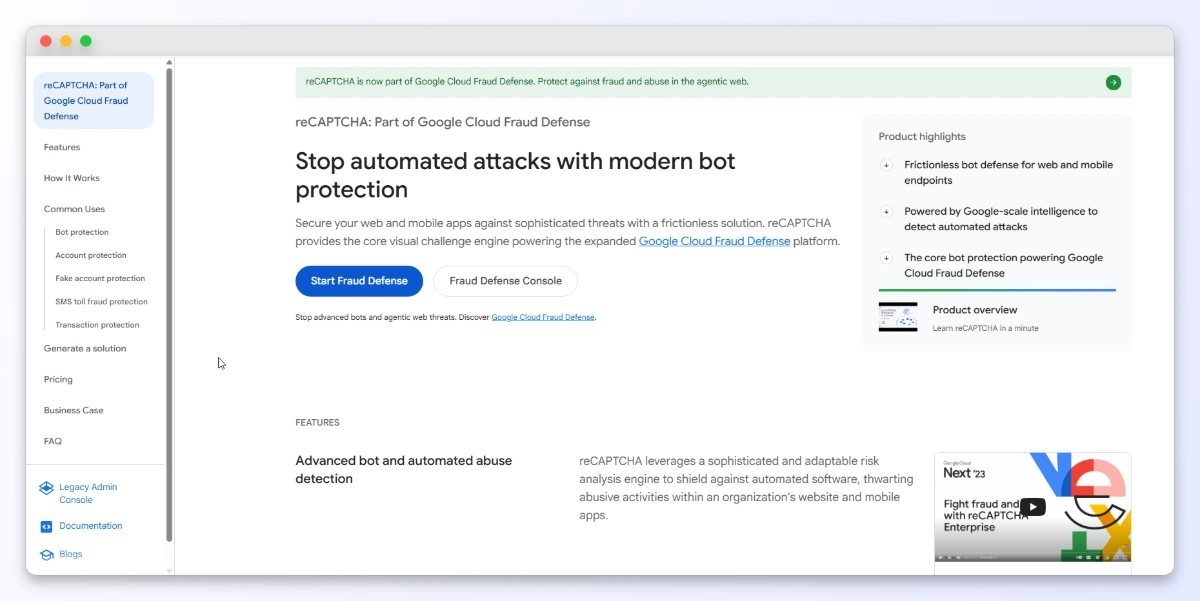
Google reCAPTCHA is your first line against bots, and it’s free. It drops a challenge onto your checkout (or login and registration) that automated scripts struggle to pass, which filters out the crudest junk orders before they ever hit your order list.
Use reCAPTCHA when your fake orders are clearly automated: bursts of identical orders, gibberish names, or sign-ups flooding in overnight. It’s cheap insurance and there’s little reason not to run it.
Where it stops: reCAPTCHA challenges bots, not people. A determined human placing fake orders by hand will pass the challenge every time. It also does nothing about stolen cards or a known repeat offender who is, after all, a real person clicking through your checkout.
OOPSpam: ML Spam And Fraud Filtering At The Edge
OOPSpam for WooCommerce is a machine-learning spam and fraud detection service that runs through an external API. It blocks across classic, block, and REST checkout, and layers on origin and device filtering, country, IP, VPN and cloud-provider blocking, a honeypot, and rate limiting. The free tier covers 40 checks a month.
Use OOPSpam when you’re fighting spam-style fake orders at volume and want something smarter than a plain CAPTCHA. The device and origin filtering catches patterns a human wouldn’t spot, and the honeypot quietly traps automated submissions.
Where it stops: it’s a probabilistic, API-based filter. It’s tuned for spam and bot patterns, not for deterministic “block this exact person” jobs, and the free tier’s 40 checks a month runs dry fast on a busy store.
FraudLabs Pro: Risk Scoring For Unknown Fraud
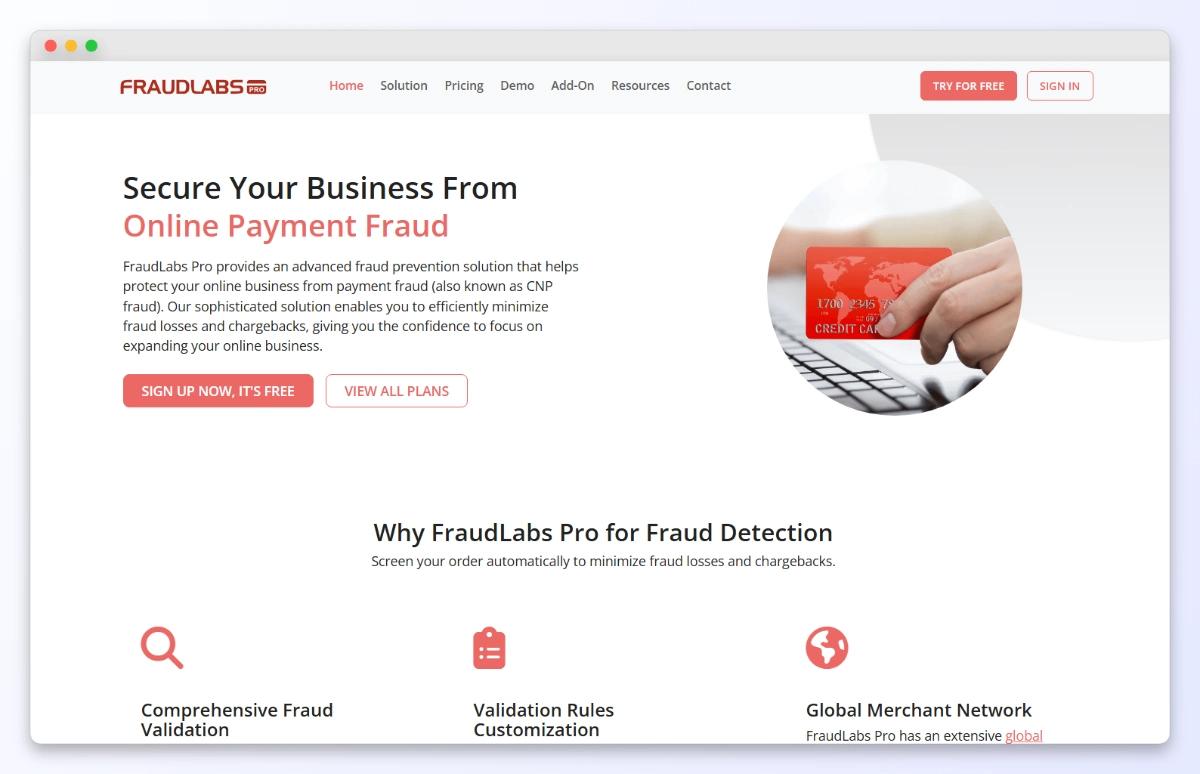
FraudLabs Pro for WooCommerce is an automated fraud-scoring service that calls an external API and assigns each order a risk score. It weighs geolocation, proxy detection, email, shipping address, credit-card signals, transaction velocity, and a global real-time blacklist, and you can layer custom validation rules on top. It’s free up to 500 validations a month or under $25K in monthly sales, with paid tiers above that.
Use FraudLabs Pro when your problem is unknown fraud at scale: card testing, stolen-card orders, and high-volume payment fraud where you can’t possibly know the offenders in advance. Scoring is exactly the right model here, because you’re trying to catch people you’ve never seen.
Where it stops: scoring is probabilistic, so it carries a false-positive cost. Tighten the rules and you’ll occasionally block a real customer; loosen them and some fraud slips through. It’s also an external dependency you have to monitor and tune.
YITH WooCommerce Anti-Fraud: Configurable Scoring On-Site
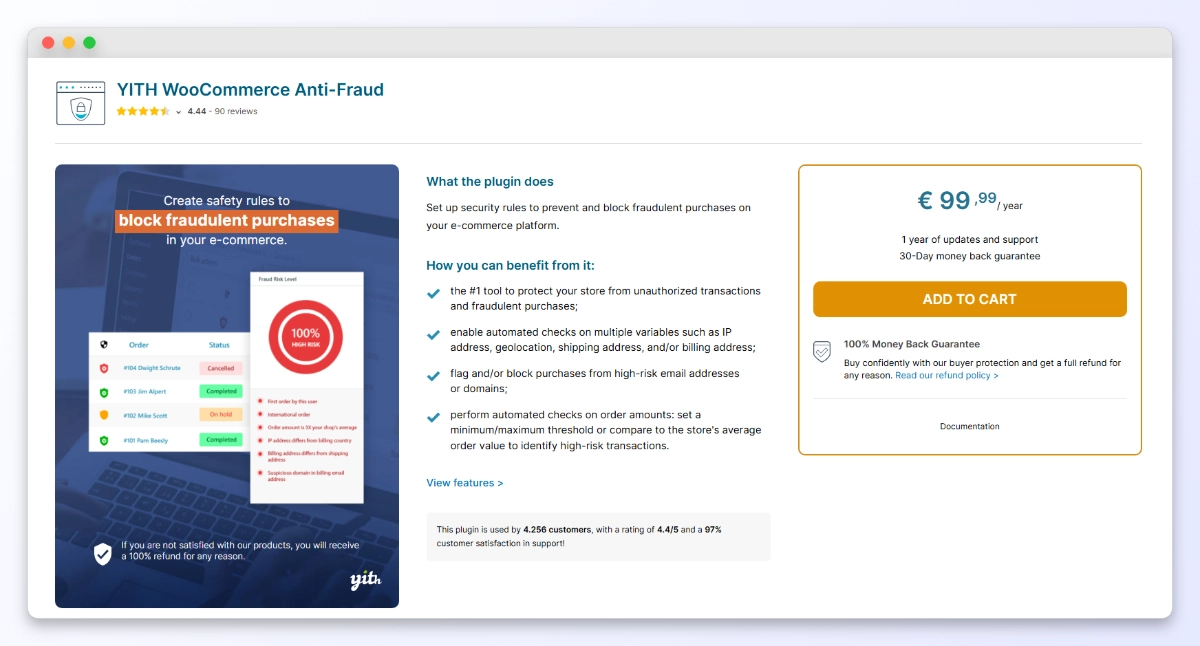
YITH WooCommerce Anti-Fraud is another automated risk-scoring approach, but the logic runs as a plugin you configure yourself. You assign point values to rules like international orders, IP not matching the shipping address, proxy use, transaction velocity, and email or domain lists, plus country blocking. When an order’s total score crosses your threshold, it’s auto-blocked or marked pending for review. It’s a premium plugin, paid annually.
Use YITH when you want scoring logic you control directly, without leaning on a third-party scoring API, and you’re comfortable tuning point values until the thresholds feel right.
Where it stops: same trade-off as any scoring system. Thresholds need tuning, and a rule strict enough to catch real fraud will sometimes flag a legitimate international shopper. Scoring is built for the unknown, not for surgically blocking one named person.
Checkout Guard: Blocking The Specific People You Already Know
Here’s the use case the scoring tools handle worst, and it’s one of the most common problems store owners actually face: you already know exactly who the problem is. They’ve got a name and an email you can point to, and you just want them gone. Checkout Guard is a manual block list for WooCommerce built for precisely that.
How Checkout Guard blocks an order
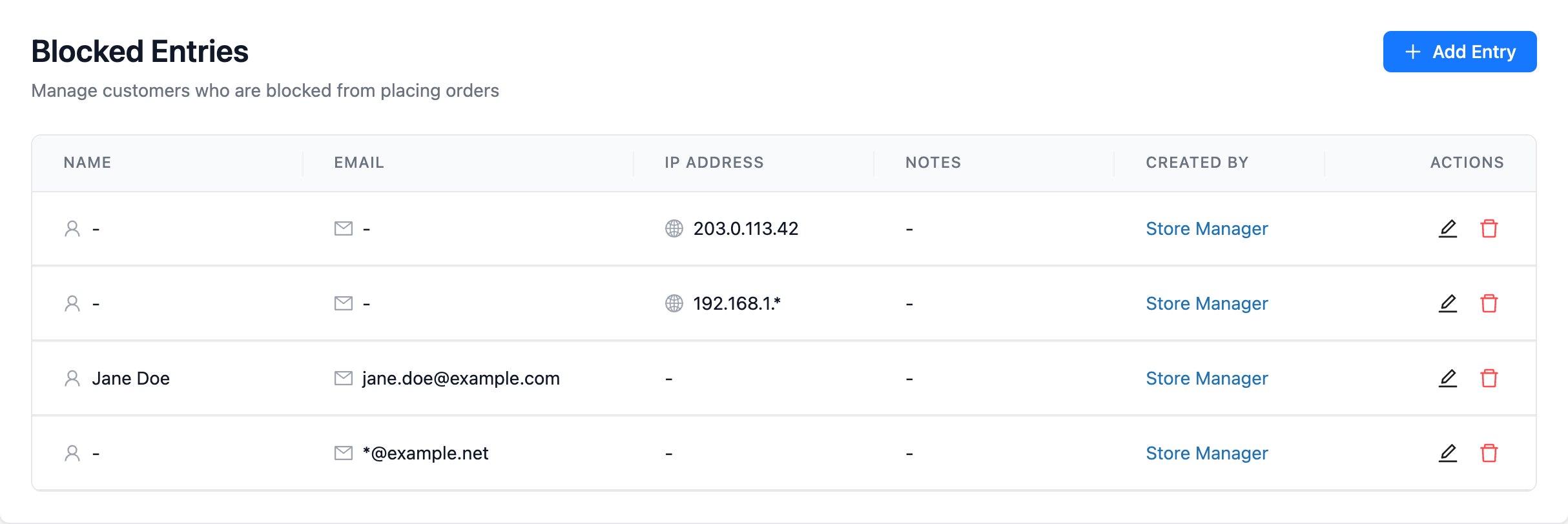
- Add a blocked entry. Enter a first and last name together, an email, an IP address, or any combination of those. Version 1.0.2 added the IP field, so you can block an IP address in WooCommerce when the billing details keep changing.
- Let Checkout Guard match the order. When an incoming order’s billing name, email or IP matches an entry on your list, it’s caught at checkout. Matching is exact unless you use a wildcard, which is how one rule can block an email domain in WooCommerce.
- The order gets blocked. The cart is emptied and the shopper sees a denial message you’ve written yourself, on both the classic and the newer block-based (Store API) checkout.
What makes this different from everything above is that Checkout Guard doesn’t score, guess, or detect anything. It blocks people you’ve already identified. That means zero false positives on anyone who isn’t on your list, no external API to depend on, nothing to tune, and no per-order limits. If you can already name your offenders, Checkout Guard is built for exactly that.
What We’ve Seen: A pattern shows up again and again across support tickets and store-owner forums. Someone spends weeks tuning a scoring plugin to stop one persistent troublemaker, and keeps accidentally blocking genuine overseas buyers in the process. The real problem was a single named person, not a statistical pattern. Switch that one case to a name-and-email block list, and the troublemaker is gone while the false positives stop overnight.
How To Prevent Fake Orders In WooCommerce: Match The Tool To The Threat
That’s the core of how to prevent fake orders in WooCommerce: name the threat first, then pick the mechanism built for it. Match the tool to the threat and you’ll stop wasting time on fixes that were never going to work.
- Automated bots and scripts: start with reCAPTCHA (free), add OOPSpam if spam volume is high.
- Unknown fraud at scale, card testing, stolen cards: FraudLabs Pro or YITH WooCommerce Anti-Fraud for risk scoring.
- A specific, known, repeat offender you can name: Checkout Guard for a deterministic block with no false positives.
Many stores run a combination: a CAPTCHA up front, a scoring layer for the unknown, and a block list for the handful of known bad actors.
💡 For the deeper strategy behind layering these defenses, our WooCommerce anti-fraud guide covers the full picture.
If your store also needs to clean up the mess fake orders leave behind, our guide to exporting WooCommerce orders helps you pull clean records for review.
Start Stopping Fake Orders Today
Fake orders aren’t one problem, so there’s no one fix. The trick is to name what’s actually hitting your store, then reach for the tool built for it: a CAPTCHA for bots, a scoring engine for unknown fraud, and a block list for the people you already know.
Here’s a quick recap of what we covered:
- What counts as a fake order: bots, payment fraud, and known offenders are three different problems.
- reCAPTCHA and OOPSpam: your defense against automated and spam-style orders.
- FraudLabs Pro and YITH: scoring engines for unknown fraud at scale.
- Checkout Guard: the deterministic block for known, repeat, specific offenders.
- How to prevent fake orders in WooCommerce: match the mechanism to the threat.
When it comes to how to prevent fake orders in WooCommerce, the simplest answer is often the least glamorous one. If your store’s real problem is a handful of people you can already name, you don’t need to tune a scoring engine and risk blocking good buyers. Add them to a block list and be done with it. If you’re ready to shut the door on known offenders, see how Checkout Guard handles them.
Frequently Asked Questions
What’s the difference between fake orders and fraud orders in WooCommerce?
Fake orders is the broader term, covering anything placed without genuine intent to pay: bot junk, spam submissions, and rage orders from a known person. Fraud orders usually mean payment fraud specifically, like stolen credit cards. The distinction matters because bot junk and a known troublemaker need completely different tools than stolen-card fraud does.
Can reCAPTCHA alone stop fake orders?
reCAPTCHA stops automated bots well, and for free. It won’t stop a real human placing fake orders by hand, and it does nothing about stolen-card fraud. Treat it as one layer rather than a complete solution, and pair it with a scoring tool or a block list depending on your actual threat.
Do I need a scoring tool if I already know who keeps placing fake orders?
Usually no. Knowing how to prevent fake orders in WooCommerce is really about matching the method to the threat: scoring tools like FraudLabs Pro and YITH are built to catch unknown fraud, and they carry a false-positive risk because they guess. If you can name the offender and have their email, a deterministic block list such as Checkout Guard blocks that exact person with no scoring and no risk to genuine customers.
Will blocking fake orders hurt my real customers?
It depends on the method. Scoring tools can occasionally flag a legitimate shopper when thresholds are tight, which is the trade-off of any probabilistic system. A manual block list only ever blocks the specific names and emails you add yourself, so it never touches anyone else.
Does Checkout Guard work with the new WooCommerce block checkout?
Yes. Checkout Guard works on both the classic shortcode checkout and the newer block-based (Store API) checkout. When a blocked entry’s billing name or email matches an order, the cart is emptied and your custom denial message is shown, whichever checkout your store uses.