
The best WP All Export alternatives for WooCommerce are Store Exporter Deluxe, WebToffee Import Export Suite, and WooCommerce’s built-in CSV export. Store Exporter Deluxe is the top pick. It was built specifically for WooCommerce, supports 125+ plugin integrations, and exports to five formats: CSV, TSV, XLS, XLSX, and XML. WooCommerce support is included from the start, with no extra add-ons required.
WP All Export is a capable, popular WordPress export tool with over 200,000 active installs and a clean drag-and-drop interface. It covers posts, pages, and custom post types just fine. Where it falls short for WooCommerce store owners is the cost model: to export orders, products, or customers, you need a separate paid add-on, which pushes the total price well above the base license.
This guide walks through five WP All Export alternatives, comparing features, pricing, and WooCommerce compatibility so you can pick the right export plugin for your store.
5 Best WP All Export Alternatives For WooCommerce
Each of these plugins takes a different approach to exporting WooCommerce data. Some are full-featured export suites; others are free utilities built into WooCommerce itself. Here’s how they stack up.
1. Store Exporter Deluxe (best WooCommerce-specific export plugin)
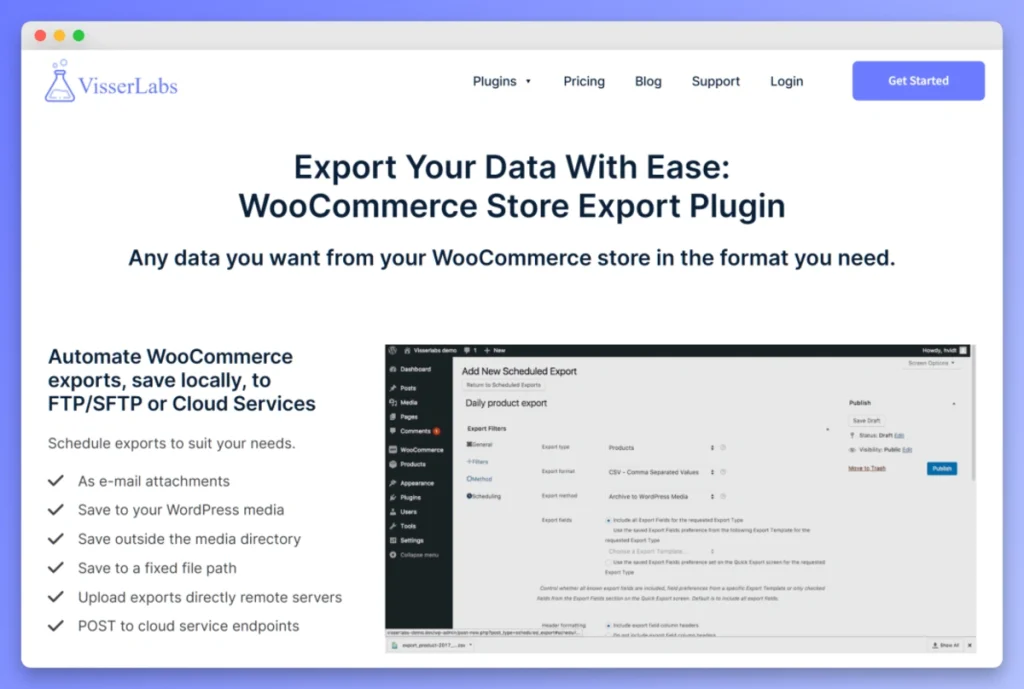
Store Exporter Deluxe is a purpose-built WooCommerce export plugin from Visser Labs. Where WP All Export treats WooCommerce as an add-on to its WordPress export engine, Store Exporter Deluxe was designed from the ground up to handle WooCommerce data types natively.
The plugin exports orders, products, customers, subscriptions, coupons, categories, tags, brands, reviews, bookings, shipping classes, attributes, vendor commissions, events, and tickets. It supports five export formats: CSV, TSV, XLS, XLSX, and XML. That breadth matters when you’re feeding data into accounting software, ERPs, or third-party fulfillment systems that each expect a specific file type.
One thing we commonly see: store owners start with a general WordPress export tool and hit a wall when they need to export WooCommerce subscriptions, bookings, or vendor commissions. In fact, these data types simply aren’t available in most general-purpose exporters. Store Exporter Deluxe covers them without requiring extra add-ons.
Scheduling, Delivery, and Pricing
Additionally, with 125+ WooCommerce plugin integrations, Store Exporter Deluxe works alongside popular extensions like WooCommerce Subscriptions, WooCommerce Bookings, and various vendor marketplace plugins. Scheduled exports run automatically on your configured frequency, and you can deliver files through email, FTP, SFTP, or cloud services. Export templates, advanced date-range filtering, and custom field labels round out the feature set.
The free version on WordPress.org has 7,000+ active installs with a 4.1-star rating across 166 reviews. For the premium version, pricing starts at $39.50 per year for a single-site export license. A combined export and import bundle runs $79 per year, and the agency/unlimited license is $199 per year. These are introductory prices, with renewals at full price. All plans include a 14-day money-back guarantee.
You can also pair Store Exporter Deluxe with Product Importer Deluxe if you need a two-way data workflow for your store.
Why it’s the top WP All Export alternative: Store Exporter Deluxe costs less than half the price of WP All Export’s standalone license ($39.50 per year vs. $99 per year), includes WooCommerce support without requiring a separate add-on, and covers more WooCommerce-specific data types. For store owners whose primary need is exporting WooCommerce data, that focused approach makes a real difference. See the full pricing breakdown here.
2. WebToffee Import Export Suite
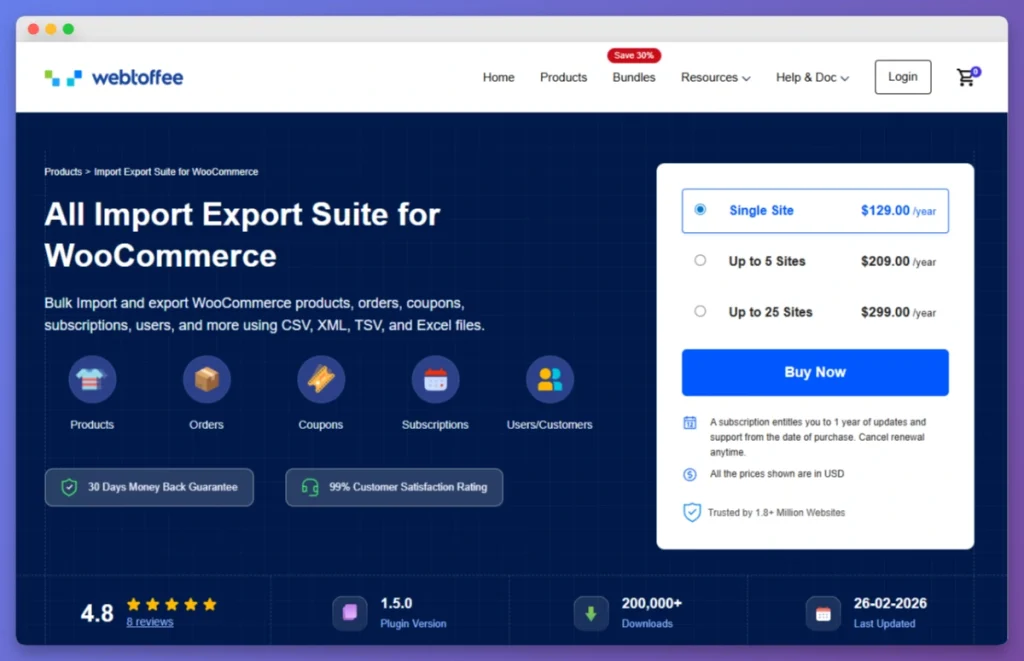
WebToffee Import Export Suite is a combined import and export plugin for WooCommerce that handles products, orders, coupons, subscriptions, and users/customers. It supports CSV, XML, TSV, and Excel formats.
The plugin includes scheduled imports and exports via FTP/SFTP, which makes it useful for stores that need automated recurring data transfers. WebToffee also offers a ChatGPT integration for generating product descriptions during import, which is a unique feature if you’re building out a product catalog from scratch.
The free version on WordPress.org has 70,000+ active installs. Paid plans start at $129 per year for a single site, $209 per year for 5 sites, and $299 per year for 25 sites.
Overall, WebToffee is a competent option if you need both import and export in one plugin and don’t require the broader data type coverage (like bookings, vendor commissions, or events) that Store Exporter Deluxe provides. Its pricing is significantly higher than Store Exporter Deluxe for comparable functionality, though.
3. WooCommerce native CSV export (free, built-in)
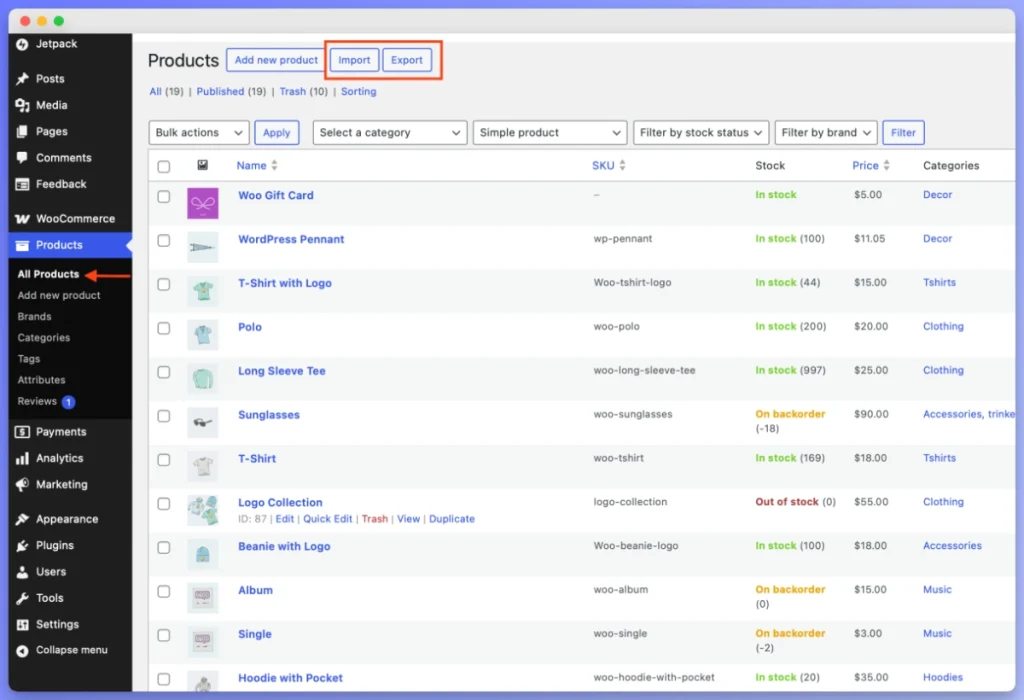
WooCommerce ships with a built-in CSV export tool for products and orders. You’ll find it under WooCommerce > Products and WooCommerce > Orders in your WordPress dashboard. There’s nothing to install and no cost.
That said, the built-in export is limited to CSV format only and covers products and orders. It doesn’t handle customers, subscriptions, coupons, bookings, or any other data type. There are also no scheduling options, no delivery via email or FTP, and no export templates.
For stores that only need an occasional product or order export and don’t require automation, the native tool works fine. It’s a reasonable starting point if you’re just getting your data into a spreadsheet for a quick review. Once you need recurring exports, multiple formats, or broader data types, however, you’ll outgrow it quickly.
4. WP Ultimate CSV Importer
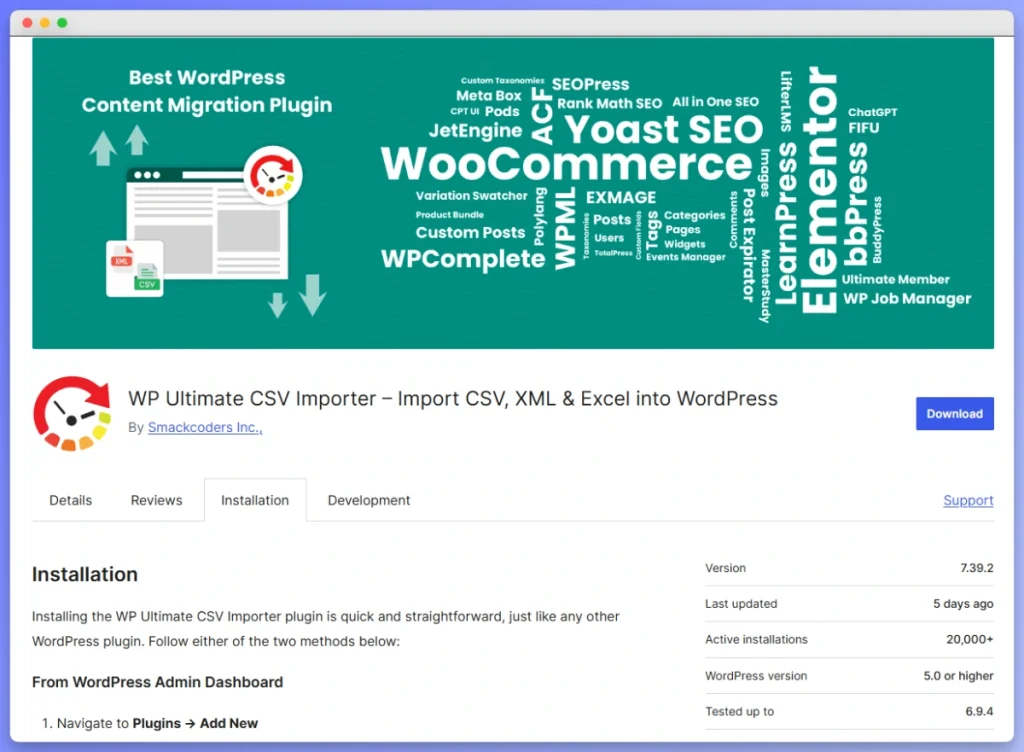
WP Ultimate CSV Importer is primarily an import-focused tool, but its pro version includes export capabilities for WordPress content types and some WooCommerce data. It supports CSV and XML formats.
In practice, the plugin is better suited for migration workflows where importing is the main need and export is secondary. If WooCommerce data export is your primary goal, a dedicated export plugin will give you more control over data types, formats, and scheduling.
5. Advanced Order Export for WooCommerce
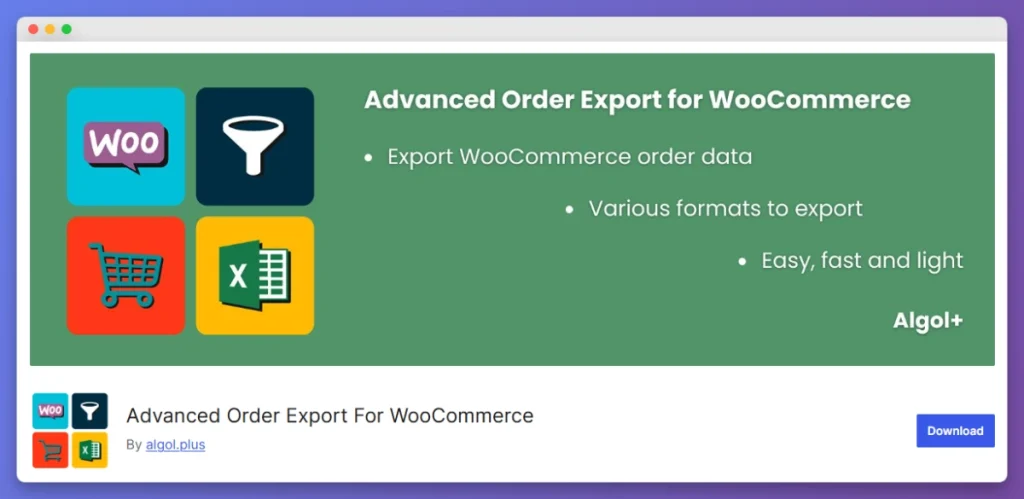
Advanced Order Export for WooCommerce is a free plugin focused specifically on exporting WooCommerce orders. It supports CSV, XLS, XML, and PDF export formats with filtering options for date ranges, order statuses, and product categories.
The plugin does one thing and does it well: order exports. If you only need to pull order data for accounting or fulfillment, it’s a lightweight option. However, it doesn’t cover product exports, customer exports, subscription data, or any other WooCommerce data type. As a result, stores that need broader export coverage will still need a more complete solution like Store Exporter Deluxe.
Feature Comparison: WP All Export Alternatives
Here’s how these WP All Export alternatives compare across the features that matter most for WooCommerce stores.
| Feature | Store Exporter Deluxe | WP All Export | WebToffee | WooCommerce Native |
|---|---|---|---|---|
| WooCommerce-specific design | Yes | No (add-on required) | Yes | Yes (limited) |
| Export formats | CSV, TSV, XLS, XLSX, XML | CSV, XML, Excel | CSV, XML, TSV, Excel | CSV only |
| Order export | Yes | Yes (with add-on) | Yes | Yes |
| Product export | Yes | Yes (with add-on) | Yes | Yes |
| Customer export | Yes | Yes (with add-on) | Yes | No |
| Subscription export | Yes | Limited | Yes | No |
| Booking/event export | Yes | No | No | No |
| Vendor commission export | Yes | No | No | No |
| WooCommerce plugin integrations | 125+ | Limited | Not specified | None |
| Scheduled/automated exports | Yes (automated) | Yes | Yes (FTP/SFTP) | No |
| Email/FTP/cloud delivery | Yes | Yes | Yes (FTP/SFTP) | No |
| Export templates | Yes | Yes | Yes | No |
| Starting price (per year) | $39.50 | $99 | $129 | Free |
The table makes the pricing gap clear. WP All Export’s $99 per year standalone license doesn’t include WooCommerce support. To export WooCommerce data, you’d need at minimum the $169 per year WooCommerce Import Package. Store Exporter Deluxe, by contrast, starts at $39.50 per year with WooCommerce support included, and even the export plus import bundle at $79 per year costs less than WP All Export’s WooCommerce package.
WooCommerce Comparison Hub: Choose the Right Tools
Deciding on the right software for your store is a big step. To help you weigh your options, we’ve put together several deep-dive comparisons of the industry’s leading tools:
- Store Exporter Deluxe vs WP All Export: Which Is Right For You? — A head-to-head look at the two most powerful export engines for WooCommerce.
- Store Exporter Deluxe vs WebToffee: WooCommerce Export Plugin Comparison — Compare features, pricing models, and specific data-type coverage.
- 5 Best WooCommerce Accounting Plugins (QuickBooks, Xero, MYOB & More) — Our top picks for syncing your store data with professional bookkeeping software.
See how Store Exporter Deluxe compares against the official WooCommerce Customer/Order/Coupon Export extension and its top alternatives — A direct comparison covering data types, formats, pricing, and when the official extension stops short.
Why Store Exporter Deluxe Is The Best WP All Export Alternative
Among WP All Export alternatives, Store Exporter Deluxe wins on three fronts that matter most to WooCommerce store owners: data type coverage, plugin compatibility, and price.
- More WooCommerce data types out of the box. WP All Export is a general WordPress export tool that bolts on WooCommerce support through a paid add-on. Store Exporter Deluxe, on the other hand, was built from the start to handle WooCommerce’s data model. That’s why it exports data types like bookings, vendor commissions, events, tickets, and shipping classes that WP All Export doesn’t cover at all.
- 125+ WooCommerce plugin integrations. If your store runs WooCommerce Subscriptions, WooCommerce Bookings, or a vendor marketplace plugin, Store Exporter Deluxe pulls data from those extensions directly. WP All Export’s WooCommerce add-on covers the basics but doesn’t match this breadth of third-party plugin support.
- Lower cost, more included. A single-site Store Exporter Deluxe license costs $39.50 per year. The equivalent WP All Export setup for WooCommerce starts at $169 per year (the WooCommerce Import Package). Even the Store Exporter Deluxe export-plus-import bundle at $79 per year is less than half the price. That difference adds up, especially for agencies managing multiple stores.
- Five export formats. Store Exporter Deluxe supports CSV, TSV, XLS, XLSX, and XML. Having TSV and both XLS/XLSX options gives you flexibility when feeding data into systems with strict format requirements.
In practice, a mistake we’ve seen repeatedly is store owners choosing an export plugin based on install count alone and then discovering months later that it can’t handle their specific WooCommerce data. The number of WordPress installs reflects general WordPress usage, not WooCommerce-specific capability. For WooCommerce stores, therefore, the depth of WooCommerce data support matters more than general popularity.
If you’re interested in how the full Visser Labs export and import ecosystem works together, take a look at our best WooCommerce export plugins guide.
Choose The Right WP All Export Alternative For Your Store
The right export plugin depends on what you’re exporting and how often. If you only pull a product list once a quarter, the free WooCommerce native export may be enough. But for stores that rely on regular, automated exports of orders, customers, subscriptions, and other WooCommerce data, a dedicated tool saves real time and avoids data gaps.
Here’s a quick recap of what we covered:
- Store Exporter Deluxe is the top pick for WooCommerce-focused exports with 125+ integrations, five formats, and pricing starting at $39.50 per year
- WebToffee Import Export Suite is a combined import/export tool at a higher price point ($129 per year)
- WooCommerce native CSV export handles basic product and order exports for free
- Feature comparison table breaks down the differences across data types, formats, automation, and pricing
- Why Store Exporter Deluxe wins on WooCommerce depth, plugin compatibility, and value
If you’re looking for WP All Export alternatives that actually match how WooCommerce stores work, Store Exporter Deluxe is the most complete, most affordable option available. Check out the full pricing and plan details to see which license fits your store.
Frequently Asked Questions
Is there a free alternative to WP All Export?
Yes. WooCommerce includes a built-in CSV export tool for products and orders at no cost. The free version of Store Exporter on WordPress.org also provides basic export functionality for WooCommerce data. Both options work for simple, one-off exports. For scheduled exports or advanced filtering, however, you’ll need a premium plugin.
What is the best plugin to export WooCommerce orders?
Store Exporter Deluxe is the most complete option for exporting WooCommerce orders. It supports five formats (CSV, TSV, XLS, XLSX, XML), includes date-range filtering, scheduled exports, and automatic delivery via email or FTP. It also exports related data like customers and subscriptions alongside orders.
Does WP All Export work with WooCommerce?
WP All Export can export WooCommerce data, but only with a separate paid add-on. The base WP All Export plugin handles standard WordPress content (posts, pages, custom post types). To export WooCommerce orders, products, or customers, you need at minimum the $169 per year WooCommerce Import Package. That’s why many store owners look for WP All Export alternatives that include WooCommerce support from the start.
Can I export WooCommerce subscriptions to CSV?
Store Exporter Deluxe supports exporting WooCommerce subscription data to CSV and four other formats. This works alongside WooCommerce Subscriptions through one of the plugin’s 125+ WooCommerce integrations. By comparison, the native WooCommerce CSV export and most general WordPress exporters don’t cover subscription data at all.
How do I schedule automatic WooCommerce exports?
Store Exporter Deluxe handles scheduled exports automatically once you configure the frequency and filters. Simply choose the data type, set your preferred schedule, and the plugin will export and deliver the file via email, FTP, SFTP, or cloud storage. No manual intervention is needed after the initial setup.
What export formats does Store Exporter Deluxe support?
Store Exporter Deluxe exports to five formats: CSV, TSV, XLS, XLSX, and XML. This gives you flexibility depending on what your accounting software, ERP, or fulfillment system accepts. Most competing export plugins support only CSV and XML, or require additional configuration for spreadsheet formats.
Is Store Exporter Deluxe cheaper than WP All Export?
Yes. Store Exporter Deluxe starts at $39.50 per year for a single-site license with full WooCommerce support. WP All Export starts at $99 per year without WooCommerce support; adding WooCommerce capabilities brings the price to $169 per year or higher. Even the Store Exporter Deluxe export-plus-import bundle at $79 per year is less than WP All Export’s WooCommerce tier.
Can I export WooCommerce data to Excel?
Store Exporter Deluxe supports both XLS and XLSX Excel formats natively. You can export any supported data type, including orders, products, customers, and subscriptions, directly to an Excel spreadsheet. WP All Export also supports Excel export, while the built-in WooCommerce tool is limited to CSV only.